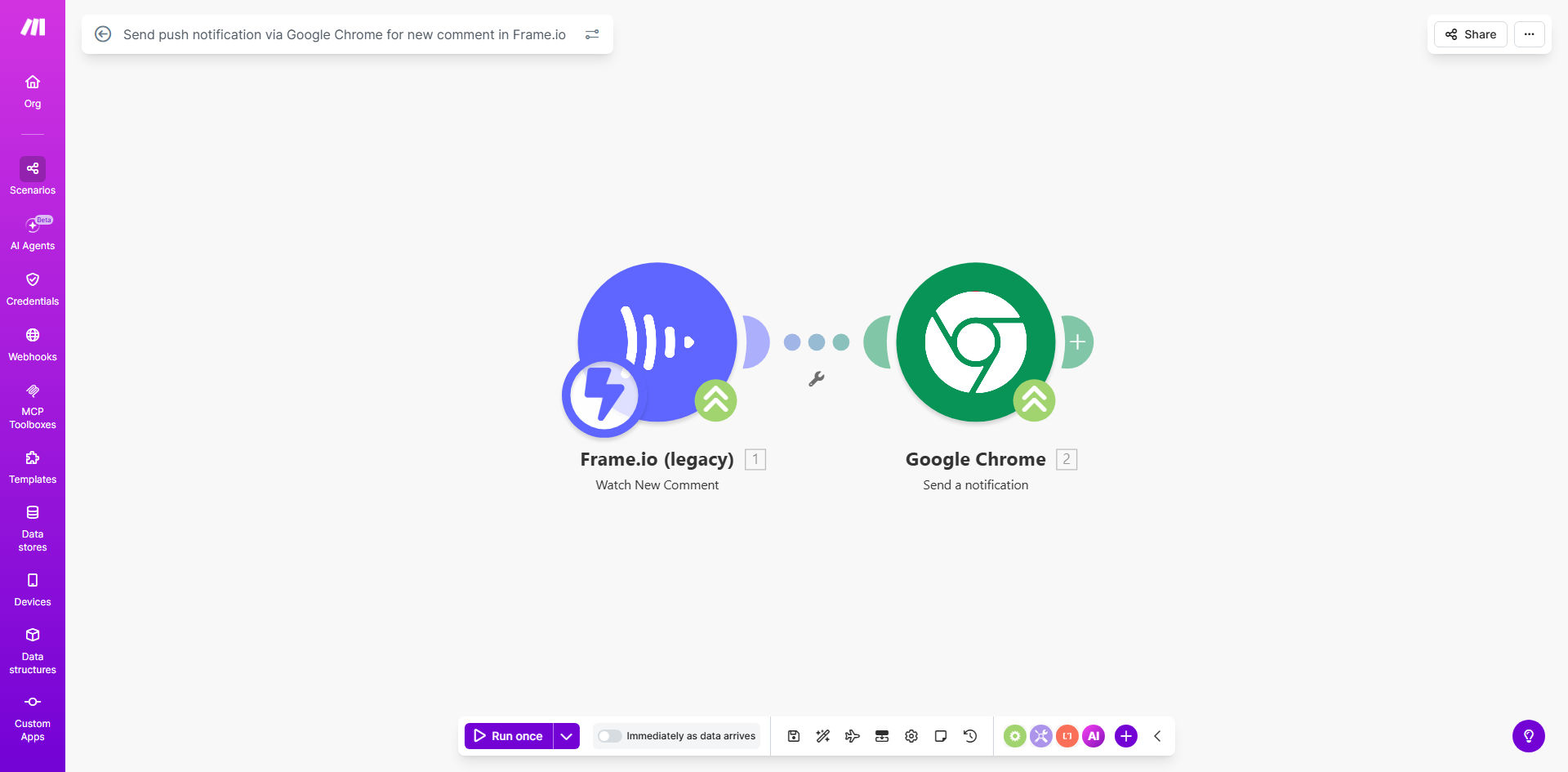
What This Workflow Does
For video editors, producers, and creative teams, the review and feedback cycle on Frame.io is where projects move forward—or get stuck. The traditional process involves constantly refreshing the Frame.io page or waiting for email notifications, which are easy to miss in a crowded inbox. This delay can add hours or even days to project timelines, leading to frustrated clients and stalled workflows.
This automation solves that by creating a real-time alert system. Every time a stakeholder adds a comment, annotation, or approval in Frame.io, this Make.com scenario instantly triggers a push notification that appears directly on your computer desktop via the Google Chrome browser. It turns passive waiting into active notification, ensuring the right person sees feedback the moment it's given.
How It Works
The workflow is a simple yet powerful connection between Frame.io and your browser, orchestrated by Make.com.
Step 1: Monitor Frame.io for New Comments
The scenario starts with a Make.com "Watch Comments" module connected to your Frame.io account. It continuously polls your specified projects or entire account for new comment activity.
Step 2: Format the Notification Data
When a new comment is detected, Make.com captures key details: the project name, the specific video or asset, the commenter's name, the timestamp, and the comment text itself. This data is structured into a clear, concise message.
Step 3: Send the Chrome Push Notification
Using the Make.com Chrome extension, the formatted message is sent as a push notification. This notification will appear on the desktop of any computer where Chrome is running and logged into the same Make.com account, even if the browser is minimized.
Pro tip: Use the Chrome extension's customization options to set a distinct notification sound. This auditory cue helps differentiate urgent client feedback from other system alerts.
Who This Is For
This template is designed for any professional or team that relies on Frame.io for collaborative review. This includes video production agencies managing multiple client projects, in-house marketing teams reviewing campaign content, freelance videographers collaborating with clients, and corporate communications teams approving internal videos. If your work involves waiting for feedback to proceed, this automation is for you.
What You'll Need
- A Make.com account (free tier available).
- A Frame.io account with projects containing comments.
- The Make.com Chrome extension installed and logged in on the computer(s) where you want to receive notifications.
- Basic permissions to connect Make.com to your Frame.io workspace (typically via OAuth).
Quick Setup Guide
- Clone the Template: Click "Get This Workflow" to copy the scenario into your Make.com account.
- Connect Frame.io: In the first module, authorize Make.com to access your Frame.io account. You can choose to watch all projects or specify individual ones.
- Install the Chrome Extension: Add the "Make - Customizable Webhooks" extension from the Chrome Web Store to your browser and log in with your Make.com credentials.
- Test the Flow: Add a test comment to a Frame.io asset. Within moments, you should see a push notification appear on your desktop.
- Customize (Optional): Adjust the notification message format in Make.com to include the information most relevant to your team.
Key Benefits
Accelerate project delivery by eliminating feedback lag. Instead of checking for comments periodically, your team is notified instantly. This can reduce the review cycle for a single video by several hours, allowing you to complete more projects per month.
Improve client satisfaction with demonstrably faster response times. When a client leaves a comment and sees a revision within the hour, it builds trust and reinforces the value of your responsive service, leading to repeat business.
Reduce context-switching and mental overhead for your creative team. Editors and designers can stay focused on deep work without the anxiety of missing important feedback. Notifications bring the feedback to them at the right time.
Create a transparent and accountable review process. Instant notifications ensure feedback is seen and acknowledged immediately, preventing comments from being overlooked and reducing miscommunication about who is responsible for which change.
Lay the foundation for a more integrated media workflow. This simple notification automation is a gateway. Once running, you can easily extend it to log comments to Asana, alert specific team members in Slack, or trigger the next step in your production pipeline.