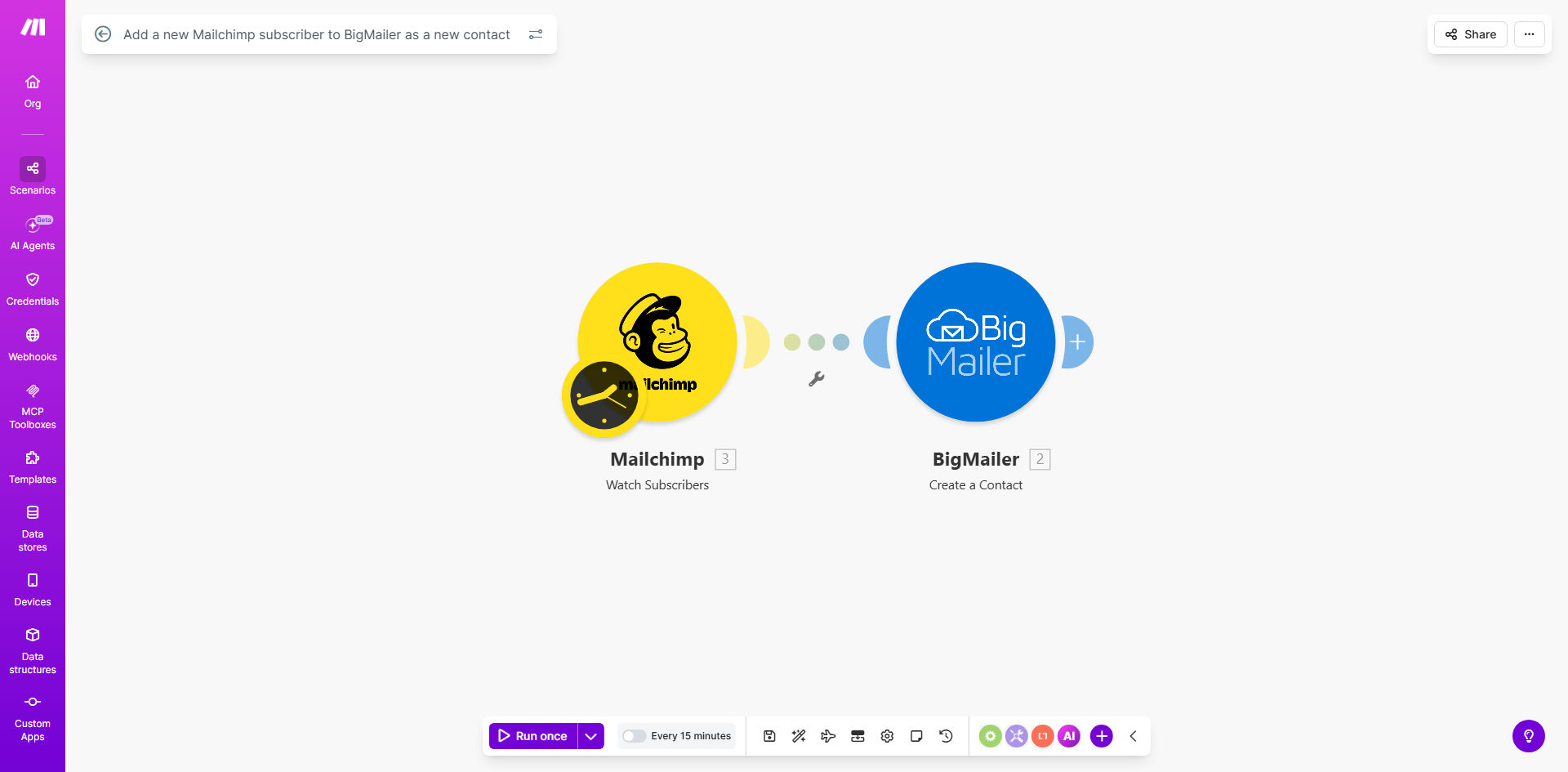
What This Workflow Does
For businesses using multiple marketing tools, manually transferring contacts between platforms is a silent productivity killer. Every time someone signs up via your Mailchimp landing page, a team member must remember to export, format, and import that data into BigMailer. This process is slow, prone to errors, and leads to inconsistent data that hurts campaign performance.
This automated workflow solves that by creating a seamless, real-time bridge between Mailchimp and BigMailer. The moment a new subscriber is added to a specified Mailchimp audience, Make.com instantly captures their details—email, name, tags, and custom fields—and creates a corresponding contact in your BigMailer account. It turns a fragmented, manual task into a reliable, hands-off process that ensures your marketing lists are always synchronized and campaign-ready.
How It Works
The automation acts as a smart data courier, listening for new events in Mailchimp and faithfully replicating them in BigMailer.
Step 1: Trigger on New Mailchimp Subscriber
The workflow is initiated by the "Watch Subscribers" module in Make.com. It continuously monitors your chosen Mailchimp audience list. When a new person subscribes (or when an existing profile is updated, depending on your configuration), it immediately captures the webhook data containing all the subscriber's information.
Step 2: Format and Prepare Contact Data
Make.com then processes the incoming data. This step often involves parsing the subscriber's name into first and last name fields, extracting relevant merge tags (like location or interest), and structuring the data into the specific format that BigMailer's API expects for creating a contact.
Pro tip: Use this step to add conditional logic. For example, you can filter subscribers based on specific Mailchimp tags, only syncing those from a particular campaign or lead source to BigMailer.
Step 3: Create Contact in BigMailer
The formatted data is sent to BigMailer via its "Create a Contact" API action. The workflow passes the email address, name, and any other mapped fields. It can also assign the new contact to a specific list or tag within BigMailer, ensuring they enter the correct nurturing sequence or segmentation from day one.
Who This Is For
This automation is a game-changer for marketing teams, solopreneurs, and agencies managing client campaigns. It's perfect if you are migrating from Mailchimp to BigMailer and need a continuous sync, or if you use both platforms for different purposes (e.g., Mailchimp for broad newsletters and BigMailer for targeted SMS or sales sequences). Businesses that rely on fast lead follow-up will benefit immensely, as it ensures no new subscriber sits idle in one platform while awaiting manual transfer to another.
What You'll Need
- A Make.com account (free tier available).
- An active Mailchimp account with an audience list containing subscribers.
- A BigMailer account with API access enabled (check your plan settings).
- The API keys or OAuth credentials for both Mailchimp and BigMailer to connect them to Make.com.
- A clear understanding of which Mailchimp list and which BigMailer list/tag you want to sync to.
Quick Setup Guide
You can have this automation running in under 15 minutes.
- Clone the Template: Click "Get This Workflow" and duplicate the scenario into your Make.com account.
- Connect Your Apps: In the Make.com scenario, update the connection settings for both the Mailchimp and BigMailer modules. Authorize Make.com to access both accounts.
- Configure the Trigger: Select the specific Mailchimp audience list you want to monitor for new subscribers.
- Map the Fields: In the BigMailer "Create Contact" module, map the data from Mailchimp to the correct BigMailer fields (e.g., map 'FNAME' to 'First Name').
- Test and Activate: Use the "Run once" feature to test with an existing subscriber. Verify the contact appears correctly in BigMailer, then turn the scenario to "ON."
Key Benefits
Eliminate 5-10 hours of monthly manual work previously spent on exporting CSV files, cleaning data, and importing contacts. This time can be redirected to strategy and content creation.
Achieve 100% data accuracy and consistency by removing the human error factor from transfers. Every field is mapped exactly as defined, ensuring your BigMailer segments are built on clean, reliable data.
Speed up your lead response time from hours to seconds. New subscribers are instantly available in BigMailer, allowing you to trigger immediate welcome sequences or sales outreach, significantly increasing conversion potential.
Create a scalable marketing infrastructure that grows with your list. Whether you add 10 or 10,000 subscribers a month, the automation handles the sync effortlessly, freeing you from operational bottlenecks.
Maintain a unified customer profile across your marketing stack. By syncing data from the point of capture, you ensure all downstream systems work from the same, up-to-date information, enabling truly personalized cross-channel marketing.