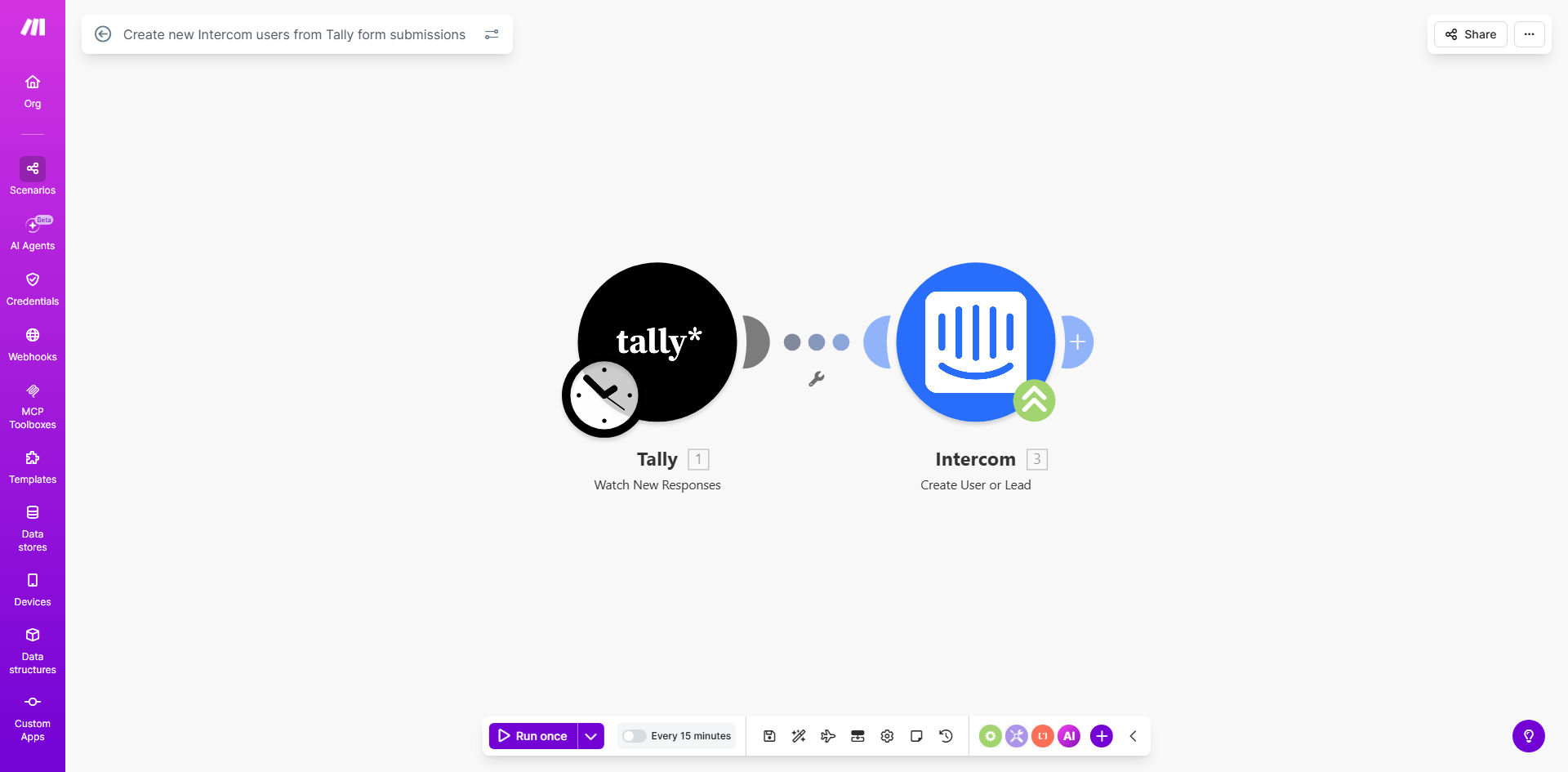
What This Workflow Does
Every business using forms to capture leads faces a critical bottleneck: manual data entry. When a potential customer fills out your Tally form for a demo, contact, or download, that information typically sits in a spreadsheet until someone has time to copy it into your customer communication platform, Intercom. This delay can cost you deals, as response time is a key factor in conversion.
This automation solves that by creating a seamless bridge between Tally and Intercom. It acts as a diligent assistant that checks for new form submissions every 15 minutes (or on your chosen schedule), extracts the respondent's details, and instantly creates a corresponding user profile in Intercom. The moment a lead comes in, they become a known entity in your system, ready for personalized engagement.
How It Works
The workflow is built on Make.com and follows a simple, reliable sequence to ensure no lead is missed.
Step 1: Scheduled Check for New Responses
The scenario is triggered on a schedule. By default, it polls your Tally account every 15 minutes to look for new form submissions. This interval can be easily adjusted to hourly, daily, or in real-time using webhooks for ultra-fast sync.
Step 2: Retrieve and Parse Form Data
For each new submission found, the automation retrieves all the data from the Tally response. This includes the respondent's email, name, and any other custom fields you've set up in your form, such as company, job title, or phone number.
Pro tip: Structure your Tally form fields with clear, simple names (e.g., "Full Name", "Work Email"). This makes mapping the data to Intercom's user attributes much easier and more accurate during setup.
Step 3: Create or Update User in Intercom
The workflow then sends this data to Intercom's API to create a new user. It uses the email as the unique identifier. If a user with that email already exists in Intercom, the automation can be configured to update their profile with the new information instead, preventing duplicates.
Step 4: Log and Route for Action
Finally, the scenario logs the action—whether a user was created or updated—and can be extended to trigger further actions. For example, it could notify a salesperson in Slack, add the user to a specific Intercom segment, or start an automated welcome message sequence.
Who This Is For
This template is a game-changer for marketing, sales, and support teams that rely on Tally for lead generation and Intercom for customer communication.
Marketing Teams: Automatically build your Intercom contact list from webinar sign-ups, content downloads, and newsletter subscriptions captured via Tally. Enables immediate lead nurturing.
Sales Teams: Instantly create Intercom users from demo request or contact forms. Sales reps get immediate visibility into new prospects with full context, allowing for faster, more informed outreach.
Startups & SMBs: Perfect for small teams without a dedicated operations person. It eliminates a tedious, error-prone manual task, freeing up time for core business activities while ensuring professional lead management.
What You'll Need
- A Make.com account (free tier available).
- A Tally account with at least one active form collecting user data.
- An Intercom account with admin access to generate API keys.
- Your Tally form's unique identifier and your Intercom API key.
Quick Setup Guide
You can have this automation running in under 15 minutes.
- Clone the Template: Click "Get This Workflow" to copy the template into your Make.com account.
- Connect Your Apps: In the Make scenario, create connections to your Tally and Intercom accounts by authorizing with your API keys.
- Configure the Trigger: Select the specific Tally form you want to monitor from the dropdown menu in the first module.
- Map the Data Fields: In the Intercom "Create a User" module, map the Tally response fields (like `Respondent Email`) to the corresponding Intercom user attributes (like `email`).
- Test and Activate: Run the scenario once manually with a test submission to ensure data flows correctly. Then, turn on the schedule and let it run automatically.
Key Benefits
Eliminate Manual Data Entry: Save 5–10 hours per month that your team spends copying and pasting lead information from spreadsheets into Intercom. This time can be redirected to high-value tasks like sales calls or campaign strategy.
Improve Lead Response Time: Reduce the time from form submission to sales engagement from hours (or days) to minutes. Faster responses dramatically increase your chances of converting a lead into a customer.
Ensure Data Accuracy and Consistency: Automated sync removes human error from the equation. Every piece of data from the form is transferred precisely as entered, creating clean, reliable user profiles in Intercom.
Enable Scalable Lead Management: As your form volume grows, the automation scales effortlessly. It can handle 10 or 10,000 submissions with the same reliability, preventing your lead management process from becoming a bottleneck.
Create a Unified Customer View: By centralizing lead data from Tally directly into Intercom, you build a single source of truth for all customer interactions. This empowers your team to deliver personalized, context-aware communication from the very first touchpoint.