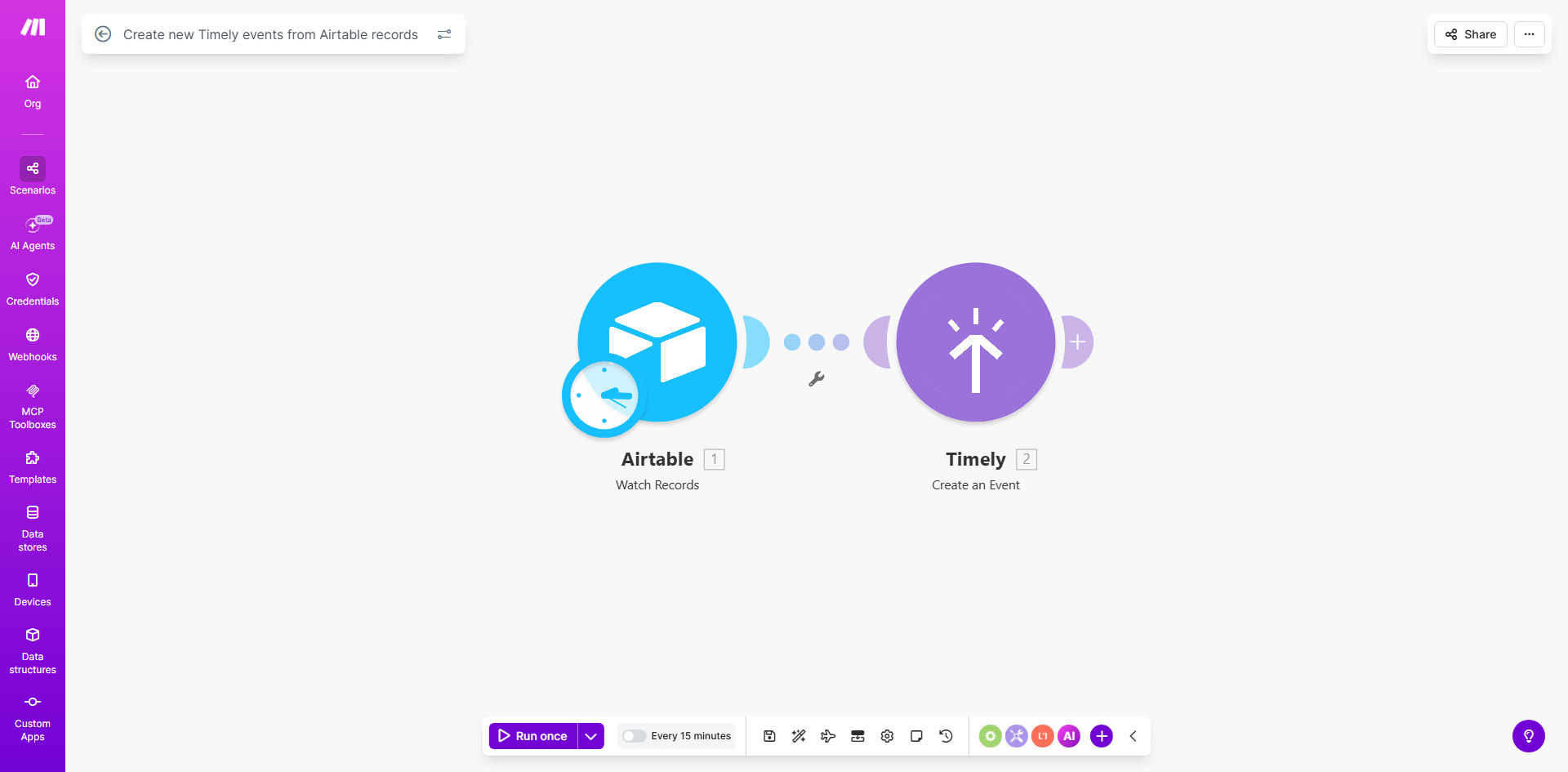
What This Workflow Does
Manual time tracking is a notorious source of inefficiency and error. Employees forget to log hours, managers struggle to reconcile timesheets with project tasks, and inaccurate data leads to underbilling or payroll disputes. This workflow solves that by creating a seamless bridge between your project management hub (Airtable) and your time-tracking software (Timely).
Every time a new task, meeting, or project activity is logged in your designated Airtable table, this automation instantly creates a corresponding event in Timely. The event is populated with all relevant details—project name, description, assignee, start time, and billable status. This turns time tracking from a reactive, manual chore into a proactive, automated process that runs in the background of your operations.
How It Works
The workflow is built on Make.com and operates on a simple trigger-action principle, ensuring reliability and real-time syncing.
Step 1: Monitor Your Airtable Base
The scenario starts by watching a specific table in your Airtable base. It uses the "Watch Records" module to detect whenever a new record is added. This could be a new row added by a team member, a form submission, or an integration from another tool.
Step 2: Map the Data Fields
Once a new record is detected, Make extracts the relevant data fields. You configure the mapping so that Airtable columns (like "Task Name," "Client," "Start Time," "Employee Email") are correctly identified and prepared for the next step.
Step 3: Create the Timely Event
Make then uses the Timely app module to create a new event. It passes the mapped data—title, description, start/end times, project, and user assignment—to Timely's API. The event is created under the correct Timely account, appearing in the user's timeline ready for tracking or editing.
Pro tip: Use an Airtable checkbox or status field (e.g., "Ready to Time Track") as a filter in your trigger. This prevents accidental triggers from draft records and gives you control over when the time entry is officially started.
Who This Is For
This automation delivers immense value for any professional service business that bills by the hour or needs accurate internal time accounting.
- Consulting Agencies & Freelancers: Automatically track time against specific client projects from your task list.
- Software Development Teams: Link Jira or GitHub issues (via Airtable sync) to development time logged in Timely.
- Marketing & Creative Agencies: Capture time spent on design revisions, content creation, and client calls directly from project boards.
- Law Firms & Accountants: Ensure every client call, document review, and research task is accurately captured for precise billing.
- Internal IT & Operations Teams: Track internal project hours for resource planning and departmental costing.
What You'll Need
- A Make.com account (free tier sufficient for this workflow).
- An Airtable account with a base containing your project/task data.
- A Timely account (team or business plan) with API access enabled.
- Your Airtable table should have columns that correspond to Timely event fields (e.g., Title, Description, Start DateTime, Duration, Project, User).
- API connection credentials for both Airtable and Timely (Make will guide you through the OAuth process).
Quick Setup Guide
You can have this automation running in under 15 minutes.
- Clone the Template: Click "Get This Workflow" to copy the scenario to your Make.com account.
- Connect Your Apps: In the Make scenario, click the Airtable and Timely modules to authenticate and connect your accounts.
- Configure the Trigger: Select the specific Airtable base and table you want to monitor for new records.
- Map the Data: In the Timely "Create an Event" module, map the Airtable fields to the correct Timely parameters. Ensure date formats match.
- Set the User Assignment: Map the Airtable field containing the team member's email to the "User" field in Timely so events appear on the right person's timeline.
- Test & Activate: Add a test record to your Airtable table and run the scenario once to verify a Timely event is created correctly. Then turn on the schedule to run in real-time.
Key Benefits
Eliminate 5–10 hours of monthly manual admin per employee. No more end-of-week timesheet scrambles. Time is captured as work happens, directly from your project management tool.
Improve billing accuracy by 15–25%. Automated entries remove guesswork and forgotten tasks, ensuring you invoice for every billable minute and improving project profitability.
Gain real-time project visibility. Managers and clients can see actual hours spent versus estimates instantly in Timely, enabling proactive conversations about scope and budget.
Enhance team accountability and focus. Employees are freed from administrative tracking and can concentrate on productive work, with the assurance their time is being logged correctly.
Create a single source of truth. Sync data seamlessly between your project hub (Airtable) and your financial hub (Timely for invoicing), eliminating data silos and reconciliation work.