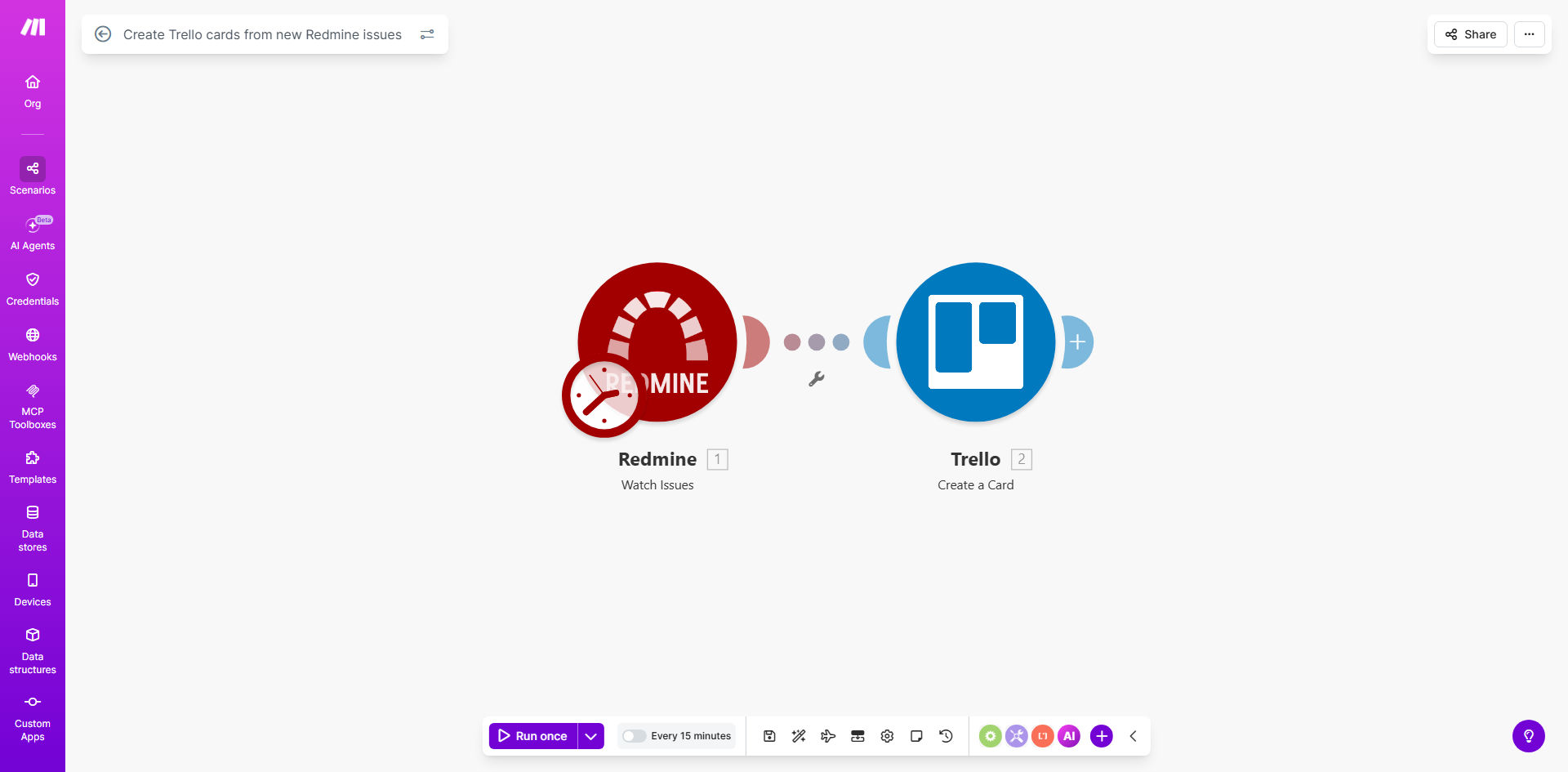
What This Workflow Does
In many tech companies, a frustrating gap exists between developer tools and project management platforms. Engineers log bugs, features, and tasks in Redmine—a powerful issue tracker. Meanwhile, product managers, marketers, and executives track progress on visual Trello boards. This disconnect forces someone to manually copy information between systems, a process that is slow, error-prone, and creates information silos.
This Make.com workflow template solves that problem by creating an automatic bridge. Every time a developer creates a new issue in Redmine, this automation instantly triggers and creates a corresponding card on a specified Trello board. The card includes key details like the issue title, description, priority, and assignee. This means the entire team gains real-time visibility into development work without developers having to switch contexts or project managers having to chase for updates.
How It Works
The automation runs on a simple but powerful trigger-action principle, ensuring no issue falls through the cracks.
Step 1: Monitoring Redmine for New Issues
The workflow starts with a Make.com "Watch Issues" module connected to your Redmine account. It polls the Redmine API at regular intervals (e.g., every 15 minutes) to detect newly created issues. You can configure it to watch specific projects or trackers to keep the automation focused.
Step 2: Processing and Mapping Issue Data
Once a new issue is detected, Make.com captures its data. The workflow then processes this information, extracting the relevant fields. It can map Redmine's priority levels (e.g., High, Normal, Low) to corresponding Trello labels (red, yellow, green), and even look up the assignee's email to match them to a Trello member.
Pro tip: Use Make.com's filter to only create Trello cards for issues with a "High" or "Urgent" priority. This prevents your Trello board from being flooded and keeps it focused on critical items.
Step 3: Creating the Trello Card
The final step is the "Create a Card" module in Trello. Using the mapped data, the automation posts a new card to your chosen board and list (like "Backlog" or "To Do"). The card's name becomes the issue subject, and the description includes a link back to the original Redmine ticket for full context. The workflow is now complete, and the team can start working on the Trello card immediately.
Who This Is For
This automation is ideal for any organization that uses Redmine for development but needs broader visibility via Trello. It's perfect for software agencies managing client projects, in-house product teams where non-technical stakeholders need updates, and startups where engineers wear multiple hats and need to streamline communication. If your team wastes time in meetings just to "sync up" on what's in the backlog, this workflow is for you.
What You'll Need
- A Make.com account (free tier available).
- Admin or API access to your Redmine instance (cloud or self-hosted).
- A Trello account with a board ready to receive the new cards.
- The API keys or OAuth credentials for both Redmine and Trello to connect them to Make.com.
- A clear understanding of which Redmine project(s) and Trello board/list should be linked.
Quick Setup Guide
You can have this automation running in under 30 minutes.
- Clone the Template: Click "Get This Workflow" to copy the template into your Make.com account.
- Connect Your Apps: In the Make.com scenario, authorize the connections to your Redmine and Trello accounts.
- Configure the Trigger: Set the Redmine module to watch the correct project and, optionally, apply filters for specific trackers or priorities.
- Map the Data: In the Trello module, select your target board and list. Ensure the fields from Redmine (like title, description) are correctly mapped to the Trello card properties.
- Test and Activate: Create a test issue in Redmine and run the scenario once to verify a card appears in Trello. Then, turn the scenario on to run automatically.
Key Benefits
Eliminate 5-10 hours of manual data entry per week. No more copying and pasting issue details between tools, freeing up project managers and team leads for higher-value work.
Improve cross-functional alignment instantly. When marketing needs to know if a bug blocking a campaign is fixed, they can see its status on the shared Trello board without interrupting the development team.
Reduce the risk of tasks being forgotten. Automatic creation ensures every logged issue becomes a visible, accountable item on the project board, closing the loop between reporting and action.
Maintain a single source of truth with bidirectional linking. The Trello card contains a direct link to the full technical details in Redmine, while Redmine can be updated when the Trello card is completed, keeping both systems in sync.
Scale your process without adding overhead. As your team and project count grows, this automation handles the increased volume seamlessly, ensuring your workflow remains smooth and efficient.