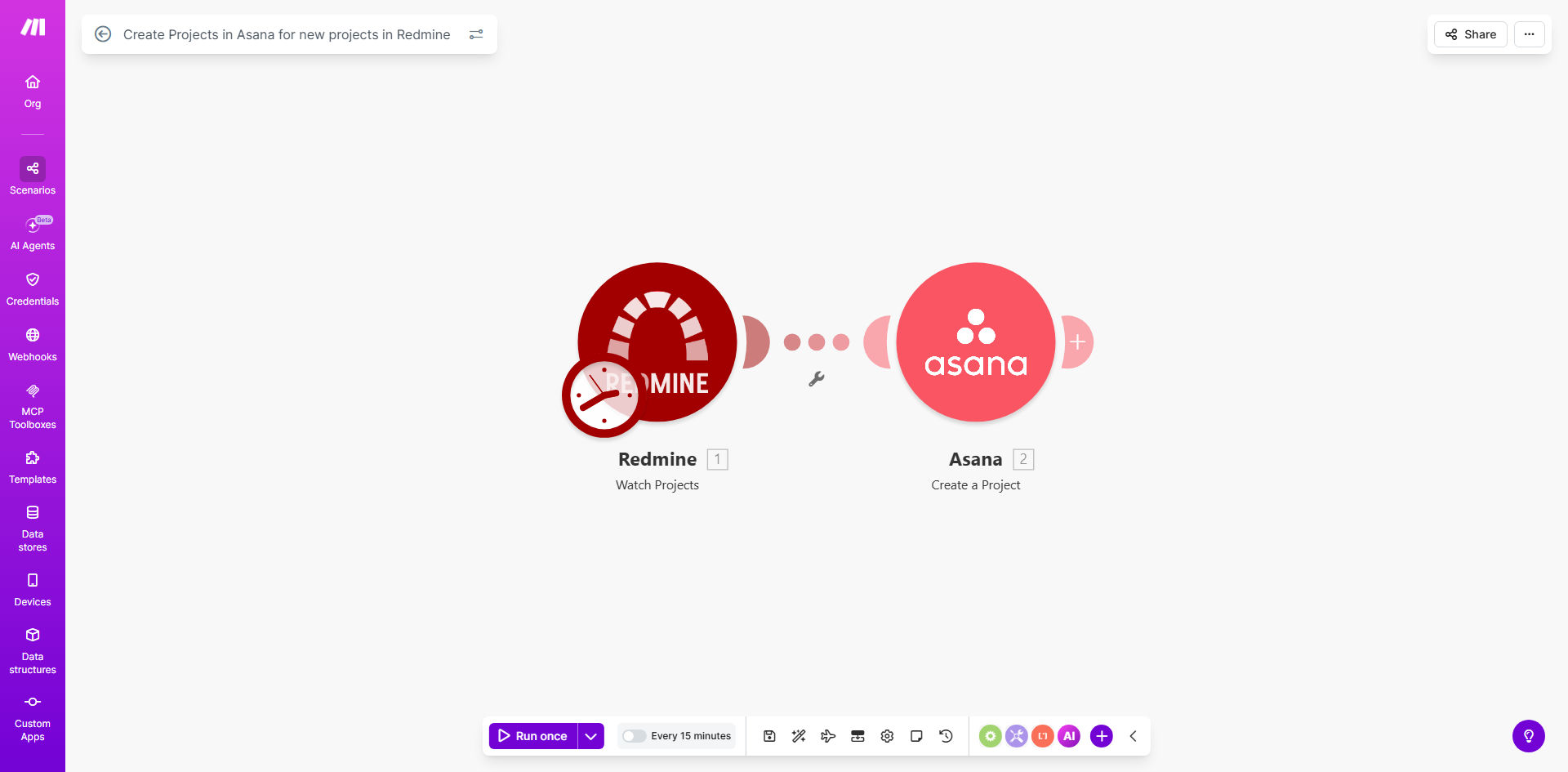
What This Workflow Does
For teams using Redmine for development tracking and Asana for broader project management, a significant bottleneck exists: manual project creation. When a developer or project manager initiates a new project in Redmine, someone must remember to duplicate that effort in Asana—creating the project, adding members, setting up sections, and copying key details. This process is not only time-consuming but prone to errors, delays, and miscommunication, leading to teams working off outdated or incomplete information.
This automated workflow solves that problem completely. It acts as a silent, reliable bridge between your systems. Every time a new project is created in Redmine, this Make.com scenario triggers instantly. It captures all the relevant project data—name, description, identifier, maybe even custom fields—and uses it to automatically create a corresponding, fully-configured project in Asana. The result is a perfectly synchronized project ecosystem where information flows seamlessly, and teams can start collaborating immediately without any administrative lag.
How It Works
The automation follows a clean, event-driven process that requires zero ongoing manual intervention once set up.
Step 1: Monitoring Redmine for New Projects
The workflow begins with a "Watch Projects" module in Make.com that polls your Redmine instance at regular intervals. It looks specifically for new project entries. When one is detected, it immediately captures the entire project object, including its ID, name, description, and any other configured fields.
Pro tip: Use Redmine's REST API key for secure authentication in Make.com. The polling interval can be adjusted based on how frequently new projects are created to optimize API calls.
Step 2: Processing and Mapping the Data
Make.com then processes the incoming data from Redmine. This step often involves using a "Router" to handle different project types or a "Data Store" to look up additional information. The core task here is mapping: translating Redmine field values into the correct format for Asana's API. For example, the Redmine project "name" becomes the Asana project "name", and the "description" is carried over.
Step 3: Creating the Project in Asana
The final action is executed by the "Create a Project" module for Asana. Using the mapped data, it sends a request to your specified Asana workspace or team to create the new project. You can pre-configure the workflow to set a default project owner, apply a specific template, or even create initial sections (like "To Do", "In Progress", "Done") based on your team's standards.
Who This Is For
This automation is a game-changer for any organization that relies on Redmine for technical or engineering project tracking but uses Asana for company-wide task management and collaboration. It's ideal for:
- Software Agencies: Where project managers in Redmine need to instantly spin up client workspaces in Asana for internal teams.
- Product Companies: Where engineering creates a Redmine project for a new feature, and product/marketing teams need a parallel Asana project for launch tasks.
- IT & Operations Teams: Where infrastructure projects logged in Redmine require coordination across multiple departments via Asana.
- Businesses Scaling Rapidly: Where manual process duplication is becoming a major time-sink and source of error.
What You'll Need
- A Make.com account (free or paid tier).
- Admin or API access to your Redmine instance to generate an API key or set up authentication.
- Admin access to your Asana workspace to connect the app and grant necessary permissions.
- Clear knowledge of which Redmine project fields (e.g., name, identifier, description) you want to map to Asana.
- (Optional) A standard Asana project template you'd like new projects to follow.
Quick Setup Guide
You can have this automation running in under 30 minutes.
- Clone the Template: Click "Get This Workflow" to open the template in your Make.com account and create a copy.
- Connect Redmine: In the first module, add your Redmine connection using your instance URL and API key.
- Connect Asana: In the "Create Project" module, authorize Make.com to access your Asana account and select the default team/workspace.
- Map Your Fields: In the Asana module, map the data from Redmine. At a minimum, map the project name and description. You can add custom fields if needed.
- Test & Activate: Run the scenario once manually to test. Create a dummy project in Redmine and verify it appears correctly in Asana. Then, schedule the scenario to run automatically (e.g., every 15 minutes).
Key Benefits
Save 2-5 hours per week on administrative setup. Eliminate the repetitive task of manually creating projects in a second system, freeing up project managers or team leads for higher-value strategic work.
Ensure 100% data consistency and eliminate human error. The automation transfers information exactly as it appears in Redmine, removing typos, forgotten details, or incorrect assignments that happen with manual copy-pasting.
Accelerate project kick-off by 80%. Teams in Asana gain immediate visibility and a ready-to-use workspace the moment a project is approved in Redmine, shaving days off your project lifecycle.
Improve cross-departmental alignment automatically. By creating a single source of truth that spans both tools, you bridge the gap between technical tracking and operational execution, reducing miscommunication and silos.
Create a scalable foundation for process automation. This workflow is a starting point. It can be easily extended to add tasks, notify team members via Slack, or update projects when statuses change in Redmine.