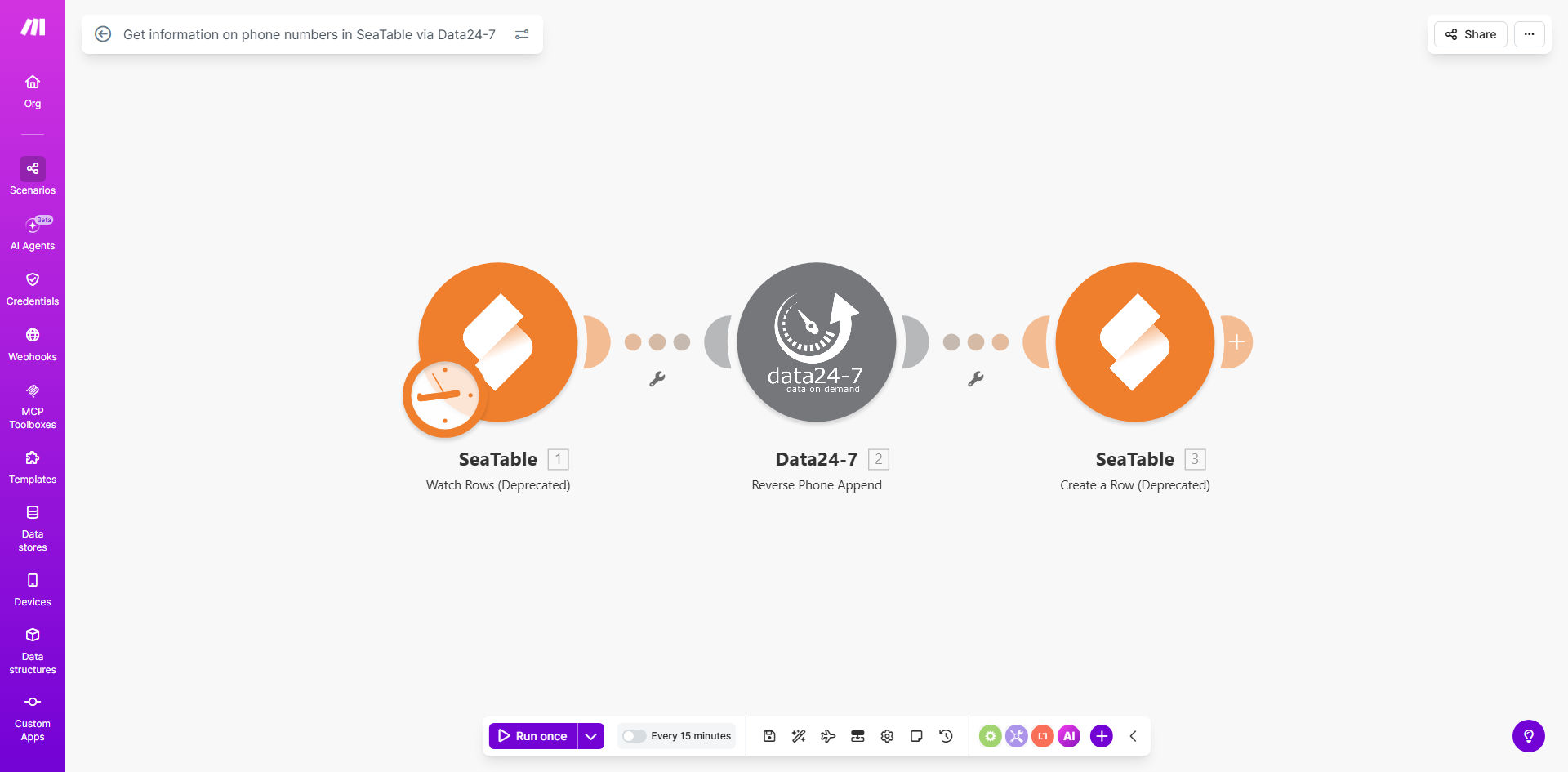
What This Workflow Does
Manual lead verification is a silent productivity killer. Sales and marketing teams often waste precious hours checking if phone numbers are valid, determining if they're mobile or landline, and looking up associated location data. This process is tedious, error-prone, and delays outreach to hot leads.
This automation solves that problem by creating a seamless bridge between your lead database in SeaTable and the powerful verification capabilities of Data24-7. Every time a new record containing a phone number is added to your specified SeaTable base, this workflow instantly triggers. It sends the number to Data24-7's API, retrieves verified information like carrier, line type, and geographic location, and then writes that enriched data back into the original SeaTable record.
The result is a self-cleaning, intelligent database. Your team no longer sees raw, unverified numbers. Instead, they see validated leads flagged as "Mobile - Verizon" or "Landline - Atlanta, GA," allowing for immediate, confident, and personalized follow-up. This transforms data entry from a passive task into an active data enrichment engine.
How It Works
The workflow operates on a simple but powerful "trigger-action" model, fully automated within Make.com.
Step 1: Watch for New SeaTable Records
The scenario starts by monitoring a specific SeaTable table for new rows. You configure it to watch for the addition of records that contain a phone number in a designated column. This is a passive watch, meaning it doesn't interfere with your normal SeaTable operations.
Step 2: Extract and Send the Phone Number
When a new record is detected, Make extracts the phone number field and formats it for the API call. It then sends this number to the Data24-7 module. This step handles authentication and the precise data request, ensuring you get the specific information you need (e.g., carrier validation, line type).
Pro tip: Use a "Filter" module after the trigger to only process records where the phone number field is not empty. This prevents unnecessary API calls and keeps your scenario efficient.
Step 3: Process the Data24-7 Response
Data24-7 returns a structured data packet. The workflow parses this response to pull out the most valuable pieces of information. This typically includes the phone company (carrier), the type of line (wireless, landline, VOIP), the service location (city, state), and a status indicator (e.g., valid, disconnected).
Step 4: Update the Original SeaTable Record
Finally, Make takes the parsed data and updates the original SeaTable row that triggered the workflow. It adds this new information into separate, pre-defined columns (like "Carrier," "Line Type," "Validation Status"). Your lead record is now instantly enriched, providing immediate context to anyone viewing it.
Who This Is For
This template is a game-changer for any business that relies on phone-based outreach and maintains lead data in SeaTable. It's ideal for Sales Teams who need to prioritize mobile leads and avoid dead numbers, Marketing Agencies running lead generation campaigns who must validate lead quality before passing them to clients, and Small Business Owners managing their own CRM who want professional-grade data hygiene without the cost of enterprise software.
Real estate agents, insurance brokers, recruitment agencies, and local service businesses will find immense value in automatically knowing a lead's location and phone type the moment they submit a web form.
What You'll Need
- A Make.com account (free tier available).
- A SeaTable account with a base containing your lead/contact table.
- A Data24-7 API key (you can sign up for an account on their website).
- Your SeaTable table must have, at minimum, a column for the phone number. For full enrichment, create additional columns to receive the data, such as: Carrier, Line Type, City, State, Validation Status.
Quick Setup Guide
You can have this automation running in under 15 minutes.
- Clone the Template: Click "Get This Workflow" to copy the scenario into your Make.com account.
- Connect Your Apps: In the Make scenario, click on the SeaTable module and authenticate your account. Do the same for the Data24-7 module, entering your API key.
- Configure the Trigger: Select your specific SeaTable base, table, and the column that contains the phone numbers you want to validate.
- Map the Data Fields: In the final "Update Record" module, map the data from the Data24-7 response (like `carrier.name`) to the corresponding columns you created in your SeaTable (like "Carrier").
- Test and Activate: Turn on the scenario and add a test record to your SeaTable with a phone number. Within moments, you should see the enriched data appear in the row.
Key Benefits
Save 5–10 hours per week per salesperson by eliminating manual phone lookups and data entry. This time is redirected towards actual selling and customer conversations.
Increase lead contact rates by up to 30% by ensuring your team calls valid, active numbers and prioritizes mobile leads, which have a significantly higher answer rate than landlines.
Improve data quality and reporting accuracy by maintaining a clean, verified database. This leads to better segmentation, more accurate territory analysis, and reliable sales forecasting.
Accelerate sales velocity by providing enriched context the moment a lead arrives. Sales reps can personalize their opening based on location or carrier, leading to warmer conversations and faster conversions.
Reduce operational costs associated with wasted dials, manual data cleaning projects, and the hidden cost of low team morale from dealing with poor-quality data.