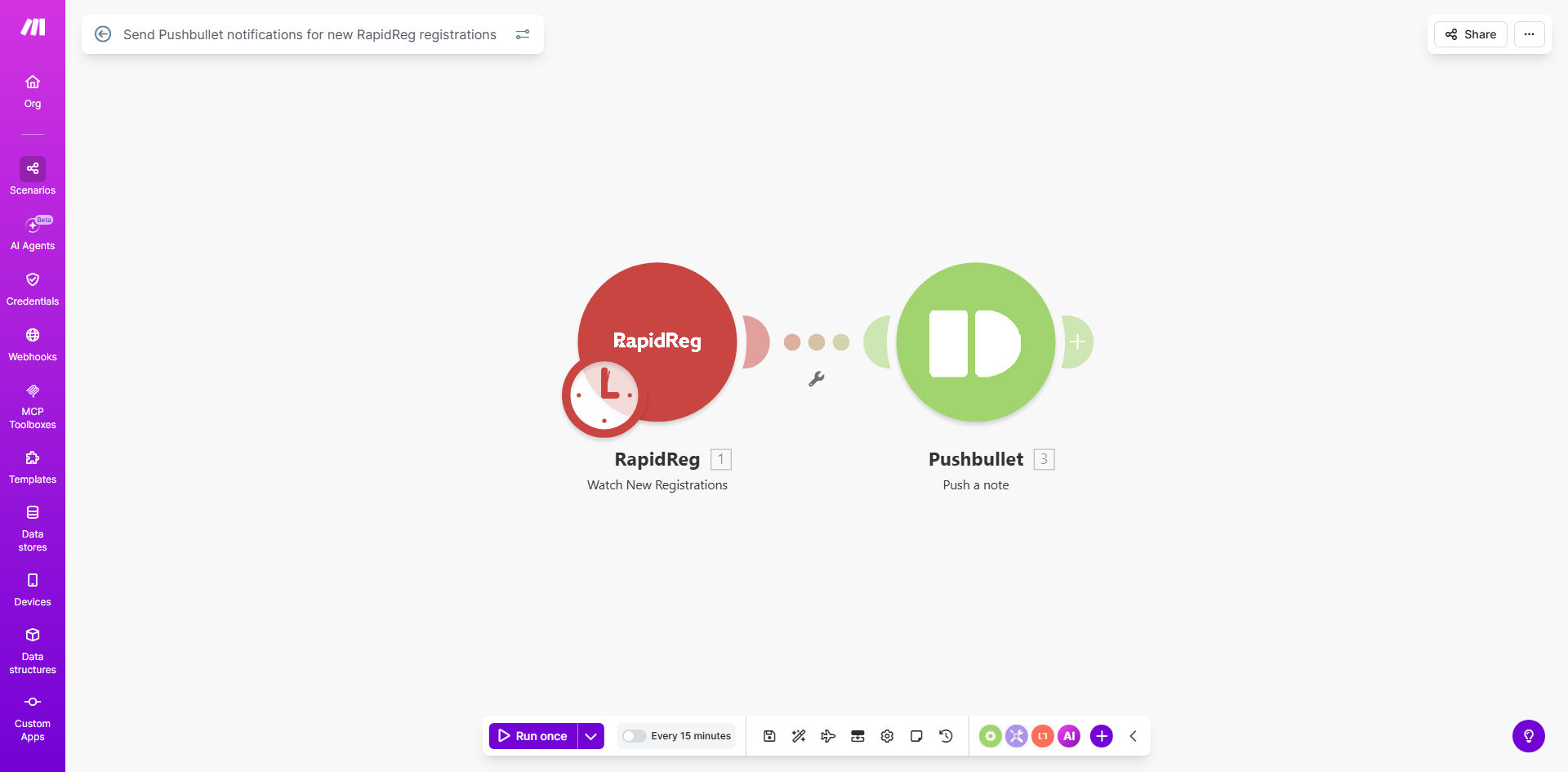
What This Workflow Does
If you manage events, courses, or webinars using RapidReg, you know the frustration of constantly refreshing your dashboard to see new sign-ups. This manual process wastes time and delays your response to potential attendees. Missed registrations can mean lost revenue and a poor first impression.
This automation solves that by creating a direct, real-time bridge between your RapidReg account and your mobile device. Every time a new registration comes in, Make.com detects it instantly and sends a push notification directly to your phone via Pushbullet. You’re informed immediately, anywhere, allowing for instant follow-up and giving your registrants a feeling of VIP treatment from the very first moment.
How It Works
The workflow is a simple, powerful sequence that runs automatically in the background.
Step 1: Monitor for New Registrations
The scenario starts with a RapidReg module set to watch for new registrations. It polls your RapidReg account at regular intervals (e.g., every 5 minutes) or uses a webhook for instant triggering, capturing details like the registrant's name, email, event name, and registration date.
Step 2: Format the Notification Message
Make.com then takes the raw registration data and structures it into a clear, actionable message. It can include key details such as "New registration for [Event Name] by [Registrant Name]". This step ensures the alert is informative at a glance.
Step 3: Send the Push Notification
The formatted message is sent to the Pushbullet module. Pushbullet then delivers it as a native push notification to all your connected devices—your phone, tablet, or desktop. You see the alert just like a text message, without needing to open any app.
Pro tip: Customize the notification message to include the most critical info for your team, like the ticket type or a custom question answer. This helps you prioritize follow-ups immediately.
Who This Is For
This automation is a game-changer for solopreneurs, small business owners, event coordinators, and educators who rely on timely responses. It's perfect for anyone running paid webinars, workshops, conference tickets, or online course launches through RapidReg. If you or your team need to know about new sign-ups the moment they happen to trigger a welcome sequence, update attendance lists, or simply celebrate a new sale, this workflow is for you.
What You'll Need
- A Make.com account (free tier available).
- A RapidReg account with an active event or registration form.
- A Pushbullet account (free plan works) and the app installed on your mobile device.
- Your API keys or login credentials for both RapidReg and Pushbullet to connect them to Make.com.
Quick Setup Guide
- Clone the Template: Click "Get This Workflow" to open the template on Make.com and create a copy in your own account.
- Connect RapidReg: In the first module, authenticate your RapidReg account and select the specific event or form you want to monitor.
- Connect Pushbullet: In the notification module, authenticate your Pushbullet account. This will link the scenario to your personal notification channel.
- Customize the Message: Edit the text module to include the data points you care about most from the registration (e.g., name, email, event title).
- Activate & Test: Turn the scenario on and perform a test registration on your RapidReg form. You should receive a push notification on your phone within moments.
Key Benefits
Eliminate manual dashboard monitoring, saving 1-2 hours per week. Free yourself from the constant need to check for new sign-ups, allowing you to focus on higher-value tasks like content creation or customer engagement.
Improve response time to new leads from hours to seconds. The instant a person registers, you know. This enables immediate welcome messages or follow-ups, significantly boosting conversion rates and attendee satisfaction.
Never miss a registration, even outside business hours. The automation works 24/7, ensuring you're informed of sign-ups that happen overnight or on weekends, capturing every potential attendee.
Create a professional, tech-savvy impression. Demonstrating a swift, automated response system makes your business appear more organized and responsive, building trust with your audience from the first interaction.
Build a foundation for more complex automations. This simple notification workflow is a perfect first step. You can easily extend it to also send welcome emails, update CRM records, or alert your entire team in Slack.