What This Workflow Does
For e-commerce brands, a sale is just the beginning of the customer relationship. The real challenge is capturing that customer's information and seamlessly integrating them into your marketing ecosystem to drive repeat purchases and loyalty. Manually transferring data from Shopify to Wishpond is a tedious, error-prone task that often gets delayed, causing you to miss critical engagement windows right after a purchase.
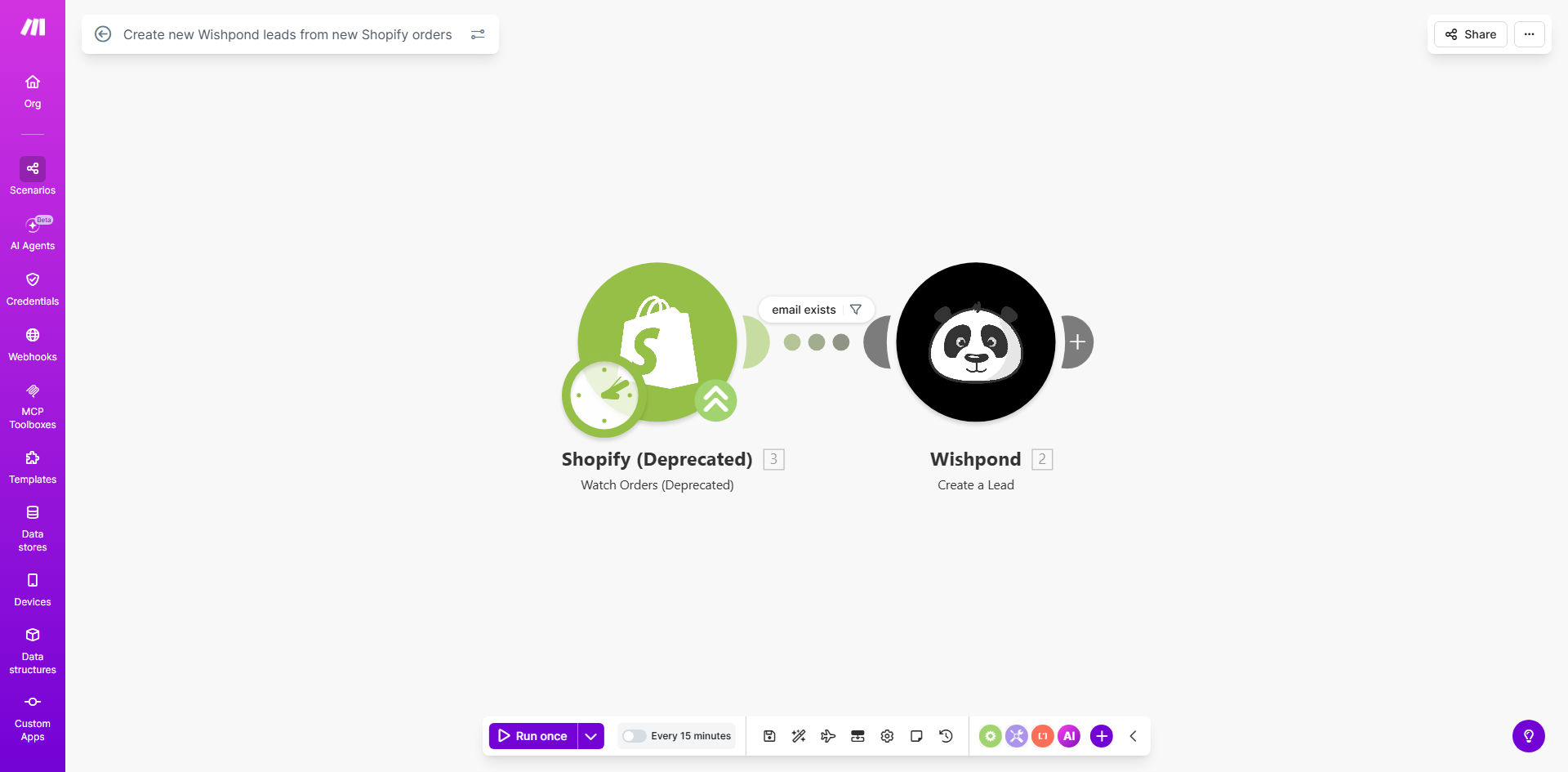
This automated workflow solves that by acting as a silent bridge between your store and your marketing platform. Every time a new order is placed in Shopify, this system instantly creates a corresponding lead in Wishpond, complete with the customer's details, purchase information, and order value. It transforms your marketing from a reactive, batch-processed effort into a proactive, real-time channel for growth.
How It Works
The automation runs quietly in the background, ensuring your marketing lists are always up-to-date.
Step 1: Monitor for New Shopify Orders
The workflow is triggered on a schedule (e.g., every 15 minutes) to check your Shopify store for any new orders that have been created since the last check. It connects to the Shopify API to retrieve a list of these fresh transactions.
Step 2: Extract and Format Customer Data
For each new order found, the automation extracts key information: the customer's email address, first and last name, order total, purchased items, and the order date. This data is cleaned and structured into a format that Wishpond can accept for creating a new lead.
Step 3: Create a New Lead in Wishpond
The system then sends the formatted customer data to Wishpond via its API, creating a new lead entry. You can configure it to add leads to specific lists or campaigns automatically, such as a "New Customers" list or a "High-Value Purchasers" segment based on order amount.
Pro tip: Use the "Product Title" data from Shopify to add custom fields or tags in Wishpond. This allows you to segment leads by product interest immediately, enabling hyper-targeted follow-up emails about related accessories or restock reminders.
Who This Is For
This automation is a game-changer for any business using Shopify to sell products and Wishpond for marketing. It's ideal for:
- E-commerce Store Owners who want to automate their customer onboarding into email sequences.
- Marketing Managers tired of manual CSV exports and imports to keep lists current.
- Growing DTC Brands where every new customer is vital for retention and lifetime value strategies.
- Agencies managing client stores who need to prove marketing ROI with seamless, automated data flows.
What You'll Need
To set up this integration, you will need the following accounts and access:
- A Make.com account (formerly Integromat). A free plan is sufficient to start.
- An active Shopify store with admin access to generate API credentials.
- A Wishpond account with access to API keys or OAuth for connection.
- (Recommended) A specific Wishpond List or Campaign ID where you want new leads to be added.
Quick Setup Guide
You can have this automation live in under 20 minutes by following these steps:
- Get the Template: Click the "Get This Workflow" button above to copy the template to your Make.com account.
- Connect Shopify: In the first module, authenticate your Shopify store by entering your store URL and API credentials (found in Shopify Admin under "Apps and sales channels > Develop apps").
- Connect Wishpond: In the Wishpond module, authenticate using your Wishpond API key (found in your Wishpond account settings under "Integrations").
- Map the Data: Ensure the customer fields from Shopify (email, name, etc.) are correctly mapped to the corresponding lead fields in Wishpond. The template provides a standard mapping.
- Test and Activate: Run the scenario once to test with a recent real order. Confirm a lead appears in your designated Wishpond list. Once verified, activate the schedule.
Key Benefits
Eliminate Manual Data Entry: Save 2–5 hours per week previously spent on exporting, formatting, and importing customer lists. This time can be reinvested into strategy and creative campaign work.
Instant Lead Nurturing: Because leads are created within minutes of a purchase, you can trigger immediate "Thank You" or "Welcome" email sequences in Wishpond, capitalizing on peak customer engagement and boosting open rates by up to 40%.
Accurate Segmentation from Day One: Sync detailed purchase data (product type, order value) to create powerful segments in Wishpond from the start, enabling personalized cross-sell and upsell campaigns that feel relevant, not generic.
Zero Missed Customers: The automated, scheduled check ensures every single buyer is captured, even during busy sales or holidays when manual processes would inevitably break down or be delayed.
Scalable Foundation: This workflow provides a reliable data backbone. As you grow, you can easily extend it to add lead scoring, sync to a CRM, or trigger SMS follow-ups—all without rebuilding the core connection.