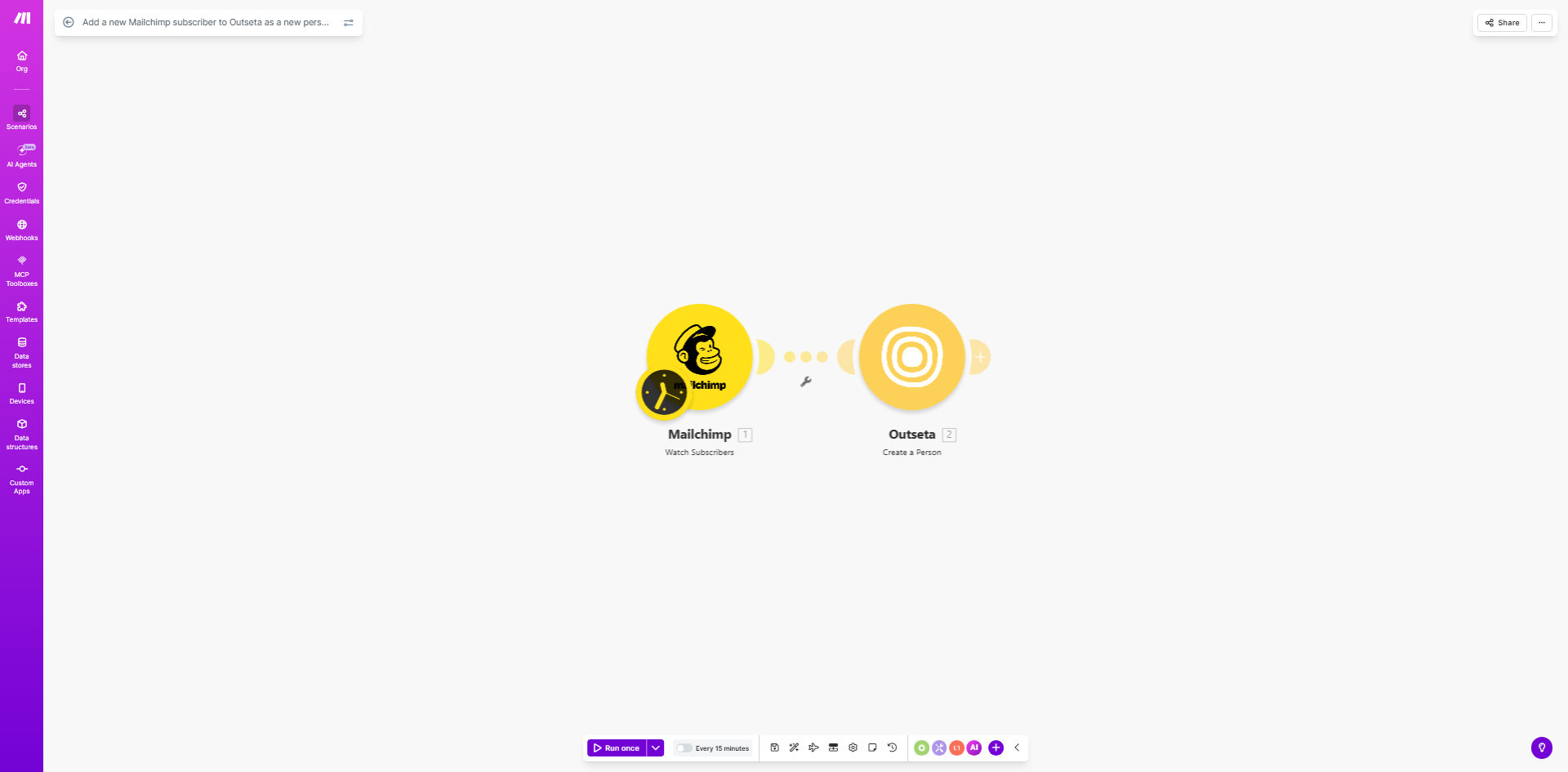
What This Workflow Does
For businesses using Mailchimp for email marketing and Outseta for CRM, a critical gap often exists: new subscribers don't automatically become contacts in your sales pipeline. This forces your team to manually check for new sign-ups and copy-paste data, a process that is slow, prone to errors, and can cause valuable leads to go cold before sales even knows they exist.
This free Make.com workflow solves that problem by creating a seamless, real-time bridge between your marketing and sales tools. Every time a new person subscribes to your Mailchimp list, this automation instantly captures their details—like name, email, and subscription source—and creates a corresponding new "Person" record in your Outseta CRM. It turns a passive email subscriber into an active, trackable lead in seconds, without any human intervention.
How It Works
The automation acts as a smart, reliable connector that listens for new events in Mailchimp and takes precise action in Outseta.
Step 1: Trigger on New Mailchimp Subscriber
The workflow is activated the moment a new subscription is recorded in your designated Mailchimp audience. Make.com watches for this event in real-time, capturing the full set of subscriber data provided in the sign-up form.
Step 2: Format and Prepare the Contact Data
The raw data from Mailchimp is then structured into the format Outseta expects. This step involves mapping fields: the subscriber's email address, first name, last name, and any custom fields (like company name or lead source) are extracted and prepared for the CRM.
Pro tip: Use this step to add valuable context. You can append the text "From Mailchimp: [List Name]" to the contact notes in Outseta, so your sales team immediately knows the lead source.
Step 3: Create a New Person in Outseta
The formatted data is sent to Outseta via its API, instructing it to create a new Person record. The workflow passes the essential details, ensuring the new contact appears in your Outseta dashboard with all the information your sales team needs to start a relevant conversation.
Step 4: (Optional) Log Success or Handle Errors
The final module confirms the record was created successfully. For advanced use, you can add error handling to retry the sync or send an alert if the process fails, guaranteeing data integrity.
Who This Is For
This automation is a game-changer for small to medium-sized businesses, SaaS companies, coaches, and consultants who rely on Mailchimp for lead generation and Outseta to manage their sales pipeline. It's perfect for:
- Marketing Teams: Who want to prove ROI by showing which leads convert into sales opportunities.
- Sales Teams: Who need immediate notification and details about new, marketing-qualified leads.
- Solo Entrepreneurs & Founders: Who wear both hats and can't afford to waste time on manual data transfer.
- Agencies: Managing client campaigns who need to demonstrate seamless tech stack integration.
What You'll Need
- A Make.com account (free tier available).
- An active Mailchimp account with an audience/list set up to collect subscribers.
- An active Outseta account with admin access to generate API credentials.
- Your Mailchimp API key and Outseta API key & subdomain, ready to connect in Make.com.
Quick Setup Guide
You can have this automation running in under 15 minutes.
- Clone the Template: Click "Get This Workflow" and duplicate the scenario into your Make.com account.
- Connect Mailchimp: In the first module, authorize Make.com to access your Mailchimp account and select the specific audience you want to monitor.
- Connect Outseta: In the Outseta module, add your subdomain and API credentials from your Outseta settings.
- Test the Flow: Use Make.com's built-in test function or actually subscribe a test email to your Mailchimp list to trigger the workflow and see a Person appear in Outseta.
- Activate: Turn the scenario on. It will now run automatically for every new subscriber.
Key Benefits
Eliminate 100% of manual data entry for new leads. Your team reclaims 2-5 hours per week previously spent on copying emails and names between systems, time that can now be invested in actual selling and strategy.
Accelerate sales response time from days to minutes. When a lead subscribes to a webinar or downloads a guide, your sales team is notified instantly via the new Outseta record, allowing them to reach out while the lead's interest is highest.
Ensure perfect data consistency and zero missed leads. Automated sync removes the risk of human error—like typos in email addresses—and guarantees that no subscriber, regardless of when they sign up, falls through the gap between marketing and sales.
Build a unified customer profile from the first touchpoint. By starting the contact record in Outseta at the moment of email subscription, you create a foundation to which all future interactions—support tickets, deal stages, notes—can be attached, building a complete 360-degree view.
Scale your lead generation efforts without adding overhead. Whether you get 10 or 1,000 new subscribers this month, the automation handles the sync effortlessly, allowing your business to grow without proportional increases in administrative work.