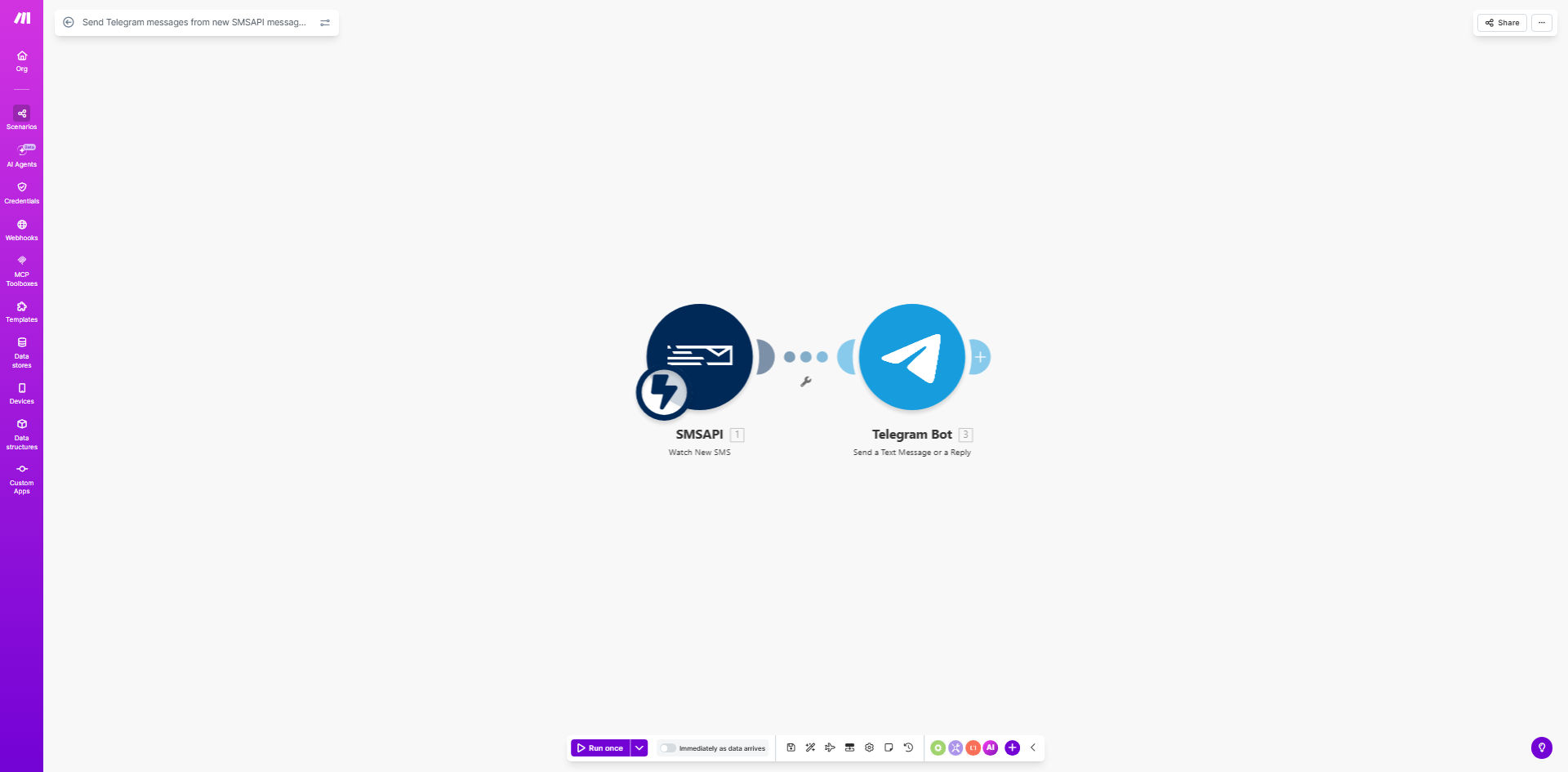
What This Workflow Does
In today's fast-paced business environment, missing a critical SMS can mean a lost customer, a delayed response to a system alert, or a security oversight. Many companies use SMSAPI for transactional messages, two-factor authentication, or customer notifications, but these messages often land on a single device or a shared phone that isn't constantly monitored. This creates a bottleneck and a significant risk.
This automation workflow solves that problem by acting as a real-time bridge between SMSAPI and Telegram. Every time a new message is received in your SMSAPI account, this Make.com scenario instantly captures it and forwards the content to a designated Telegram chat or channel. This transforms a private SMS into a team-wide alert, ensuring immediate visibility and enabling collaborative action. Whether it's a customer support query, an order confirmation, or a server downtime alert, your entire team sees it the moment it arrives.
How It Works
The workflow is a straightforward, reliable pipeline that requires no manual intervention once set up.
Step 1: Trigger on New SMS
The scenario starts by monitoring your SMSAPI account. The Make.com module is configured to watch for new incoming or sent messages. As soon as a new message event is detected, the workflow is triggered, and the full message data (including sender, recipient, content, and timestamp) is captured.
Step 2: Process & Format the Data
Before sending, the workflow can process the raw SMS data. This step is optional but powerful. You can use Make's tools to filter messages (e.g., only forward messages from specific numbers or containing certain keywords), reformat the text, or add contextual information like labeling it as "[URGENT]" or "[Customer Query]".
Pro tip: Use a filter after the trigger to only forward messages that meet specific criteria. This prevents notification fatigue in your Telegram chat and ensures only high-priority alerts get through.
Step 3: Send to Telegram
The final step uses the Telegram Bot API module within Make.com. The formatted message is automatically posted to a pre-configured Telegram chat, group, or channel. The bot appears as a member of the chat, delivering the SMS content clearly. Your team receives a push notification on their phones and desktops, enabling instant discussion and action.
Who This Is For
This automation is incredibly valuable for any business or team that relies on SMS for critical communications but struggles with visibility and response times.
- Support Teams: Forward customer SMS support requests directly to a shared Telegram support channel for immediate triage.
- E-commerce Stores: Get instant alerts for order confirmations, delivery updates, or customer queries sent via SMS.
- IT & DevOps Teams: Monitor system alert SMSs (like from monitoring tools) in a team chat to coordinate incident response.
- Small Business Owners: Ensure you never miss an important business inquiry sent to your business phone line, even when you're away from the device.
- Agencies: Forward client SMS communications to relevant project channels to keep the entire team in the loop.
What You'll Need
To implement this workflow, you'll need the following accounts and assets set up and ready:
- A Make.com account (free tier is sufficient to start).
- An active SMSAPI account with API credentials (API token or OAuth access).
- A Telegram account and a Telegram Bot created via @BotFather. You'll need the bot token.
- The Chat ID of the Telegram group, channel, or private chat where you want the messages to be sent.
Quick Setup Guide
Follow these steps to get your SMS-to-Telegram bridge up and running in under 15 minutes.
- Clone the Template: Click the "Get This Workflow" button above to open the template on Make.com and create a copy in your own account.
- Connect SMSAPI: In the first module, authorize Make.com to access your SMSAPI account using your API credentials.
- Connect Telegram: In the Telegram module, add your Bot Token (from @BotFather) and authorize the connection.
- Configure the Chat: Enter the numeric Chat ID of your target Telegram group or channel. You can find this using tools like @getidsbot.
- Test the Flow: Send a test SMS to your SMSAPI number. Within seconds, you should see it appear in your Telegram chat.
- Activate the Scenario: Turn the scenario schedule to "ON" to begin continuous, real-time monitoring and forwarding.
Key Benefits
Eliminate Missed Critical Messages: By broadcasting SMS alerts to a team chat, you reduce the risk of a single point of failure. If one person is unavailable, others see the message and can respond, improving reliability by over 90%.
Cut Response Time from Hours to Seconds: Instead of waiting for someone to check a dedicated phone, notifications are pushed directly to the devices your team uses all day. This can reduce initial response time for customer queries from several hours to under a minute.
Centralize Communication Channels: Reduce app-switching fatigue for your team. Keeping SMS alerts alongside other project discussions in Telegram creates a single pane of glass for communications, saving each team member 15-30 minutes of context-switching per day.
Enable Better Collaboration and Auditing: Every forwarded SMS becomes a searchable, discussable item in your Telegram history. Teams can assign tasks, ask follow-up questions, and maintain a clear audit trail of actions taken in response to an alert.
Simple, Cost-Effective Automation: This workflow requires no coding and uses the robust, scalable infrastructure of Make.com. It's a low-cost solution that delivers immediate operational value, often paying for itself in prevented issues within the first month.