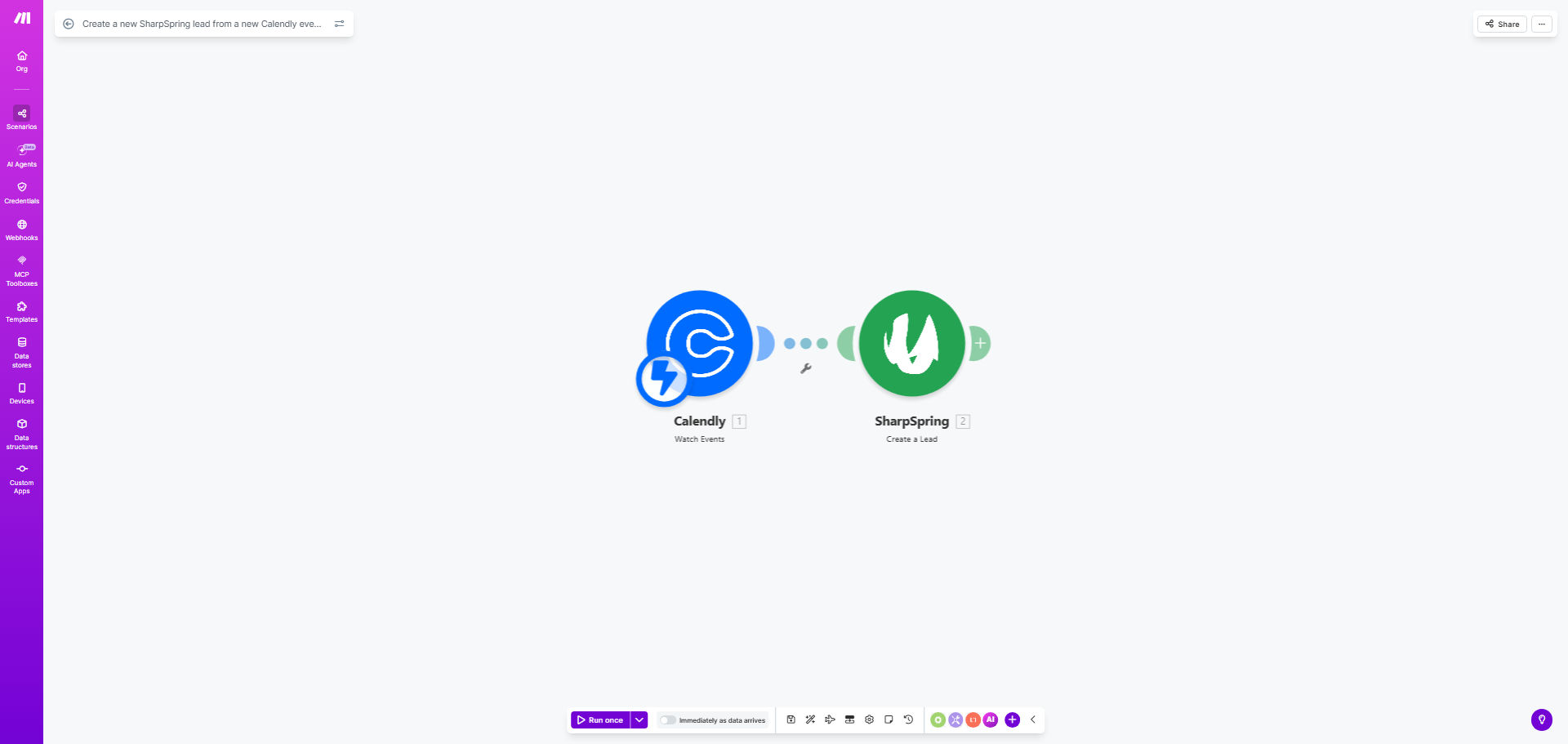
What This Workflow Does
For sales and marketing teams, the gap between a booked meeting and a logged lead is where opportunities vanish. Manually transferring attendee details from Calendly to SharpSpring is a repetitive, error-prone task that consumes valuable time and often leads to data loss or delays. This automation solves that by creating a seamless, real-time bridge between your scheduling tool and your CRM.
Every time a prospect books time on your Calendly calendar, this Make.com workflow triggers instantly. It captures the attendee's information—name, email, company, phone, and meeting notes—and uses it to create a new, fully populated lead record in SharpSpring. This ensures your sales team has immediate visibility into who they're speaking with, along with context for a more personalized conversation, all without lifting a finger.
Pro tip: Use the custom questions in your Calendly event type to gather qualifying information (like budget or project timeline). Map these answers to custom fields in SharpSpring to pre-score leads before the call even happens.
How It Works
The automation operates on a simple trigger-action principle, ensuring reliability and speed.
Step 1: A New Calendly Event is Scheduled
The workflow listens for a webhook notification from your Calendly account. The moment an invitee confirms a meeting slot, Calendly sends a detailed payload of event data to Make.com. This includes the invitee's details, the event type, the scheduled time, and answers to any custom questions.
Step 2: Data is Parsed and Prepared
Make.com receives the webhook data and routes it through a series of modules. It extracts the relevant fields (email, first name, last name, etc.) and structures them into the format required by the SharpSpring API. This step can also include data cleansing, like standardizing phone number formats.
Step 3: A Lead is Created in SharpSpring
The prepared data is sent to SharpSpring via its "Create/Update Lead" API endpoint. The workflow creates a new lead record, populating standard fields and mapping any custom Calendly responses to corresponding custom fields in SharpSpring. The lead is instantly available in your CRM dashboard, often assigned based on your rules.
Step 4: (Optional) Confirmation and Logging
After successful creation, the workflow can log the action, send a confirmation to a Slack channel for the sales team, or even trigger a personalized welcome email to the prospect—turning a simple data transfer into an automated engagement sequence.
Who This Is For
This automation is a game-changer for sales teams, business development reps, consultants, and agencies who rely on booked meetings to generate pipeline. It's perfect for anyone tired of copying and pasting information between tabs. If you use Calendly for discovery calls, demos, or consultations and SharpSpring to track your sales pipeline, this workflow will save you hours per week and improve data accuracy.
What You'll Need
- A Make.com account (free tier available to build and test).
- A Calendly Premium, Pro, or Teams account (required for webhook access).
- An active SharpSpring account with API access enabled.
- Your SharpSpring API keys (Public Key and Private Key) for authentication.
- Basic familiarity with your Calendly event types and SharpSpring lead fields.
Quick Setup Guide
You can have this automation running in under 30 minutes.
- Clone the Template: Click "Get This Workflow" to copy the template into your Make.com account.
- Connect Calendly: In the first module, authorize Make.com to access your Calendly account and set up the webhook for "Invitee Created" events.
- Connect SharpSpring: In the SharpSpring module, input your API credentials (Public and Private Key) to establish the connection.
- Map Your Fields: Review the data mapping. Ensure Calendly fields (like `invitee.email`) are correctly mapped to the corresponding SharpSpring lead fields (like `emailAddress`). Adjust for any custom fields.
- Test and Activate: Schedule a test meeting on your Calendly link. Watch the scenario run in Make.com and verify a test lead appears in your SharpSpring account. Once confirmed, activate the scenario.
Key Benefits
Eliminate manual data entry and save 5-10 minutes per booked meeting. This time adds up, allowing your sales team to focus on selling and preparing for conversations instead of administrative tasks.
Achieve 100% lead capture from meetings. No prospect ever slips through the cracks because someone forgot to log the meeting. Every Calendly booking is guaranteed to become a SharpSpring lead.
Improve sales call preparation with instant context. Sales reps can see the new lead, the meeting topic, and any pre-call qualifying answers immediately, leading to more personalized and effective conversations.
Maintain a clean, accurate CRM. Automated data transfer eliminates typos and inconsistent formatting, ensuring your SharpSpring database is reliable for segmentation and reporting.
Scale your scheduling without adding administrative overhead. As meeting volume grows, the automation handles the increased load effortlessly, supporting business growth without proportional increases in manual work.