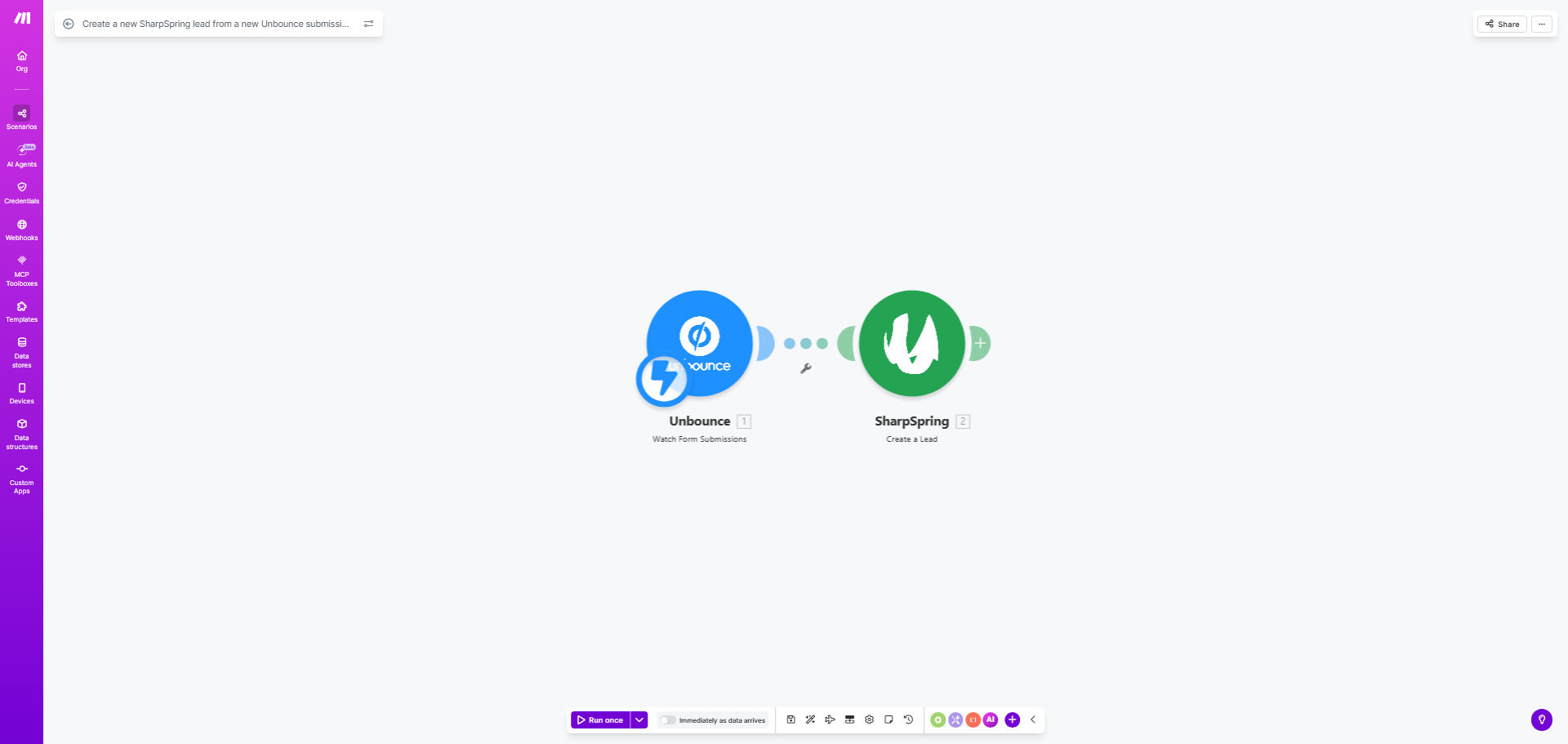
What This Workflow Does
For marketing and sales teams, the gap between a visitor filling out a landing page form and that lead entering the sales pipeline is a critical vulnerability. Manual processes where someone must export a CSV from Unbounce and import it into SharpSpring are slow, error-prone, and can cause leads to go cold. This automation solves that by creating a seamless, instant bridge between your lead capture and your CRM.
Every time a prospect submits a form on your Unbounce landing page, this workflow triggers automatically. It takes the submitted data—like first name, last name, and email—and uses it to create a fully-fledged lead record in your SharpSpring account within seconds. This ensures your sales team has immediate visibility and can begin engagement while the lead's interest is at its peak, transforming your lead capture from a passive collection tool into an active sales engine.
How It Works
The automation operates on a simple but powerful trigger-action principle, ensuring reliability and speed.
Step 1: The Unbounce Form Submission
The workflow is constantly monitoring your specified Unbounce form for new submissions. The moment a visitor clicks "submit," the automation is triggered, and the data from the form fields is captured.
Step 2: Data Parsing and Preparation
The captured data is then structured and prepared for SharpSpring. The workflow maps the Unbounce field values (e.g., first_name, email_address) to the corresponding field names required by the SharpSpring API. This step ensures clean, formatted data is sent.
Step 3: Creating the SharpSpring Lead
Using the prepared data, the workflow makes an authenticated API call to your SharpSpring account. It creates a new lead contact, populating all the provided information. You can configure it to also add tags, assign a lead source (e.g., "Unbounce: eBook Download"), or even trigger an internal notification.
Pro tip: Extend this workflow by adding a module to send a personalized welcome email from your email marketing platform (like Mailchimp or ActiveCampaign) the moment the lead is created in SharpSpring, creating a truly instant nurture sequence.
Who This Is For
This automation is ideal for any business using Unbounce for lead generation and SharpSpring for CRM and marketing automation. It's particularly valuable for:
- Marketing Agencies managing client campaigns who need to prove fast lead follow-up and ROI.
- B2B Sales Teams where lead quality is high and immediate contact is crucial for conversion.
- SaaS Companies running targeted ad campaigns to demo sign-ups or free trial requests.
- Small Business Owners wearing multiple hats, who cannot afford to waste time on manual data entry or miss a lead.
What You'll Need
To clone and use this template successfully, ensure you have the following set up and ready:
- An active Make.com account (formerly Integromat).
- An Unbounce account with at least one published landing page containing a form.
- A SharpSpring account with administrative access to generate API credentials.
- Your Unbounce form should collect, at a minimum, these three fields: First Name, Last Name, and Email Address.
- (Recommended) A basic understanding of how to find API keys or set up OAuth connections in SharpSpring.
Quick Setup Guide
Get your automation live in under 15 minutes by following these steps:
- Clone the Template: Click the "Get This Workflow" button above to open the template in your Make.com account and create a copy.
- Connect Unbounce: In the first module, authorize Make.com to access your Unbounce account and select the specific form you want to monitor.
- Connect SharpSpring: In the "Create Lead" module, add your SharpSpring API credentials (API Key, Secret Key, and Account ID). Make.com will guide you through this secure connection.
- Map Your Fields: Match the data from the Unbounce submission (e.g.,
formData.firstName) to the correct SharpSpring lead fields (e.g.,firstName). The template provides a standard mapping you can adjust. - Test and Activate: Use the "Run once" feature in Make.com to submit a test entry on your Unbounce form. Verify the lead appears correctly in SharpSpring. Once confirmed, turn the scenario "ON."
Key Benefits
Eliminate 100% of manual data entry for leads coming from your Unbounce pages. This reclaims 2-5 hours per week for your marketing or sales ops team, time better spent on strategy or outreach.
Reduce lead response time from hours to under 60 seconds. Speed is the single biggest factor in lead conversion. This automation ensures your team can contact a prospect while your offer is still top of mind.
Guarantee 100% data capture accuracy. No more typos from copying emails or missing submissions from a forgotten CSV export. Every lead is captured perfectly, improving your database quality.
Create a scalable foundation for your marketing tech stack. This is the first link in a powerful automation chain. Once leads are in SharpSpring instantly, you can automate scoring, segmentation, and multi-channel nurturing with ease.
Improve campaign attribution and ROI tracking. By automatically tagging leads with the specific Unbounce landing page as the source, you gain clear insights into which campaigns and pages are generating the most valuable leads.