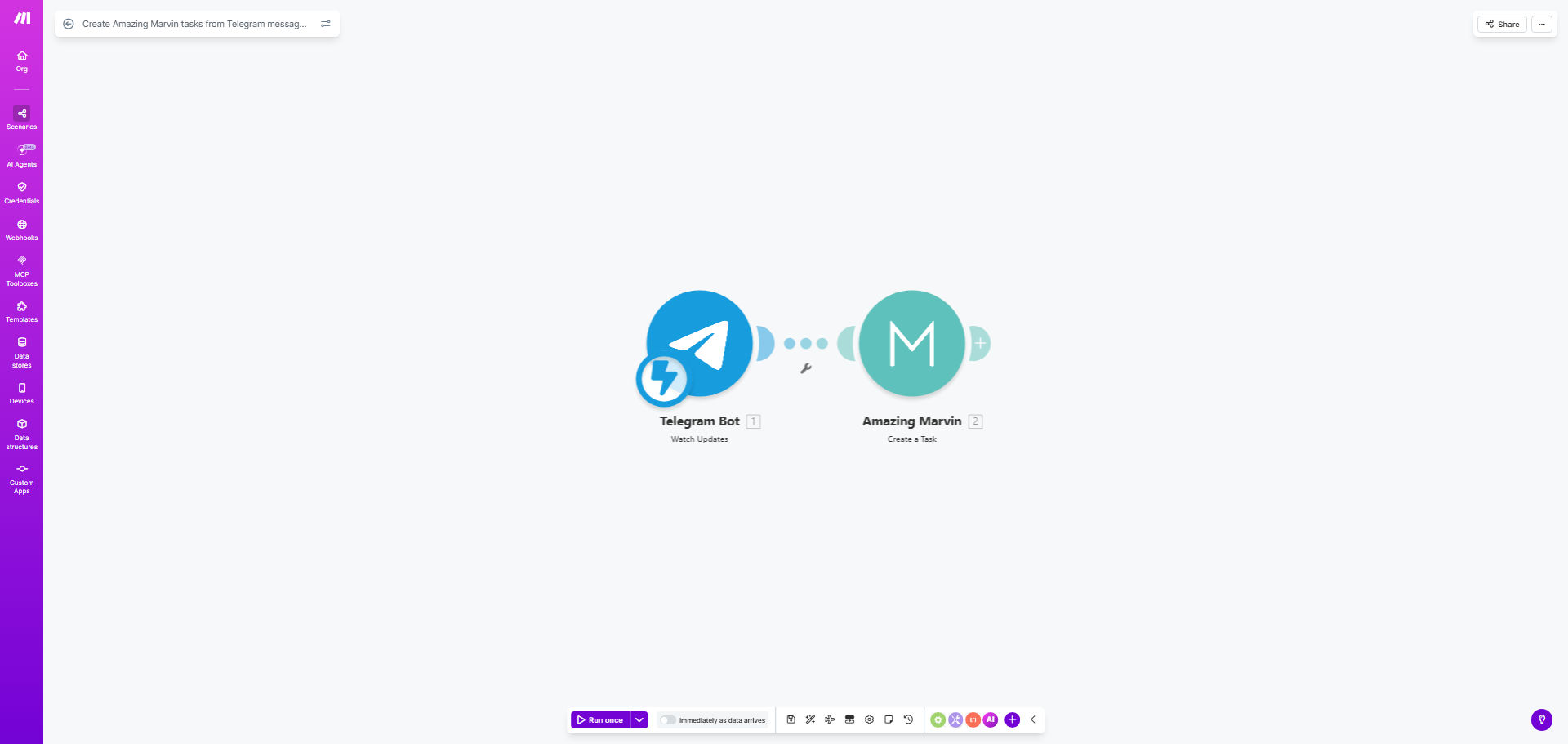
What This Workflow Does
How many great ideas or urgent action items have you discussed in a Telegram chat, only to forget about them moments later? The constant switching between communication apps and your task manager kills productivity and leads to missed deadlines. This workflow solves that by creating an instant, automated bridge between conversation and execution.
Every time a new message arrives in your specified Telegram channel, group, or private chat, this Make.com automation captures it and creates a corresponding task inside Amazing Marvin. The task title, description, and even the sender's name can be automatically populated, turning a casual message into a tracked, manageable to-do item in your trusted productivity system. It's like having a personal assistant who listens to your team's conversations and organizes the work for you.
How It Works
The automation runs on a simple but powerful trigger-action principle, connecting two best-in-class apps without any manual intervention.
Step 1: Monitor Telegram for New Messages
The workflow starts by watching a specific Telegram source you choose—this could be a private channel for work notes, a team project group, or even a chat with yourself. Make.com acts as the listener, instantly detecting when a new message is posted.
Step 2: Process the Message Content
Once a message is detected, the automation can parse its contents. It extracts the text, identifies the sender, and can apply basic filters (e.g., only create tasks from messages containing keywords like "TODO" or "ACTION"). This step ensures only relevant messages become tasks.
Step 3: Create a Task in Amazing Marvin
The processed data is then sent to Amazing Marvin via its API. A new task is created with the message content as the title or description. You can configure the automation to add the task to a specific project, assign a priority, set a due date, or add labels—all based on rules you define.
Pro tip: Use a dedicated Telegram channel as your "inbox." Send quick voice notes or typed thoughts there throughout the day. This workflow will process them all into your Amazing Marvin inbox for later review and scheduling, creating a flawless capture habit.
Who This Is For
This automation is a game-changer for solopreneurs, remote teams, project managers, and anyone who uses Telegram for work or life organization. It's perfect for agile teams who discuss tasks in chat but need them in a formal tracker, for content creators capturing ideas on the go, and for executives who delegate via message and need reliable follow-up. If you value a "trusted system" for your tasks but live in messaging apps, this bridge is essential.
What You'll Need
- A Make.com account (free tier available).
- An active Telegram account and access to the chat/channel you want to monitor.
- An Amazing Marvin account with API access enabled (available on paid plans).
- The Telegram chat ID or channel username you wish to use as the trigger source.
- (Optional) A basic understanding of how to create filters in Make to control which messages create tasks.
Quick Setup Guide
You can have this automation running in under 10 minutes.
- Get the Template: Click the "Get This Workflow" button to copy the ready-made scenario to your Make.com account.
- Connect Telegram: In the first module, authorize Make.com to access your Telegram account and specify the exact chat or channel to watch.
- Connect Amazing Marvin: In the task creation module, authorize the connection to your Amazing Marvin account using your API key (found in Marvin's Settings > Integrations).
- Map the Data: Ensure the Telegram message text is mapped to the "Title" or "Description" field in the Amazing Marvin task creation module. You can add static project names or labels here.
- Test & Activate: Send a test message to your chosen Telegram source. Check if a task appears in your Amazing Marvin account. Once confirmed, turn the scenario on. It will now run automatically.
Key Benefits
Eliminate manual data entry and save 5–10 hours per month. No more copying links, transcribing voice notes, or retyping action items from chat into your task manager. The automation does it instantly and accurately.
Reduce context switching and maintain focus. Stay in your communication flow without breaking away to open another app. The mental load of "remembering to add that to my list" disappears, freeing up cognitive space for deep work.
Create a foolproof capture system for ideas and requests. Whether it's a teammate's suggestion, a client request, or your own midnight idea, every valuable piece of information from Telegram is guaranteed to land in your trusted task system, ensuring nothing gets lost.
Improve team accountability and project visibility. When tasks discussed in chat are automatically logged in Amazing Marvin, it creates clear records, assigns ownership, and makes project progress transparent for everyone involved.
Build a customized productivity pipeline. This template is a starting point. You can extend it to parse specific task formats, assign priorities based on keywords, or even send confirmation messages back to Telegram, creating a fully tailored workflow for your unique needs.