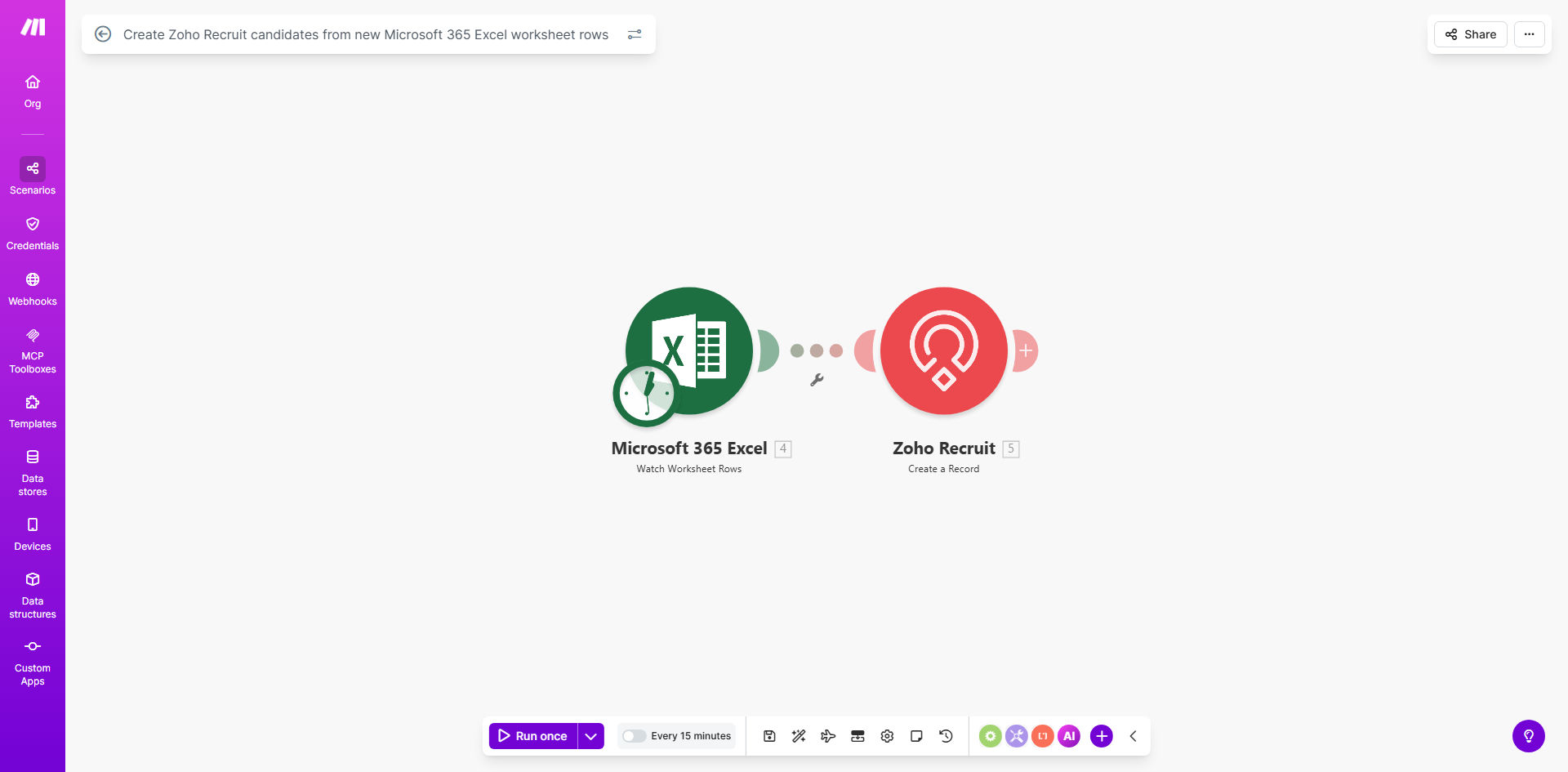
What This Workflow Does
This automation solves a common recruitment challenge: manually transferring candidate information from spreadsheets into your applicant tracking system. Each time a new candidate row appears in your designated Microsoft 365 Excel worksheet, the workflow automatically creates a corresponding candidate profile in Zoho Recruit with all relevant details.
The system eliminates hours of tedious copy-paste work while ensuring data consistency between your sourcing spreadsheets and Zoho Recruit. It handles field mapping automatically, converting Excel column headers to the appropriate Zoho Recruit fields, even when dealing with complex candidate profiles containing multiple contact methods, skills, and custom fields.
How It Works
1. Monitoring Excel for new rows
The workflow checks your specified Microsoft 365 Excel worksheet at regular intervals you configure (every 15 minutes, hourly, etc.). It identifies newly added rows by tracking changes since the last check.
2. Extracting candidate data
For each new row found, the system extracts all relevant candidate information including name, contact details, skills, experience level, and any custom fields you've configured.
3. Creating Zoho Recruit candidates
The workflow transforms the Excel data into Zoho Recruit's required format and creates a new candidate record via Zoho's API. It handles all field mappings automatically based on your configuration.
4. Error handling and logging
If any issues occur (like missing required fields), the system logs the error and can notify your team while continuing to process valid records. Successfully created candidates are marked to prevent duplicate processing.
Who This Is For
This automation delivers the most value for:
- Recruitment agencies managing high volumes of candidates from multiple sources
- Corporate HR teams receiving candidate lists from hiring managers in Excel
- Staffing firms that source candidates through spreadsheets before adding them to Zoho Recruit
- Businesses transitioning from spreadsheet-based hiring to professional ATS systems
What You'll Need
- A Make.com account (free tier available)
- Microsoft 365 Business or Enterprise subscription with Excel Online
- Zoho Recruit account with API access enabled
- An Excel worksheet containing candidate data with consistent column headers
- Approximately 15 minutes for initial setup
Quick Setup Guide
- Clone the template in your Make.com account
- Connect your Microsoft 365 and Zoho Recruit accounts
- Specify which Excel worksheet contains your candidate data
- Map Excel columns to corresponding Zoho Recruit fields
- Set your preferred polling interval (how often to check for new rows)
- Test with sample data and activate the workflow
Pro tip: Create a standardized Excel template for your team to ensure all required candidate fields are consistently populated in the correct columns.
Key Benefits
Save 5-10 hours weekly by eliminating manual candidate data entry. Recruiters can focus on engaging candidates rather than administrative work.
Reduce data entry errors by 90% compared to manual transfers. The automation ensures perfect field mapping every time.
Accelerate candidate processing with near-real-time creation of Zoho Recruit profiles as soon as they appear in Excel.
Maintain perfect data consistency between your sourcing spreadsheets and Zoho Recruit, with all changes automatically synchronized.
Scale your recruitment operations without adding administrative staff, even when handling hundreds of candidates weekly.