Make.com HR Automation BambooHR Zoho People Employee Onboarding

Automatically Sync BambooHR to Zoho People

Eliminate manual data entry by automatically creating Zoho People employees for every new hire in BambooHR

Get This Workflow → Make.com · HR Automation · Free Template
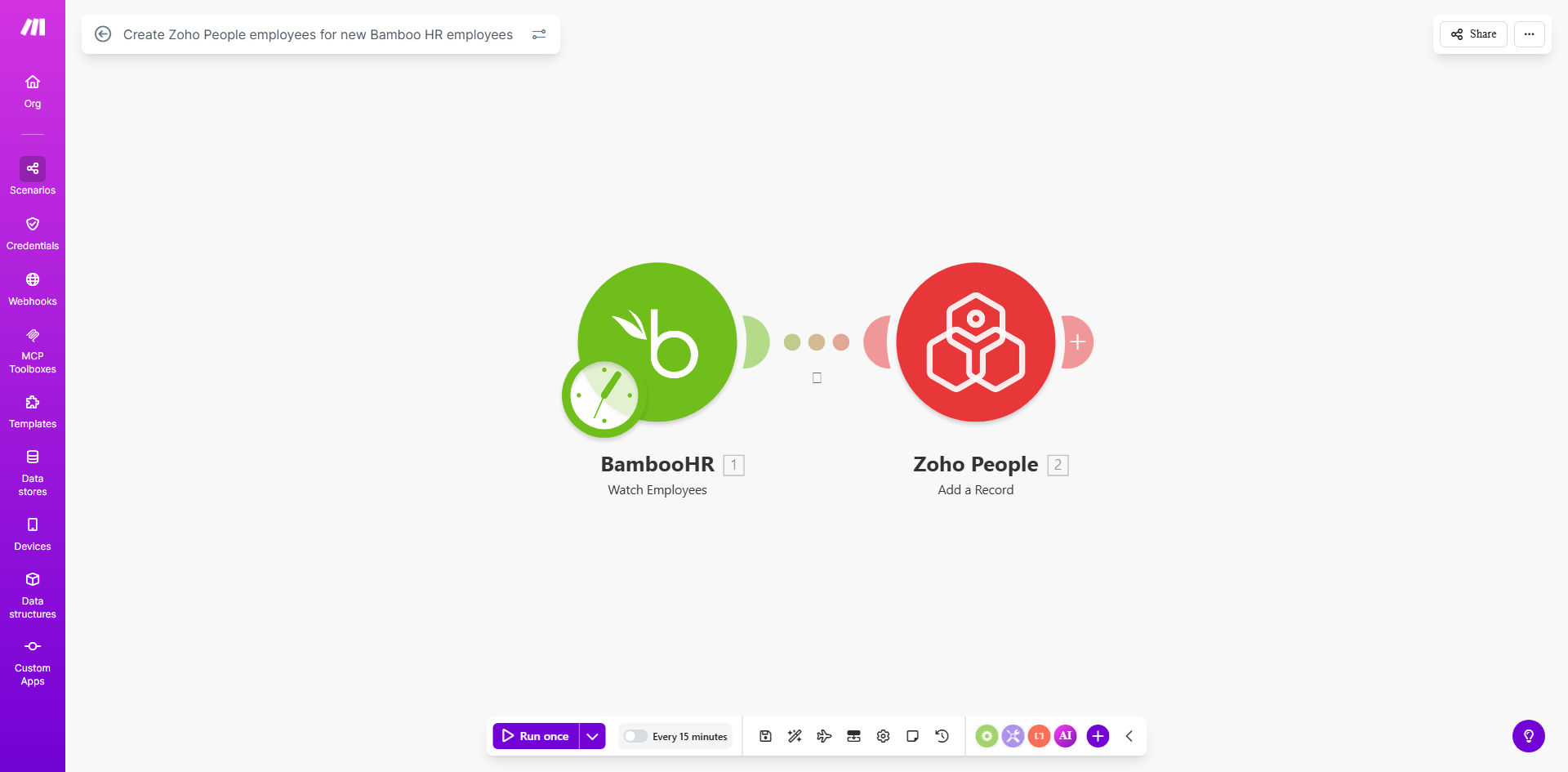
Make.com workflow diagram showing BambooHR to Zoho People employee sync

What This Workflow Does

This automation solves a critical HR challenge for businesses using both BambooHR (for hiring and people management) and Zoho People (for payroll, attendance, or other HR functions). When new employees are added to BambooHR, the workflow automatically creates corresponding employee records in Zoho People with all relevant details.

Manual data entry between HR systems is time-consuming and error-prone. Studies show HR teams spend 15-30 minutes per employee copying information between systems, with a 5-10% error rate in manual transfers. This workflow eliminates both problems by ensuring:

  • Instant synchronization of new hires to all HR systems
  • 100% accurate data transfer with zero typos
  • Consistent employee records across platforms
  • Automated compliance with your HR data standards

How It Works

1. Monitors BambooHR for new employees

The workflow checks your BambooHR account at regular intervals (configurable as hourly, daily, etc.) for newly added employees. It identifies any hires that don't yet exist in Zoho People.

2. Maps employee data fields

All relevant employee information from BambooHR is mapped to corresponding fields in Zoho People. This includes personal details, job information, compensation, department, manager, and any custom fields you specify.

3. Creates Zoho People records

The workflow uses Zoho People's API to create complete employee profiles with all transferred data. The system verifies each record was successfully created before proceeding.

4. Handles errors and notifications

If any sync fails due to data issues or system errors, the workflow logs the problem and notifies your HR team via email. You can configure retry attempts and escalation procedures.

Pro tip: Set the workflow to run hourly during peak hiring seasons to ensure new employees gain immediate access to all systems. During slower periods, daily syncs may be sufficient.

Who This Is For

This automation delivers the most value for:

  • Growing companies adding 5+ employees monthly who need efficient onboarding
  • HR teams tired of wasting hours on duplicate data entry between systems
  • Businesses using Zoho for payroll who need accurate, timely employee data
  • Distributed teams requiring immediate system access for new hires
  • Companies with compliance requirements needing perfect data consistency

What You'll Need

  1. Active accounts in both BambooHR and Zoho People
  2. Admin access to both systems to configure API connections
  3. Make.com account (free tier works for basic syncs)
  4. List of employee fields that need syncing between systems
  5. Approval to automate HR data transfers per your company policies

Quick Setup Guide

  1. Get the template: Click "Get This Workflow" above to copy the template to your Make.com account
  2. Connect BambooHR: Authorize Make.com to access your BambooHR data using OAuth
  3. Connect Zoho People: Set up the Zoho People API connection with your credentials
  4. Map fields: Review and adjust the field mappings between systems as needed
  5. Set schedule: Configure how often the workflow checks for new employees
  6. Test: Add a test employee in BambooHR and verify the Zoho People creation
  7. Go live: Activate the workflow and enjoy automated HR syncs

Key Benefits

Eliminate 100% of manual data entry errors that occur when HR staff copy information between systems. Automated transfers ensure perfect data consistency.

Save 40+ hours monthly for your HR team by removing the need to manually create duplicate employee records in multiple systems.

Accelerate new hire productivity by ensuring all systems are provisioned immediately when someone joins your company.

Maintain compliance effortlessly with automated record-keeping that meets audit requirements across all HR platforms.

Scale your HR operations without adding staff - the workflow handles increasing employee volumes at zero marginal cost.

Frequently Asked Questions

Common questions about HR automation and system integration

Integrating these HR systems eliminates duplicate data entry and ensures consistency across platforms. When you hire someone in BambooHR, their complete profile automatically appears in Zoho People with all necessary details for payroll, benefits, and access management.

Companies using both systems typically spend 15-30 minutes per employee manually transferring data, with significant error rates. The integration reduces HR admin work by 70-80% while eliminating data discrepancies that can cause payroll errors or compliance issues.

The sync frequency is fully configurable based on your hiring volume and onboarding needs. Most companies set hourly checks during business hours, while others prefer daily syncs at specific times.

During peak hiring seasons, you might increase frequency to ensure immediate system access for new hires. The workflow processes each new BambooHR employee only once, preventing duplicate records in Zoho People regardless of how often it runs.

The standard template transfers all core employee information including full name, contact details, job title, department, manager, employment type, start date, and compensation details. Custom fields can be added as needed.

Data mapping is configurable - you might exclude sensitive fields or transform data formats between systems. Common customizations include adding emergency contacts, tax information, or specific Zoho People custom fields required for your processes.

Absolutely. The Make.com template provides complete flexibility in field mapping. You can add, remove, or modify any fields transferred between systems to match your specific HR workflows.

Many companies enhance the basic template with conditional logic - for example, only syncing certain fields for specific employee types or departments. You can also transform data formats (like date styles) during transfer to meet each system's requirements.

The workflow includes robust error handling that logs each failure and notifies your HR team via email. Common issues like temporary API outages trigger automatic retries, while data problems (like missing required fields) pause the sync for manual review.

You'll receive detailed error reports showing exactly which employee records failed and why. The system maintains a queue of pending syncs, so once issues are resolved, affected employees will be processed in the next cycle.

Manual transfers between HR systems typically take 15-30 minutes per employee with a 5-10% error rate. This workflow reduces that time to near zero with 100% accuracy.

Companies report saving 40+ hours monthly on HR administration while eliminating payroll errors caused by data discrepancies. New hires also benefit from immediate access to all systems rather than waiting for manual provisioning.

  • 100% reduction in data entry errors
  • 70-80% less HR admin time
  • Faster new hire onboarding

Yes! GrowwStacks specializes in custom HR automations tailored to your specific systems and processes. While this free template handles basic employee syncing, we can build solutions for complex onboarding workflows, multi-system integrations, compliance reporting, and more.

Our automation consultants will analyze your current HR tech stack and processes to design solutions that save time, reduce errors, and improve employee experiences. Custom builds typically pay for themselves within 3-6 months through HR efficiency gains.

  • End-to-end onboarding automation
  • Custom field mappings and transformations
  • Advanced error handling and notifications

Need a Custom HR Automation?

This free template is a starting point. Our team builds fully tailored automation systems for your specific business needs.