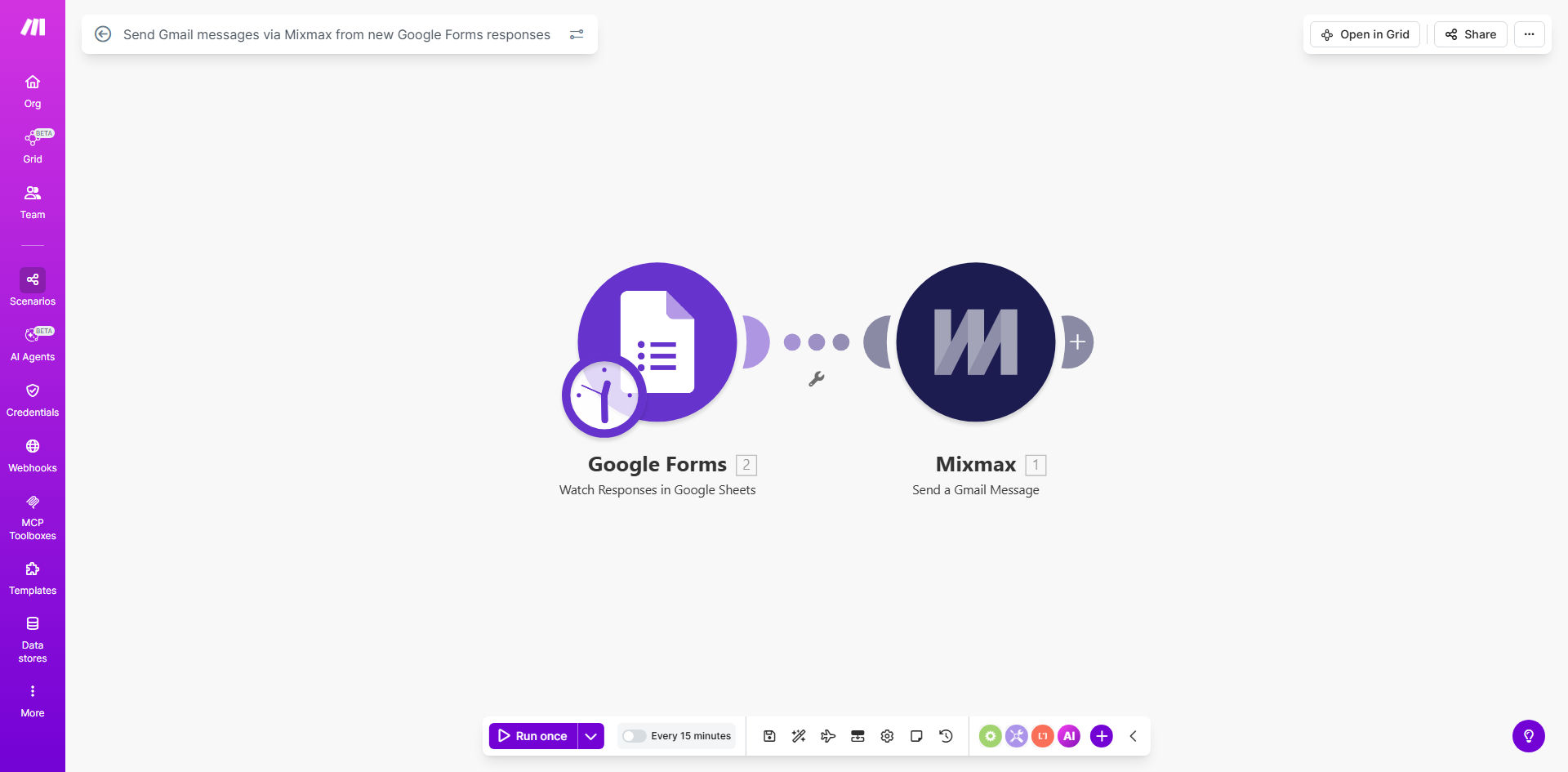
What This Workflow Does
This automation solves the tedious manual process of sending follow-up emails after someone submits your Google Form. Instead of copying information from each response and pasting it into emails, the system automatically sends a personalized Mixmax message with all the tracking and scheduling capabilities you expect from the platform.
The workflow triggers instantly when a new form submission arrives. It extracts all response data you specify (name, email, answers to key questions) and inserts them into your pre-designed Mixmax email template. The recipient gets a professional, customized message within seconds of submitting your form - without any manual work from your team.
How It Works
1. New form submission triggers the workflow
Make.com monitors your Google Form continuously. The moment someone submits the form, the system captures all their responses as structured data.
2. Response data gets processed
The workflow extracts specific fields you want to include in your follow-up email, like the respondent's name, email address, and answers to key questions.
3. Personalized Mixmax email sends automatically
Using Mixmax's API, the system sends your pre-designed email template with all the variables populated from the form responses. The email includes full Mixmax functionality like open tracking, scheduling options, and attachment support.
4. Delivery confirmation gets logged
The workflow records when each email is successfully sent, creating an audit trail of all automated follow-ups. You can connect this to Google Sheets or your CRM if needed.
Who This Is For
This automation is perfect for any business or professional that collects information through Google Forms and needs to follow up with respondents. Common use cases include:
- Sales teams capturing leads from contact forms
- Event organizers sending confirmation emails to registrants
- HR departments following up with job applicants
- Consultants responding to client intake forms
- Educators sending materials to students who sign up for courses
What You'll Need
- A Google Form with responses you want to trigger emails
- A Mixmax account with API access enabled
- A Make.com account (free plan works for basic usage)
- Your pre-designed Mixmax email template with variables
Quick Setup Guide
- Copy this template to your Make.com account
- Connect your Google Forms and Mixmax accounts
- Select which form should trigger the workflow
- Map form fields to variables in your Mixmax template
- Test with sample form submissions
- Activate the workflow for live use
Key Benefits
Save 5-15 minutes per form response by eliminating manual email composition and sending. For forms with 20+ weekly submissions, this adds up to 10+ hours saved monthly.
Never miss a follow-up opportunity because emails go out instantly when forms are submitted, even outside business hours.
Maintain consistent messaging with professionally designed templates that include all necessary information and branding.
Track engagement with Mixmax analytics to see which respondents open your emails and click links, helping prioritize your follow-ups.
Scale your operations without adding staff - the system handles unlimited form responses with identical speed and quality.