Make.com CRM Integration Podio Insightly Data Sync

Add new Podio organizations to Insightly CRM

Automatically create Insightly records whenever new organizations are added to Podio

Get This Workflow Make.com · CRM Integration · Free Template
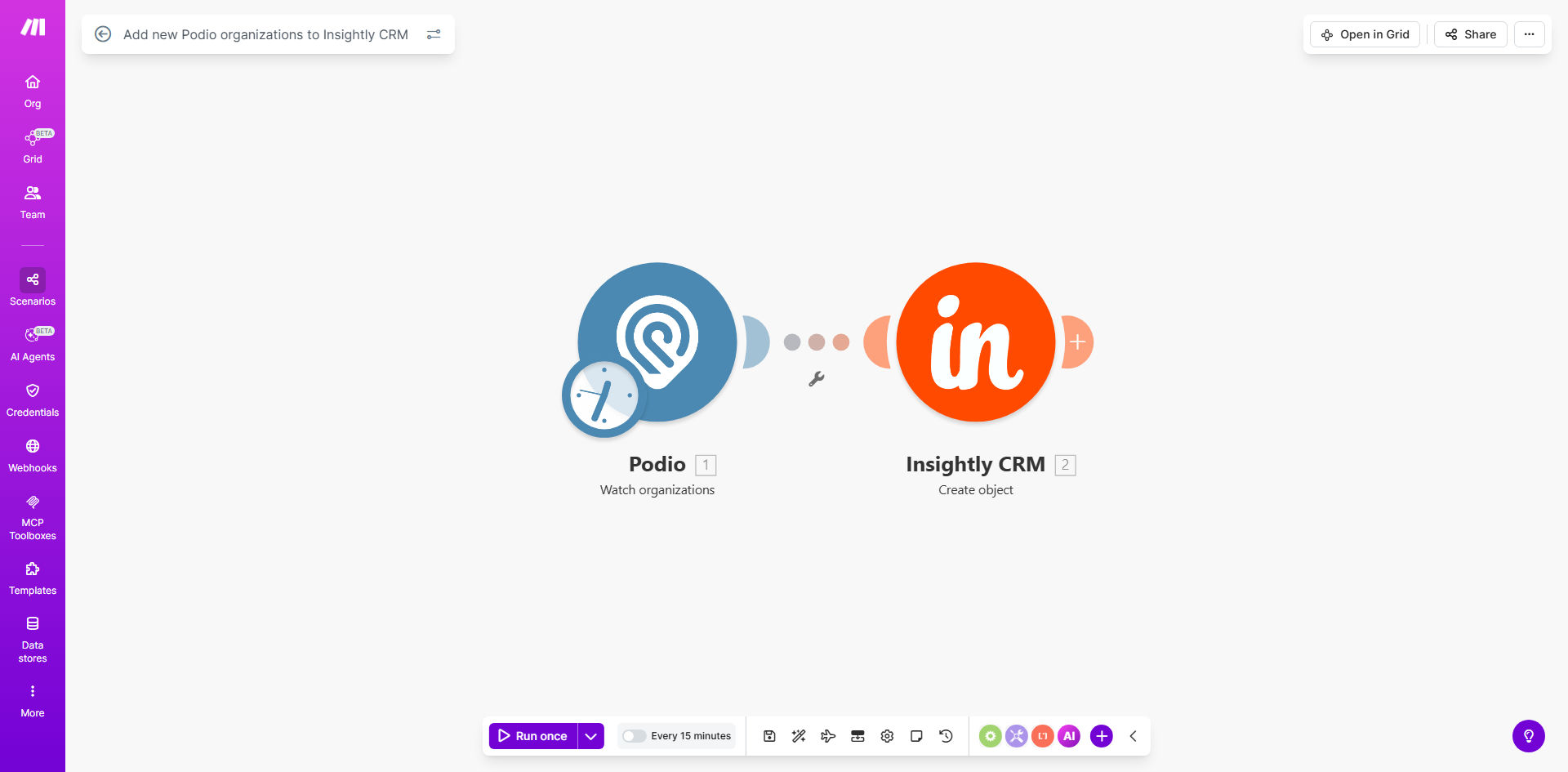
Make.com workflow diagram showing Podio to Insightly CRM integration

What This Workflow Does

This automation solves a critical challenge for businesses using both Podio for project management and Insightly as their primary CRM. When new client organizations are added to Podio, they often need to be manually entered into Insightly - a time-consuming process prone to errors and delays.

The workflow automatically detects new organizations in Podio and creates corresponding records in Insightly CRM with all relevant details. It maintains data consistency across platforms, eliminates duplicate entry work, and ensures your sales team has immediate access to new client information.

How It Works

1. New organization detection

The workflow continuously monitors your specified Podio app for newly added organizations. It triggers immediately when a new record appears in your organizations table.

2. Data extraction

Key organization details are pulled from Podio including company name, contact information, custom fields, and any tags or categories assigned. The system can be configured to extract only the specific fields you need transferred.

3. Insightly record creation

The workflow maps the extracted Podio data to corresponding fields in Insightly and creates a new organization record. Field mapping is customizable to match your specific data structure in both systems.

Pro tip: Add a custom field in both systems to store the original Podio item ID. This creates a permanent reference link between the records for future updates.

4. Error handling

The workflow includes validation steps to check for duplicate organizations in Insightly before creation. If errors occur during the transfer, notifications can be sent to your team for manual resolution.

Who This Is For

This automation is ideal for:

  • Businesses using Podio for client onboarding but Insightly for CRM
  • Teams that frequently add new client organizations to Podio
  • Companies wanting to eliminate manual data entry between systems
  • Organizations needing real-time visibility into new clients across platforms

What You'll Need

  1. A Make.com account (formerly Integromat)
  2. Admin access to your Podio workspace
  3. Insightly CRM account with API access enabled
  4. List of fields you want to sync between systems

Quick Setup Guide

  1. Install the template in your Make.com account
  2. Connect your Podio account and specify the organization app
  3. Connect your Insightly account and set the destination
  4. Map Podio fields to corresponding Insightly fields
  5. Test with a sample organization to verify the transfer
  6. Activate the workflow for automatic ongoing syncs

Key Benefits

Eliminate 15-30 minutes of manual data entry per new organization. The workflow handles the transfer instantly with perfect accuracy.

Keep sales teams updated in real-time. New organizations appear in Insightly within minutes of being added to Podio.

Reduce CRM data errors. Automated field mapping prevents typos and inconsistencies between systems.

Maintain complete client records. All relevant Podio organization data transfers to Insightly automatically.

Scale your operations effortlessly. The workflow handles increased organization volume without additional staff time.

Frequently Asked Questions

Common questions about CRM integration automation

Syncing Podio organizations with Insightly CRM ensures all your customer data stays consistent across platforms without manual entry. This prevents data silos, reduces errors from duplicate entry, and gives your sales team complete visibility into customer relationships regardless of which system they're working in.

For example, when your operations team adds a new client project in Podio, the sales team immediately sees the organization in Insightly with all key details. This eliminates the common problem of sales reps contacting clients unaware they're already engaged with another department.

The workflow can be configured to either skip existing organizations or update their records. Most implementations use a unique identifier like email domain or Podio ID to check for existing matches before creating new records, preventing duplicates in your CRM.

In practice, this means if someone adds a slightly different version of an existing client (like "ACME Inc" vs "ACME Incorporated"), the system will recognize it as the same organization based on your matching criteria. You avoid cluttering your CRM with duplicate entries while still capturing any new information.

The sync occurs in near real-time, typically within 1-2 minutes of adding a new organization to Podio. Make.com's automation platform polls for changes frequently, ensuring minimal delay in data transfer between systems.

This immediate sync is particularly valuable for sales teams who need to act quickly on new leads. They can begin outreach with complete information almost immediately after the client is onboarded in Podio, rather than waiting for manual CRM updates.

Yes, the workflow template includes field mapping capabilities. You can match Podio's custom fields to corresponding fields in Insightly, including dropdown values, dates, and text fields. This maintains all relevant data during the transfer process.

For instance, if you track "Contract Type" as a custom dropdown in Podio and have a similar "Agreement Type" field in Insightly, you can configure the workflow to translate these values automatically. The mapping preserves your business-specific data structure across platforms.

  • Supports all standard field types
  • Handles value translations between systems
  • Maintains data formatting during transfer

Make.com uses OAuth 2.0 for secure API connections and encrypts all data in transit. The workflow only transfers organization data you explicitly configure, never accessing unrelated records. You maintain full control over which fields are shared between systems.

The connection follows the principle of least privilege - the integration only has access to the specific Podio apps and Insightly functions needed for the sync. Sensitive fields can be excluded from the transfer entirely if desired.

This automation offers more customization than native integrations. You control exactly which fields transfer, can add conditional logic (like only syncing certain organization types), and can extend the workflow with additional steps like sending notifications or updating related records.

Unlike rigid pre-built connectors, this solution adapts to your specific business rules. For example, you could configure it to only sync organizations tagged as "High Priority" in Podio, or to automatically assign the new Insightly record to a specific sales rep based on territory rules.

  • Tailored field mappings
  • Conditional sync logic
  • Extensible with additional actions

Absolutely. Our team specializes in building tailored CRM integration solutions that match your specific business processes, data models, and workflow requirements beyond what templates can offer.

We can create custom sync solutions that handle complex scenarios like multi-system integrations, data transformations, approval workflows, and conditional routing. Whether you need to connect niche apps, implement business-specific rules, or sync across more than two systems, we design automations that fit your exact needs.

  • Custom field mappings
  • Multi-system integrations
  • Business rule implementation

Need a Custom CRM Sync Automation?

This free template is a starting point. Our team builds fully tailored automation systems for your specific business needs.