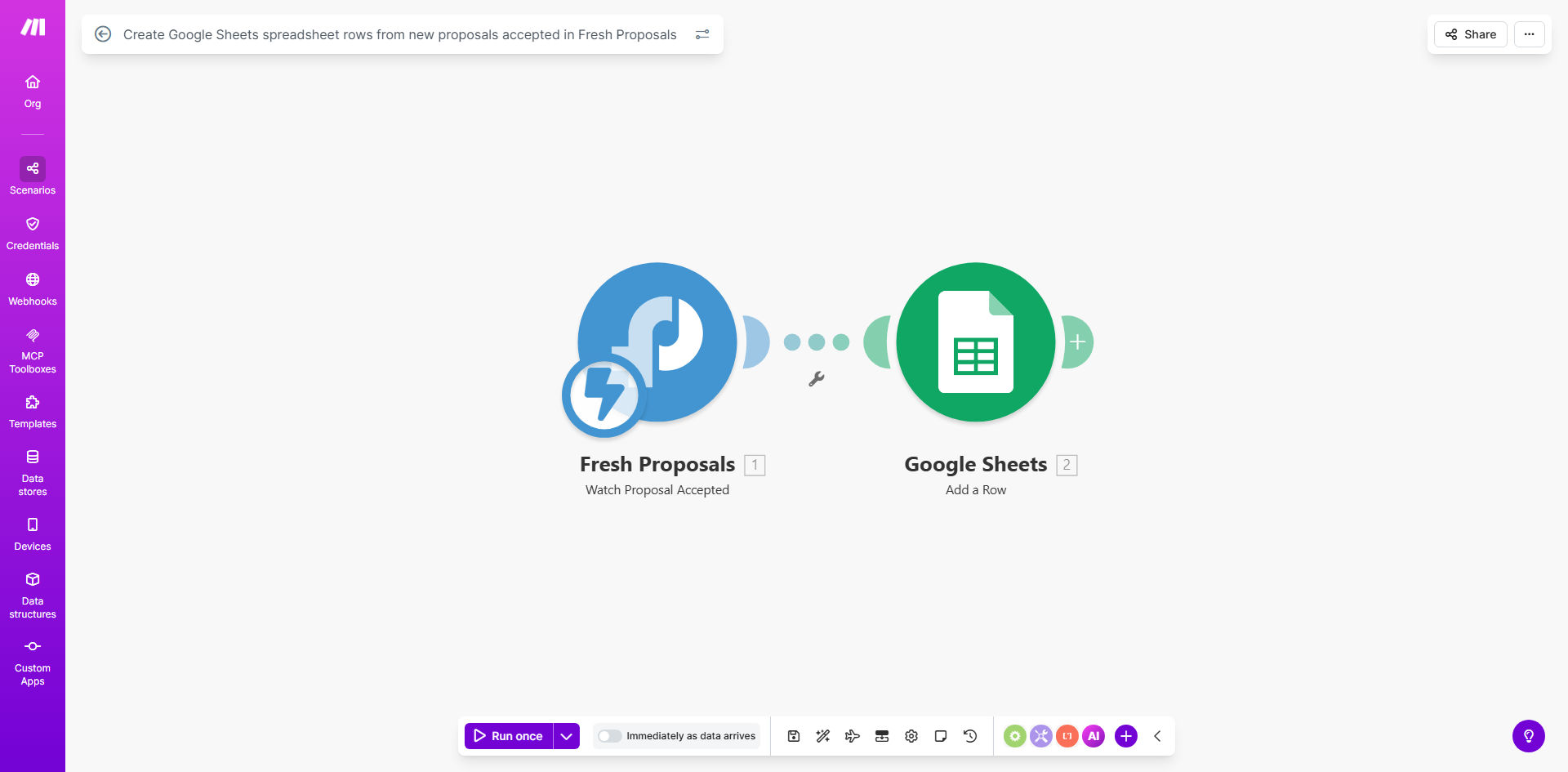
What This Workflow Does
This automation solves the tedious manual process of tracking accepted proposals in spreadsheets. Every time a client accepts a proposal in Fresh Proposals, the workflow instantly creates a new row in your Google Sheets with all relevant details - client name, proposal amount, terms, and acceptance date.
Sales teams and service businesses waste hours each week copying proposal data between systems. This not only consumes valuable time but introduces errors and delays in revenue tracking. The automation ensures your proposal tracker is always up-to-date without any manual intervention.
How It Works
1. Fresh Proposals Trigger
The workflow monitors your Fresh Proposals account for new "Accepted" status changes. When a proposal changes to Accepted, it captures all proposal details including custom fields.
2. Data Mapping
Make.com extracts key fields from the proposal and maps them to corresponding columns in your Google Sheet. You can customize which fields to include and how they're formatted.
3. Google Sheets Update
The workflow appends a new row to your specified Google Sheet with the proposal data. You can choose to add to an existing sheet or create a new one for each month/quarter.
Pro tip: Add a timestamp column to track exactly when each proposal was accepted. This helps with reporting on sales cycle length.
Who This Is For
This automation is ideal for:
- Service businesses using Fresh Proposals (agencies, consultants, freelancers)
- Sales teams tracking proposal conversion rates
- Finance teams needing accurate revenue forecasting
- Business owners who want real-time visibility into accepted work
What You'll Need
- A Fresh Proposals account with admin access
- A Google Sheets spreadsheet (new or existing)
- A Make.com account (free tier works)
- 5 minutes to set up the connections
Quick Setup Guide
- Click "Get This Workflow" to copy the template to your Make.com account
- Connect your Fresh Proposals account in Make.com
- Connect your Google Sheets account and select your tracking spreadsheet
- Map the Fresh Proposals fields to your Google Sheets columns
- Turn on the scenario and test with a sample proposal
Key Benefits
Eliminate manual data entry: Save 2-5 hours per week by automating proposal tracking. No more copying details between systems.
Reduce errors: Automated data transfer prevents typos and missed entries that happen with manual processes.
Real-time visibility: See accepted proposals immediately in your tracking sheet without waiting for updates.
Better forecasting: Accurate, up-to-date data helps predict cash flow and resource needs more reliably.
Scalable process: As your business grows, the automation handles increased proposal volume effortlessly.