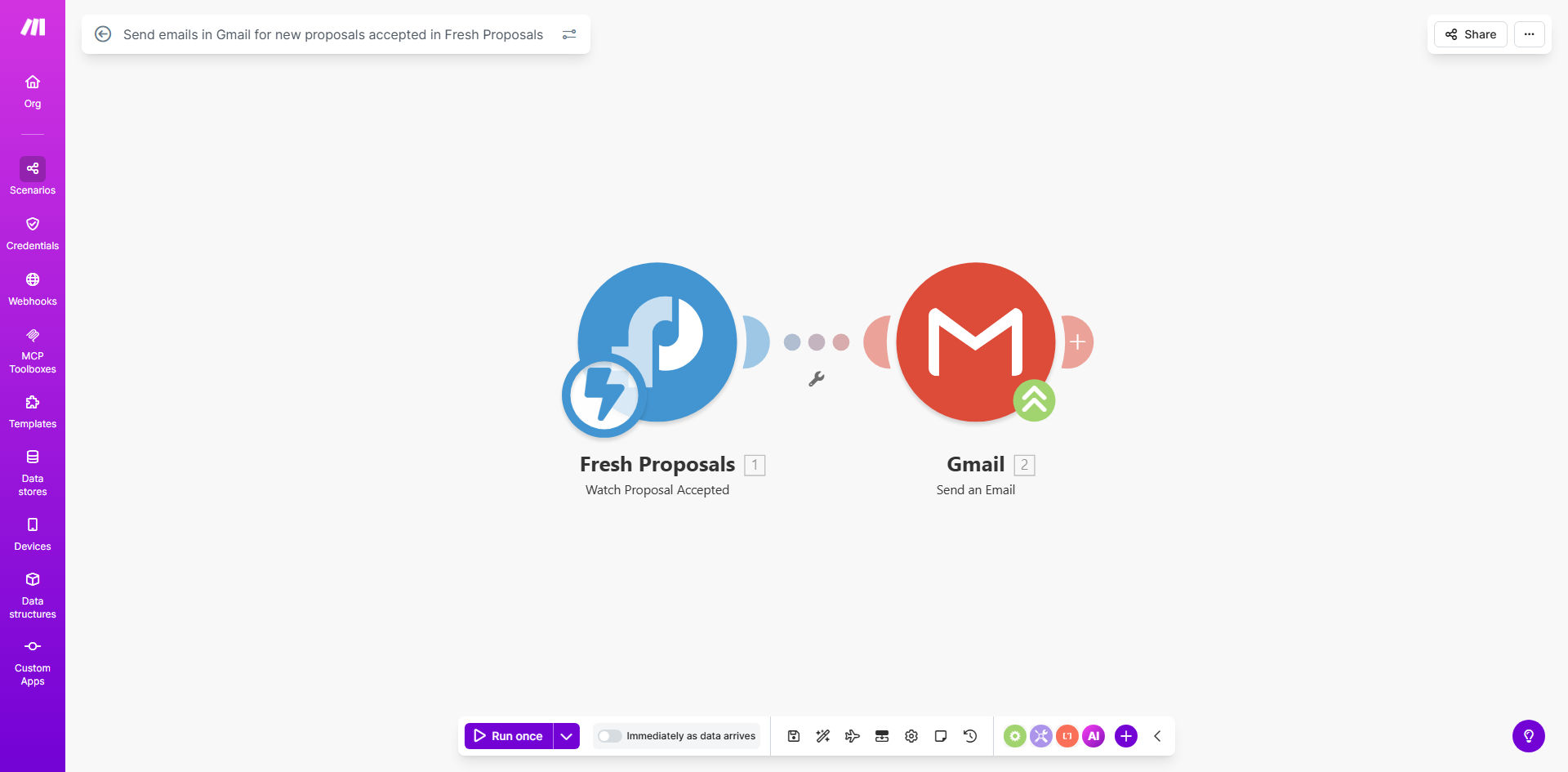
What This Workflow Does
This automation solves a critical pain point for service businesses using Fresh Proposals - the manual process of sending confirmation emails when clients accept proposals. Every time a proposal status changes to "accepted" in Fresh Proposals, the workflow automatically sends a customized email through Gmail.
The system eliminates the risk of missed notifications and ensures clients receive immediate confirmation after accepting your proposal. It pulls relevant proposal details into the email template, maintaining professional communication while saving your team valuable time on administrative tasks.
How It Works
1. Fresh Proposals Trigger
The workflow monitors your Fresh Proposals account for status changes. When a proposal moves to "accepted" status, it triggers the automation.
2. Data Extraction
The system extracts key proposal details including client name, proposal title, acceptance date, and any custom fields you've set up in Fresh Proposals.
3. Email Composition
Using your pre-configured Gmail template, the workflow inserts the extracted proposal details into appropriate email fields (subject line, body content, etc.).
4. Automated Delivery
The completed email sends automatically through your Gmail account, with optional CCs to team members or other stakeholders.
Who This Is For
This workflow is ideal for:
- Consulting firms sending multiple proposals weekly
- Freelancers managing client engagements
- Agencies with distributed teams handling proposals
- Businesses wanting to improve client onboarding experience
- Teams looking to reduce administrative overhead
What You'll Need
- A Make.com account (free plan available)
- Fresh Proposals account with API access
- Gmail or Google Workspace account
- Basic email template prepared in Gmail
Quick Setup Guide
- Install the template from Make.com
- Connect your Fresh Proposals account
- Authorize access to your Gmail account
- Customize the email template with merge fields
- Test with a sample proposal acceptance
- Activate the workflow
Pro tip: Add conditional logic to send different email templates based on proposal value or client type for more personalized communication.
Key Benefits
Save 5-10 minutes per proposal by eliminating manual email composition and sending. For businesses sending 20 proposals monthly, that's 16+ hours saved annually.
100% notification accuracy ensures no accepted proposals slip through without client confirmation.
Professional first impression with consistent, timely communication after contract acceptance.
Customizable templates allow you to maintain brand voice while automating the process.
Team visibility through optional CCs or BCCs on all acceptance emails.