Make.com Google Forms Fresh Proposals Client Onboarding Automation

Automatically Create Fresh Proposals Clients from Google Forms

Eliminate manual data entry by automatically creating client records in Fresh Proposals for every new Google Forms response

Get This Workflow → Make.com · Fresh Proposals · Free Template
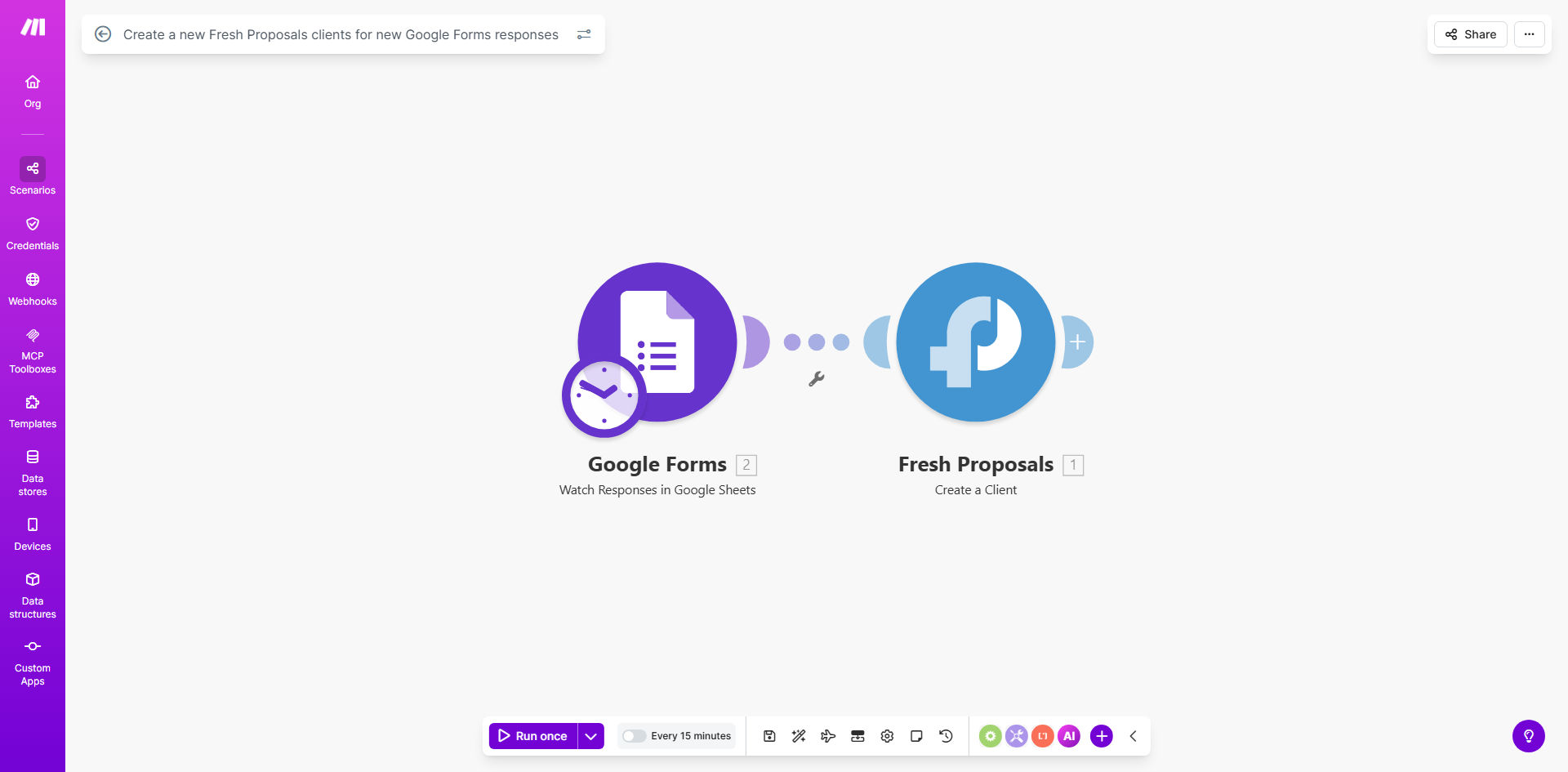
Make.com workflow diagram showing Google Forms to Fresh Proposals integration

What This Workflow Does

This automation solves a common pain point for service businesses that use Google Forms for lead capture and Fresh Proposals for client management. Every time a potential client submits your contact form, questionnaire, or service request form, the workflow automatically creates a corresponding client record in Fresh Proposals with all their information.

Manual data transfer between these systems is time-consuming and prone to errors. This workflow eliminates those problems by instantly moving complete, accurate client data the moment a form is submitted. It ensures no leads fall through the cracks while freeing your team from repetitive administrative work.

How It Works

1. New form submission triggers the workflow

The automation monitors your Google Form for new responses. As soon as someone submits the form, the workflow activates and retrieves all the response data.

2. Data is formatted for Fresh Proposals

The system maps each form field to the corresponding client field in Fresh Proposals. This includes basic contact information, company details, and any custom fields you've set up in both systems.

3. Client record is created automatically

Using Fresh Proposals' API, the workflow creates a new client with all the submitted information. The record appears in your Fresh Proposals account exactly as if you had entered it manually.

Pro tip: Add a hidden field in your Google Form to track the lead source. Map this to a custom field in Fresh Proposals for better analytics on which marketing channels drive the best clients.

Who This Is For

This automation is ideal for service businesses that:

  • Use Google Forms for client inquiries or onboarding questionnaires
  • Create proposals in Fresh Proposals for new projects
  • Want to eliminate duplicate data entry between systems
  • Need to accelerate their client onboarding process
  • Want to ensure no form submissions get missed or forgotten

Common users include marketing agencies, consultants, freelancers, and professional service firms that regularly onboard new clients through web forms.

What You'll Need

  1. A Google Forms form collecting client information
  2. A Fresh Proposals account with admin access
  3. A Make.com account (free plan works for basic usage)
  4. Approximately 15 minutes to set up the initial connection

Quick Setup Guide

  1. Copy this template to your Make.com account
  2. Connect your Google Forms account in Make
  3. Connect your Fresh Proposals account in Make
  4. Map form fields to Fresh Proposals client fields
  5. Test with a form submission and verify the client appears
  6. Turn on the workflow to process submissions automatically

Key Benefits

Save 5-10 minutes per client by eliminating manual data entry between systems. For businesses onboarding 20 clients monthly, that's 20+ hours saved annually.

Reduce errors by 90%+ compared to manual copying between systems. Automated transfers ensure perfect data consistency every time.

Never miss a lead - clients are created immediately upon form submission, before anyone can forget to process them.

Start proposals faster with complete client information already in your system when you're ready to create their proposal.

Improve client experience with faster response times since their information is immediately available to your team.

Frequently Asked Questions

Common questions about Google Forms to Fresh Proposals automation

Automating client creation saves significant time by eliminating manual data entry between systems. It ensures no leads are missed and maintains data accuracy by preventing human errors during transfer.

Businesses using this automation typically reduce client onboarding time by 75% while improving data consistency. For example, a marketing agency reduced their proposal creation time from 30 minutes to just 5 minutes per client by implementing this workflow.

You can map any form field to client fields in Fresh Proposals - contact details, company information, project requirements, and custom fields. The automation preserves all collected data while formatting it correctly for your proposals system.

Common mappings include name, email, phone, company name, and project budget. One architecture firm even transfers client-provided images of their property directly into the client record for reference during proposal creation.

Make.com automations are enterprise-grade reliable, processing thousands of records daily for businesses worldwide. The platform includes error handling, retry logic, and notifications if any issues occur.

In our experience, properly configured automations have 99.9%+ success rates when transferring data between these platforms. We recommend monitoring for the first week and adding email alerts for any failed attempts as an extra precaution.

Absolutely. This template serves as a foundation you can extend with notifications, CRM updates, or document generation. Many businesses add steps to send welcome emails, create follow-up tasks, or trigger additional processes once the client record exists in Fresh Proposals.

Popular additions include: sending a confirmation email to the client, creating a task in project management tools, adding the contact to an email sequence, or generating preliminary documents based on their form responses.

The workflow can be configured to validate responses before creating clients. Options include checking for required fields, email format validation, or minimum data quality standards.

You can set rules to either skip incomplete submissions or flag them for manual review while processing complete ones automatically. Some businesses route incomplete forms to a separate list for sales team follow-up rather than creating partial client records.

Make.com offers more advanced data transformation capabilities and better pricing for high-volume workflows compared to Zapier. The platform provides greater control over error handling and data mapping, making it preferable for business-critical processes.

However, Zapier may be simpler for very basic integrations with fewer records. Make.com becomes cost-effective at about 500+ records/month and is essential when you need complex data manipulation between steps.

Yes, our team specializes in building tailored automation solutions. We can create custom workflows that integrate all your systems, add conditional logic, implement your business rules, and ensure seamless data flow across your entire client onboarding process.

This includes handling complex scenarios beyond standard form-to-CRM transfers. For example, we've built systems that: automatically segment clients by service needs, trigger different proposal templates based on responses, integrate with payment systems for retainer collection, and sync with accounting software for seamless billing setup.

  • Free consultation to map your exact workflow
  • Custom error handling for your business rules
  • Ongoing support and optimization

Need a Custom Client Onboarding Automation?

This free template is a starting point. Our team builds fully tailored automation systems for your specific business needs.