CRM Integration Sales Automation Pipedrive Fresh Proposals Make.com

Automatically Create Fresh Proposals Clients from Pipedrive Contacts

Eliminate manual data entry and ensure seamless client information flow between your CRM and proposal software

Get This Workflow Make.com · Free Template
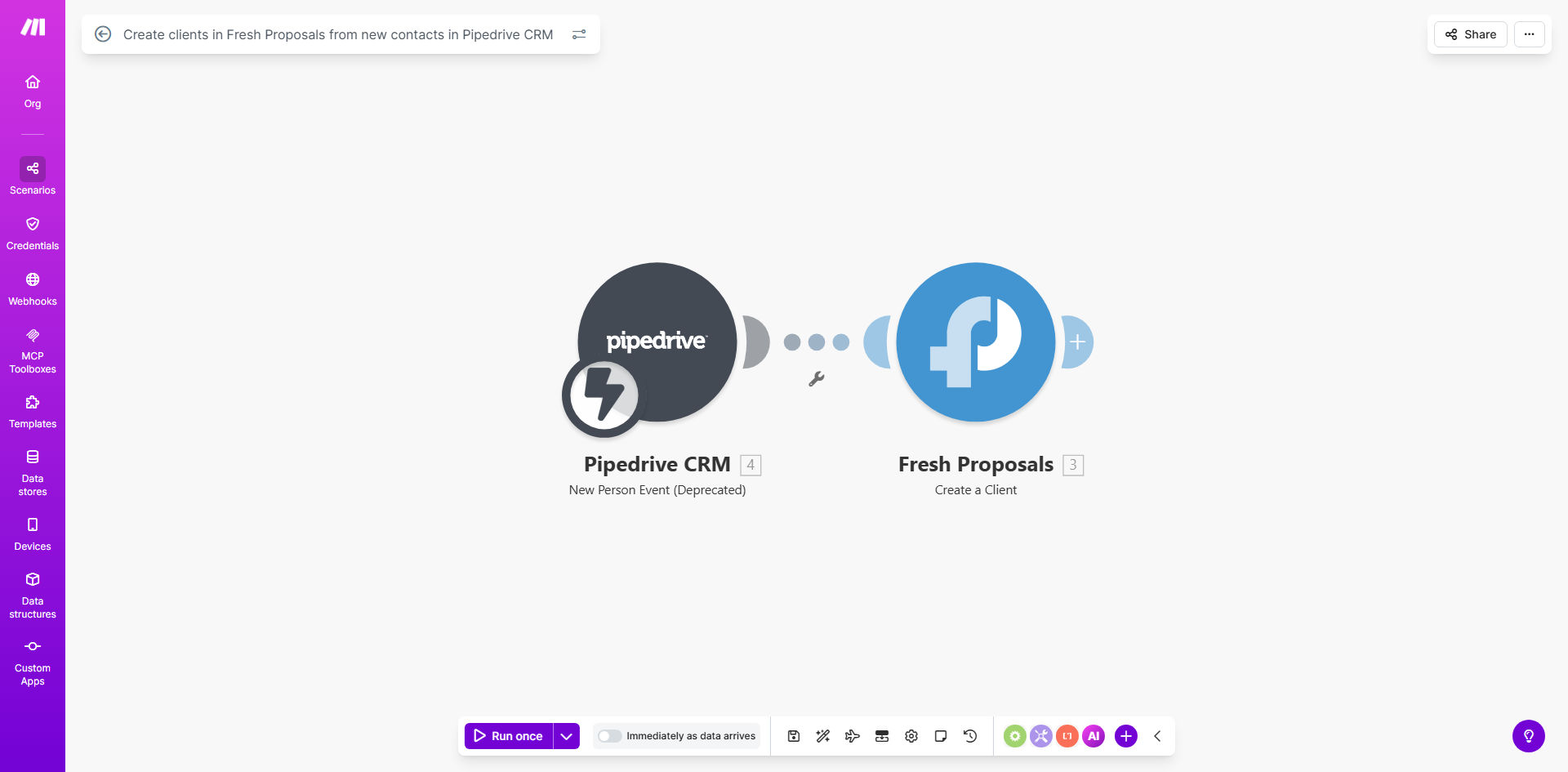
Pipedrive to Fresh Proposals client sync workflow diagram

What This Workflow Does

This automation bridges the gap between your Pipedrive CRM and Fresh Proposals, automatically creating client records whenever new contacts are added to your sales pipeline. It solves the common problem of having to manually transfer client information between systems, which is time-consuming and prone to errors.

When a sales rep adds a new qualified lead to Pipedrive, the workflow instantly creates a corresponding client profile in Fresh Proposals with all relevant contact details. This ensures your proposal team always has access to current client information when preparing quotes and contracts.

How It Works

1. New Contact Trigger

The workflow monitors your Pipedrive account for new contact additions or updates to existing contacts.

2. Data Mapping

Key contact fields from Pipedrive (name, email, company, etc.) are mapped to corresponding fields in Fresh Proposals.

3. Client Creation

The workflow creates a new client record in Fresh Proposals with the mapped data, ready for proposal generation.

4. Error Handling

The system includes checks to prevent duplicates and handles any API errors that might occur during the sync process.

Who This Is For

This workflow is ideal for sales teams and agencies that use Pipedrive for CRM and Fresh Proposals for creating client proposals. It's particularly valuable for:

  • Sales teams managing high volumes of leads
  • Businesses with separate sales and proposal teams
  • Companies that need to ensure proposal accuracy
  • Organizations looking to reduce manual data entry

What You'll Need

  1. Active Pipedrive account with admin access
  2. Fresh Proposals subscription
  3. Make.com account (free or paid)
  4. API keys for both Pipedrive and Fresh Proposals

Quick Setup Guide

  1. Copy this template to your Make.com account
  2. Connect your Pipedrive and Fresh Proposals accounts
  3. Map the contact fields you want to sync between systems
  4. Set any filters for which contacts should trigger the sync
  5. Test the workflow with a sample contact
  6. Activate the automation

Pro tip: Create custom fields in both systems for any unique data points your proposals require, then map these in the workflow for complete automation.

Key Benefits

Eliminates manual data transfer between systems, saving your team 2-5 hours per week typically spent copying client information.

Reduces proposal errors by ensuring Fresh Proposals always uses the most current client data from your CRM.

Speeds up proposal generation since client details are immediately available when creating new proposals.

Improves sales team efficiency by removing administrative tasks and letting them focus on selling.

Maintains data consistency across your sales tech stack, providing a unified view of client information.

Frequently Asked Questions

Common questions about CRM-to-proposal automation

Pipedrive CRM can integrate with Fresh Proposals through automation platforms like Make.com, allowing seamless transfer of contact data between systems. When a new lead or client is added to Pipedrive, their information can automatically populate in Fresh Proposals as a new client record.

This integration works by using the APIs of both platforms to exchange data in real-time. The automation acts as a bridge that translates Pipedrive's contact format into Fresh Proposals' client structure.

  • No coding required - uses visual workflow builder
  • Supports custom field mappings
  • Can include conditional logic for advanced scenarios

Syncing these systems eliminates manual data entry, reduces errors, and ensures proposals always use the most current client information. It also speeds up the proposal process since client details are immediately available when creating new proposals.

For example, a marketing agency might save 15 minutes per proposal by having all client contact details, company information, and project specifics automatically pulled from their CRM rather than manually looked up and entered.

  • 30-50% faster proposal creation
  • Near-zero data entry errors
  • Better client experience from accurate proposals

Common data points include contact name, email, phone number, company details, and any custom fields you've mapped between the systems. The specific data transferred depends on your workflow configuration and which fields are most valuable for your proposal process.

Most businesses transfer the core contact information plus any deal-specific details that would help personalize proposals, such as project requirements, budget ranges, or service interests noted in Pipedrive.

  • Standard fields: Name, email, phone, company
  • Custom fields: Project type, service tier, deal stage
  • Optional: Notes, attachments, communication history

With this automation, the sync happens in real-time whenever a new contact is added or updated in Pipedrive. You can also configure the workflow to run at scheduled intervals if preferred.

Real-time syncing is ideal for most sales teams as it ensures proposals can be created immediately with accurate information. Some businesses prefer hourly or daily syncs if they have very high contact volumes or want to batch process updates.

  • Default: Instant sync on contact creation/update
  • Option: Scheduled syncs (hourly/daily)
  • Manual trigger option available

Yes, the workflow can be configured to only sync contacts that meet specific criteria, such as those marked as qualified leads or assigned to certain pipelines. This prevents cluttering Fresh Proposals with contacts not yet ready for proposals.

Common filters include deal stage (only sync "qualified" leads), pipeline (only certain sales processes), or custom fields (only contacts meeting specific requirements). This ensures your proposal system contains only relevant, sales-ready contacts.

  • Filter by deal stage, pipeline, or owner
  • Set minimum qualification criteria
  • Exclude test or internal contacts

The workflow can be set to either update existing records with new information from Pipedrive or skip duplicates entirely, depending on your preference. This prevents creating multiple records for the same client.

Most businesses choose to update existing records to ensure Fresh Proposals always reflects the latest client information from Pipedrive. The system matches records by email address or a custom ID field to identify duplicates.

  • Option to update existing records
  • Option to skip duplicates
  • Custom matching rules available

Absolutely! Our team specializes in building tailored automation solutions that connect your specific CRM with proposal software. We can customize field mappings, add conditional logic, and integrate additional systems to create a perfect workflow for your sales process.

For example, we recently built a custom solution for a law firm that needed to sync Clio CRM contacts with Proposify, including specific matter details and conflict check statuses. The automation reduced their proposal preparation time by 65%.

  • Custom field mappings for your unique data
  • Conditional logic for complex scenarios
  • Multi-system integrations available

Need a Custom CRM-to-Proposal Automation?

This free template is a starting point. Our team builds fully tailored automation systems for your specific business needs.