Zoho CRM Fresh Proposals Client Onboarding Sales Automation

Automatically Add Zoho CRM Contacts to Fresh Proposals

Eliminate manual data entry by instantly syncing new clients from your CRM to your proposal software

Get This Workflow → Make.com · Zoho CRM · Free Template
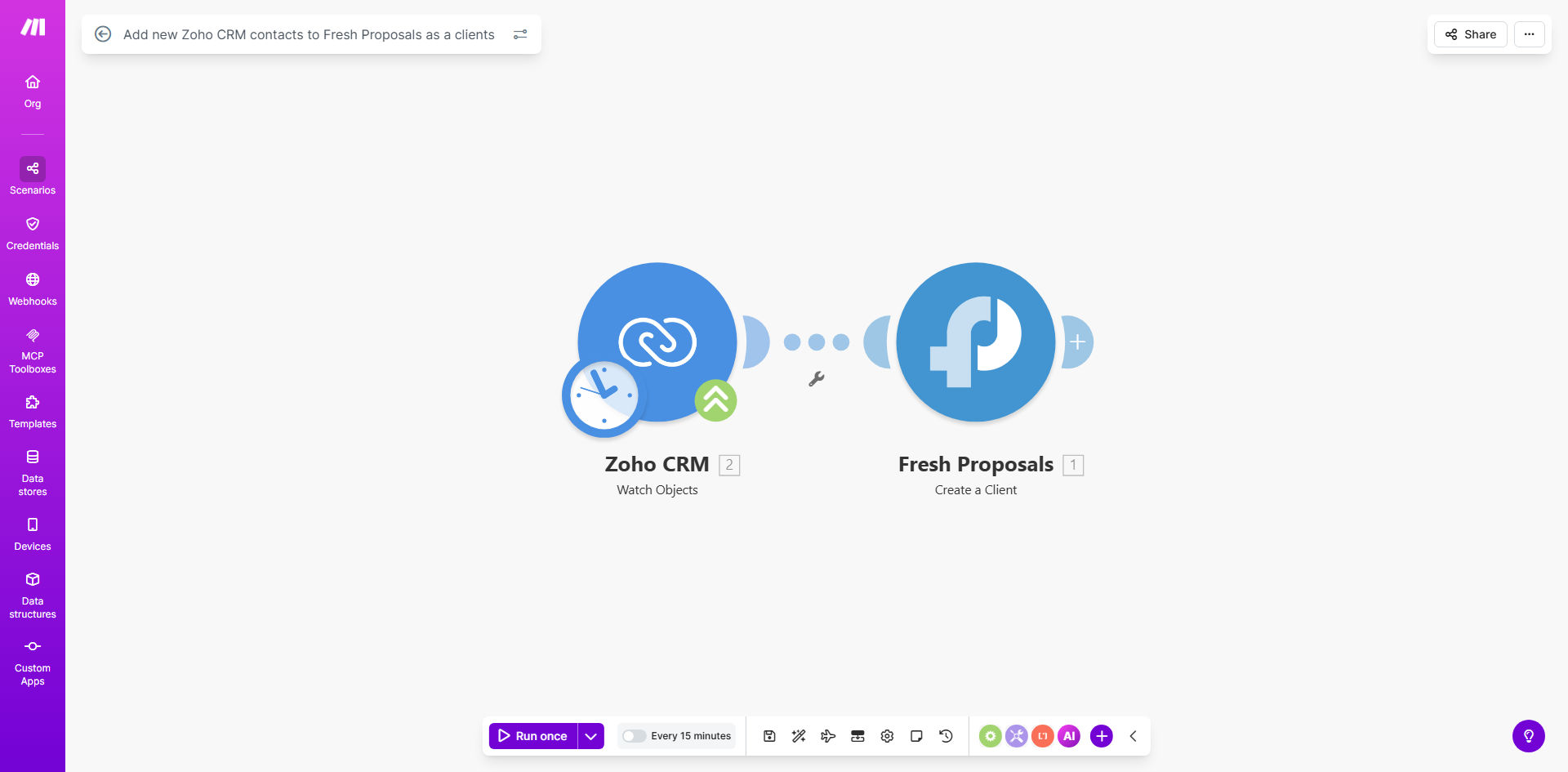
Zoho CRM to Fresh Proposals automation workflow diagram

What This Workflow Does

This automation bridges the gap between your CRM and proposal system by automatically creating Fresh Proposals client records whenever new contacts are added to Zoho CRM. It solves the common problem of sales teams wasting time manually copying client details between systems, which often leads to errors, outdated information, and delayed proposal creation.

The workflow triggers instantly when a new contact record appears in Zoho CRM, extracting all relevant client information and pushing it to Fresh Proposals in the correct format. This ensures your proposal team always works with accurate, up-to-date client data without any manual intervention.

How It Works

1. New Contact Detection

The workflow monitors your Zoho CRM for newly created contact records using Make.com's instant trigger. It captures the complete contact profile including name, email, phone, company details, and any custom fields.

2. Data Transformation

Contact information is formatted to match Fresh Proposals' expected data structure. The system handles field mapping conversions automatically, ensuring compatibility between the two platforms.

3. Client Creation in Fresh Proposals

Make.com authenticates with your Fresh Proposals account via API and creates a new client record using the transformed Zoho CRM data. The workflow can be configured to include specific contact details relevant to your proposal process.

Pro tip: Add conditional logic to only sync contacts that reach a specific deal stage, ensuring your proposal team focuses on qualified leads.

Who This Is For

This automation is ideal for:

  • Sales teams using Zoho CRM who create frequent proposals in Fresh Proposals
  • Businesses experiencing delays between lead capture and proposal generation
  • Organizations with dedicated proposal teams who need immediate access to new client data
  • Companies struggling with data consistency between their CRM and proposal software

What You'll Need

  1. Active Zoho CRM account with API access enabled
  2. Fresh Proposals account with admin privileges
  3. Make.com account (free plan sufficient for basic setup)
  4. List of Zoho CRM fields you want to sync (name, email, company, etc.)

Quick Setup Guide

  1. Copy this template to your Make.com account
  2. Connect your Zoho CRM account in the first module
  3. Authenticate with Fresh Proposals in the output module
  4. Map Zoho CRM fields to corresponding Fresh Proposals client fields
  5. Test with a sample contact to verify data flows correctly
  6. Activate the scenario to begin automatic syncing

Key Benefits

Eliminate 100% of manual data entry between Zoho CRM and Fresh Proposals, saving 5-10 minutes per new client while completely removing transcription errors.

Accelerate proposal timelines by making new client data immediately available to your proposal team, reducing time-to-proposal by 1-2 business days on average.

Improve data accuracy with automated field mapping that ensures consistent formatting across both platforms, eliminating mismatched names or outdated contact details.

Enhance personalization by syncing all relevant CRM data fields, giving your proposal team more context to create tailored proposals that resonate with each client.

Frequently Asked Questions

Common questions about CRM-to-proposal automation

Integrating Zoho CRM with Fresh Proposals eliminates manual client data entry, reduces errors, and ensures your proposal team always works with up-to-date contact information. This automation saves 5-10 minutes per new client while improving proposal personalization.

For example, marketing agencies using this integration report 30% faster proposal turnaround times since their creative teams don't need to chase sales for client details.

The workflow transfers contact names, email addresses, phone numbers, company details, and any custom fields you configure. You can map specific Zoho CRM fields to corresponding Fresh Proposals client fields during setup.

Common additional fields include industry classification, deal size, lead source, and custom notes that help proposal writers understand client needs.

The automation triggers immediately when a new contact is created in Zoho CRM, typically syncing to Fresh Proposals within 30-60 seconds. This near real-time transfer means your sales team can start creating proposals immediately.

Unlike manual processes that might wait until end-of-day batch updates, this instant sync gives your team a competitive advantage in responding to new opportunities.

Yes, you can set conditions in Make.com to only sync contacts meeting specific criteria like deal stage, lead source, or custom field values. This prevents cluttering your proposal system with irrelevant contacts.

For instance, you might configure the workflow to only sync contacts marked as "Sales Qualified Lead" or with estimated deal values above a certain threshold.

The workflow can be configured to either skip duplicates or update existing client records with new information from Zoho CRM. This ensures data consistency across both platforms.

Most businesses choose to enable updates for key fields like phone numbers and job titles while preserving proposal-specific notes in Fresh Proposals.

While this template is designed for Fresh Proposals, similar automations can be built for PandaDoc, Proposify, Qwilr, and other proposal platforms. The integration logic remains largely the same.

Our team has implemented CRM-to-proposal automations for 17 different proposal systems, each with customized field mappings and business rules.

Absolutely! GrowwStacks specializes in building tailored automation solutions that connect your CRM with proposal tools, document systems, and other sales stack applications. We can customize field mappings, add conditional logic, and integrate additional systems to match your exact workflow needs.

Our typical CRM integration projects include:

  • Multi-stage sync rules based on deal progress
  • Automatic document tagging by client category
  • Integration with accounting systems for pricing

Need a Custom CRM-to-Proposals Automation?

This free template is a starting point. Our team builds fully tailored automation systems for your specific business needs.