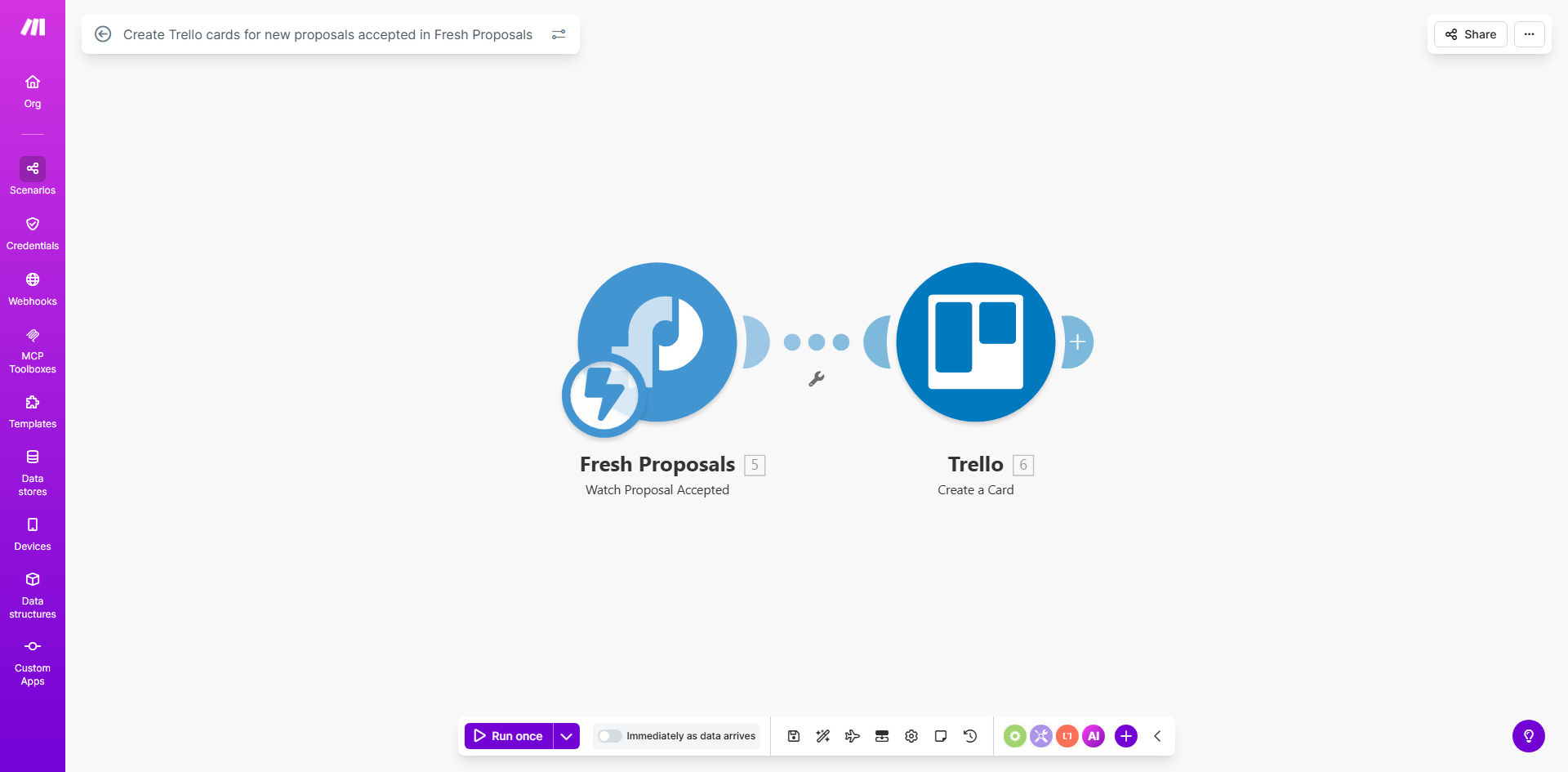
What This Workflow Does
This automation solves the common bottleneck where accepted proposals sit in your sales pipeline while your project team waits to begin work. By automatically creating Trello cards the moment a Fresh Proposals deal is accepted, you eliminate manual data entry and accelerate project kickoffs.
The workflow monitors your Fresh Proposals account for newly accepted proposals. When detected, it extracts key details like client name, project scope, and contract value, then creates a corresponding Trello card in your specified board and list. This gives your project team immediate visibility into new work without email alerts or manual card creation.
How It Works
1. Fresh Proposals triggers the workflow
Make.com continuously monitors your Fresh Proposals account for newly accepted proposals. The moment a client accepts a proposal, Fresh Proposals sends this status change to Make.com.
2. Proposal details are extracted
The workflow pulls all relevant information from the accepted proposal including client details, project description, contract value, and any custom fields you've set up in Fresh Proposals.
3. Trello card is created automatically
Using the extracted data, Make.com creates a new card in your specified Trello board and list. You can customize exactly which fields map to Trello card properties like title, description, labels, due dates, and custom fields.
4. Optional team notifications
The workflow can optionally notify your team via Slack, email, or other channels that a new project has been added to Trello, keeping everyone in sync.
Who This Is For
This automation is ideal for:
- Digital agencies that need to quickly transition sold projects to production
- Consultants who want to eliminate administrative work between sales and delivery
- Freelancers managing multiple client projects who need better organization
- Businesses using Fresh Proposals for sales and Trello for project management
- Teams that lose time manually recreating proposal information in Trello
What You'll Need
- A Make.com account (free plan available)
- Fresh Proposals account with admin access
- Trello account with edit permissions to your project board
- Basic understanding of how to connect apps in Make.com
Quick Setup Guide
- Click "Get This Workflow" to copy the template to your Make.com account
- Connect your Fresh Proposals account in the Make.com scenario
- Connect your Trello account and specify the target board/list
- Map the Fresh Proposals fields you want transferred to Trello
- Test with a sample accepted proposal to verify the card creation
- Turn on the scenario to go live with your automation
Pro tip: Add a custom field in Trello for "Proposal Value" to help your team prioritize high-value projects immediately.
Key Benefits
Eliminate manual data entry between your sales and project teams, saving 15-30 minutes per project setup.
Reduce project startup delays by instantly creating Trello cards the moment proposals are accepted.
Maintain data accuracy by automatically transferring information without human copying errors.
Improve team visibility with immediate Trello card creation that keeps everyone informed.
Scale your operations by removing this administrative bottleneck as your proposal volume grows.