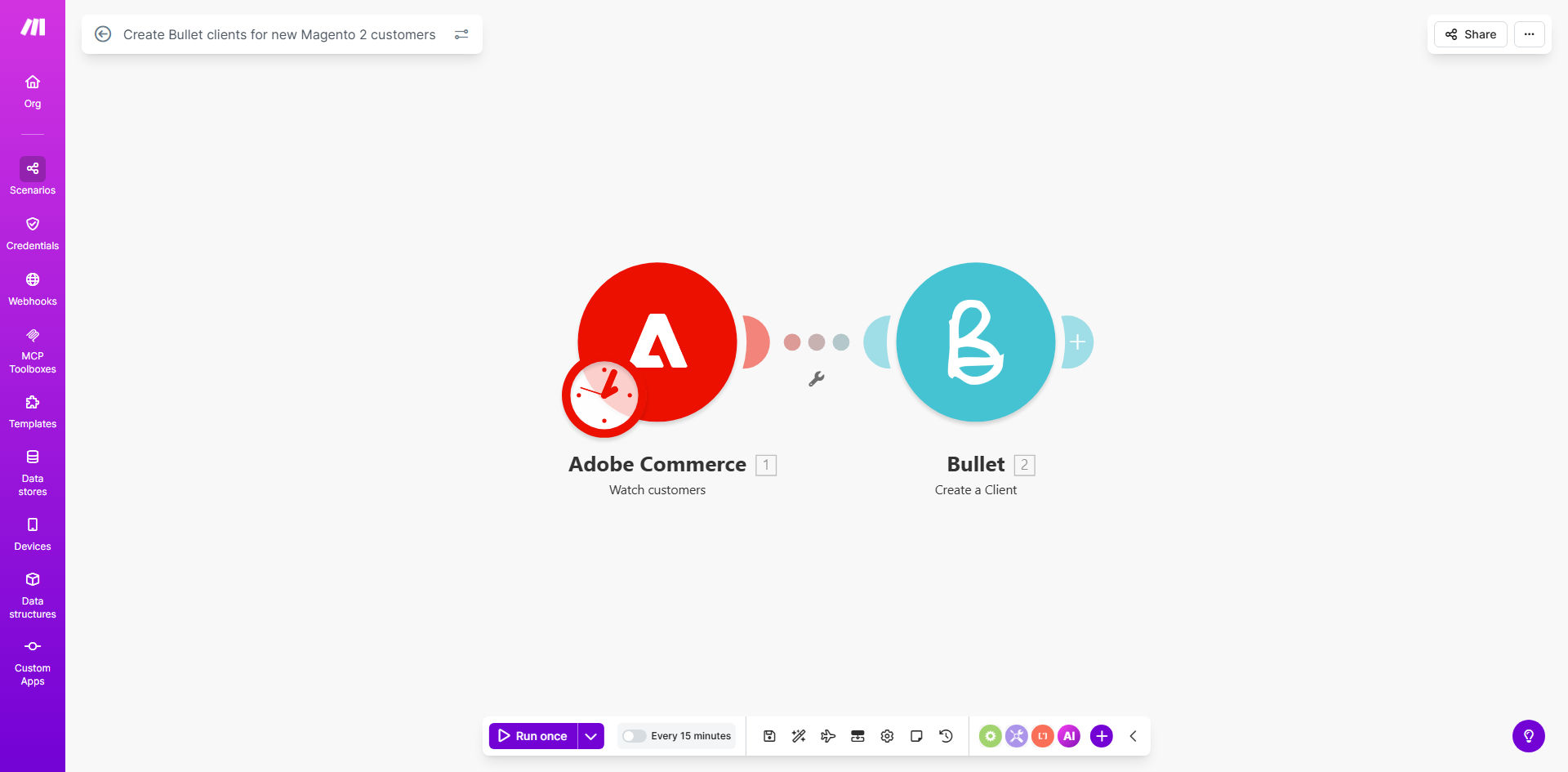
What This Workflow Does
This automation solves the common challenge of manually transferring customer information from your Magento 2 ecommerce store to Bullet CRM. Every time a new customer makes a purchase, their details must be entered into your CRM system - a time-consuming process prone to errors and delays.
The workflow automatically detects new Magento customers at regular intervals and creates corresponding client records in Bullet with identical information. This ensures your sales team has immediate access to complete customer profiles without any manual data entry, enabling faster follow-ups and better customer relationship management.
How It Works
1. Magento customer monitoring
The workflow periodically checks your Magento 2 store for new customer registrations using API calls. You can configure the checking frequency based on your order volume.
2. Data extraction and formatting
When new customers are detected, their information (name, email, phone, addresses, etc.) is extracted and formatted to match Bullet CRM's expected data structure.
3. Bullet client creation
The formatted customer data is sent to Bullet via its API to create a new client record. The workflow handles all authentication and field mapping automatically.
4. Error handling and logging
If any sync attempts fail, the workflow retries according to your configuration and logs all activities for troubleshooting. You can set up notifications for manual review when needed.
Who This Is For
This automation is ideal for:
- Ecommerce businesses using Magento 2 with Bullet CRM
- Teams wasting time manually copying customer data between systems
- Companies wanting faster sales follow-ups with new customers
- Businesses needing accurate customer data across all platforms
What You'll Need
- Active Magento 2 store with API access
- Bullet CRM account with admin privileges
- Make.com account (formerly Integromat)
- Basic understanding of API authentication
Quick Setup Guide
- Install the template in your Make.com account
- Connect your Magento 2 store by entering API credentials
- Authenticate with Bullet CRM using OAuth or API keys
- Map Magento customer fields to Bullet client fields
- Set your preferred sync frequency (hourly recommended)
- Test with a new Magento customer registration
- Activate the workflow for continuous operation
Pro tip: Start with hourly syncs and adjust based on your order volume. High-traffic stores may benefit from more frequent checks, while smaller shops can reduce frequency to conserve API calls.
Key Benefits
Eliminate manual data entry - Save 5-10 minutes per customer by automatically transferring information from Magento to Bullet. For stores with 100 monthly new customers, that's 8-16 hours saved.
Improve sales response time - New customer records appear in Bullet immediately, allowing your team to begin outreach while purchase excitement is highest.
Ensure data accuracy - Automated transfers eliminate human errors in copying customer details between systems.
Scale effortlessly - The workflow handles 10 or 10,000 new customers with equal reliability, growing with your business.
Maintain system harmony - Keep your ecommerce platform and CRM perfectly synchronized without additional staff or effort.