Make.com Shopify Bullet CRM Customer Sync Ecommerce

Create Bullet clients for new Shopify customers

Automatically sync your Shopify store customers with Bullet CRM—eliminating manual data entry and ensuring your sales team always has updated customer information.

Get This Workflow → Make.com · Shopify · Free Template
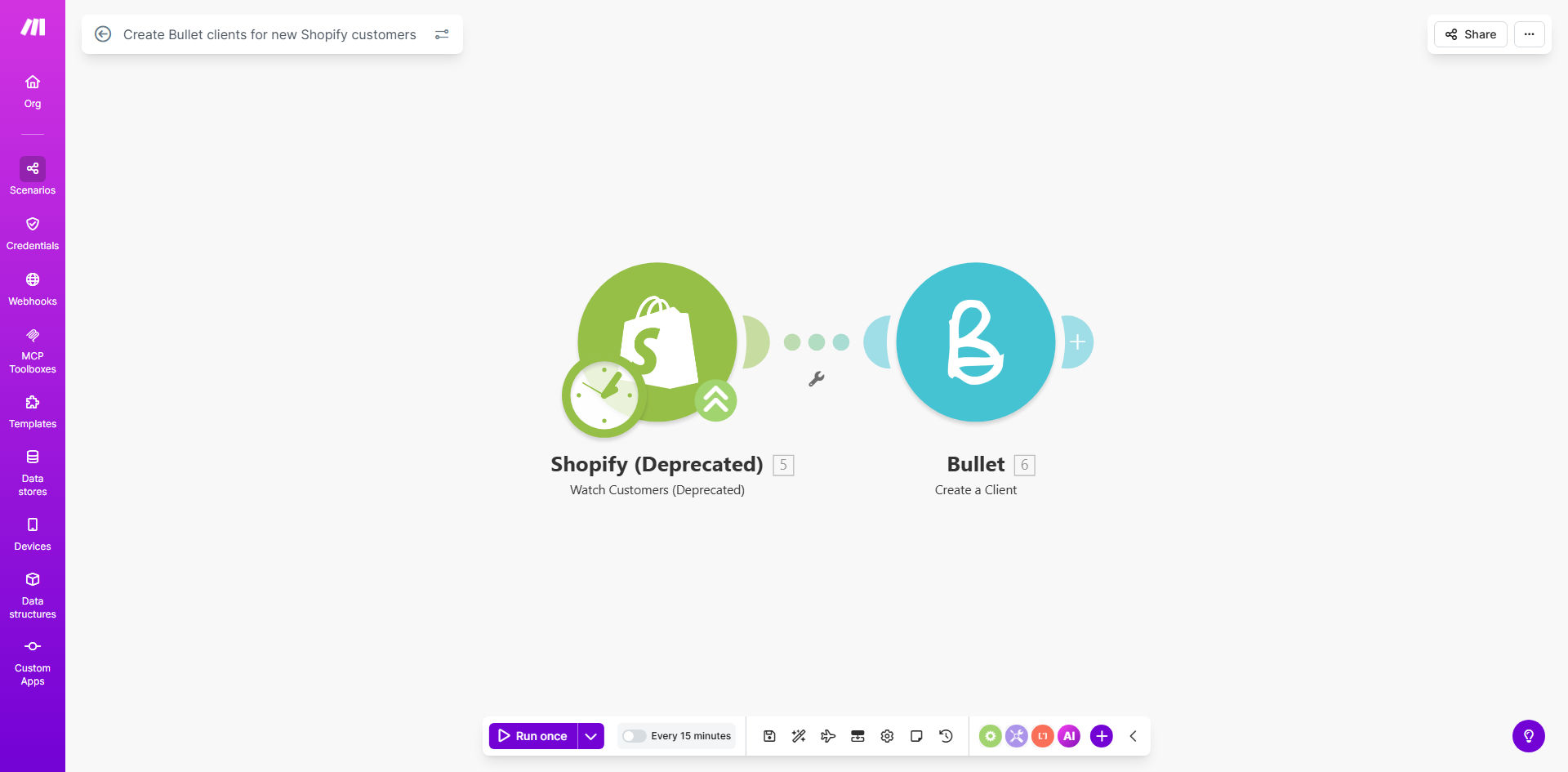
Shopify to Bullet CRM integration workflow diagram

What This Workflow Does

This automation solves a common pain point for ecommerce businesses using Shopify with Bullet CRM—the tedious manual process of transferring customer data between platforms. Every time a new customer makes a purchase in your Shopify store, this workflow automatically creates a corresponding client record in Bullet with all their details.

The system runs at scheduled intervals, checking Shopify for new customers and seamlessly adding them to Bullet. This ensures your sales team has immediate access to customer information without waiting for manual imports or risking data entry errors.

How It Works

1. Scheduled Shopify Check

The workflow connects to your Shopify store at regular intervals (configurable from minutes to days) to check for new customers since the last run.

2. Customer Data Retrieval

For each new customer found, the workflow collects all available information including name, contact details, order history, and any custom fields you've set up in Shopify.

3. Bullet Client Creation

The system then creates a new client record in Bullet CRM, mapping Shopify customer fields to their corresponding Bullet fields automatically.

Pro tip: Configure field mappings during setup to ensure Shopify data populates the correct Bullet fields—especially important for custom fields.

Who This Is For

This workflow is ideal for:

  • Ecommerce businesses using Shopify with Bullet CRM
  • Sales teams needing real-time customer data
  • Businesses scaling beyond manual data entry capacity
  • Companies wanting to reduce CRM data errors
  • Marketing teams needing accurate customer segmentation

What You'll Need

  1. A Shopify store with admin access
  2. A Bullet CRM account with API access
  3. A Make.com account (free tier available)
  4. Basic understanding of your customer data fields

Quick Setup Guide

  1. Clone the template in your Make.com account
  2. Connect your Shopify store via API
  3. Connect your Bullet CRM via API
  4. Map Shopify customer fields to Bullet fields
  5. Set your preferred schedule interval
  6. Test with a few sample customers
  7. Activate the workflow

Key Benefits

Save 5-10 hours weekly by eliminating manual customer data entry between Shopify and Bullet.

Reduce CRM errors by 90%+ with automated field mapping that prevents typos and missed fields.

Get real-time customer data in Bullet as soon as Shopify orders are placed—no waiting for batch imports.

Scale your operations effortlessly as customer volume grows without adding administrative staff.

Improve sales team productivity with complete, up-to-date customer information at their fingertips.

Frequently Asked Questions

Common questions about Shopify-Bullet integration automation

Syncing Shopify customers with Bullet eliminates manual data entry, reduces errors, and ensures your CRM always has up-to-date customer information. This is especially valuable for ecommerce businesses that need to track customer interactions across multiple platforms.

For example, when a customer places an order, your sales team can immediately see their complete purchase history and contact details in Bullet without switching between systems.

The workflow runs at intervals you configure, typically every few hours or daily. This ensures new customers are added to Bullet promptly without overwhelming your systems with constant checks.

Most businesses find hourly checks provide the right balance between data freshness and system performance. During high-volume periods like holidays, you might increase frequency temporarily.

The workflow transfers all available Shopify customer fields including name, email, phone, address, and order history. You can customize which fields to sync based on your Bullet CRM requirements.

Common mappings include customer name → contact name, Shopify order notes → Bullet notes, and customer tags → Bullet segments. The template includes the most common field mappings pre-configured.

Yes, you can set filters to only sync customers who meet specific criteria like purchase amount, product type, or location. This helps focus your CRM on high-value customers.

For instance, you might configure the workflow to only sync customers who spent over $100 or purchased from specific product categories that require follow-up.

The workflow can be configured to either skip existing customers or update their information with the latest Shopify data, preventing duplicates while keeping records current.

We recommend updating existing records to capture new orders and contact information changes. The workflow uses email as the primary matching field by default.

Make.com's platform provides reliable, enterprise-grade integration with error handling and retry logic. The workflow includes safeguards against API rate limits and temporary connection issues.

If an API call fails, the system automatically retries after a delay. You'll receive notifications for any persistent issues requiring attention.

Absolutely! Our team specializes in building custom Shopify-Bullet integrations tailored to your specific business processes, including custom field mappings, segmentation rules, and workflow triggers.

We can create advanced automations that incorporate your unique business logic—like triggering specific Bullet workflows based on Shopify purchase behavior or customer tags.

  • Custom field mappings for your data structure
  • Advanced segmentation rules
  • Multi-step workflows with conditional logic

Need a Custom Shopify-Bullet Automation?

This free template is a starting point. Our team builds fully tailored automation systems for your specific business needs.