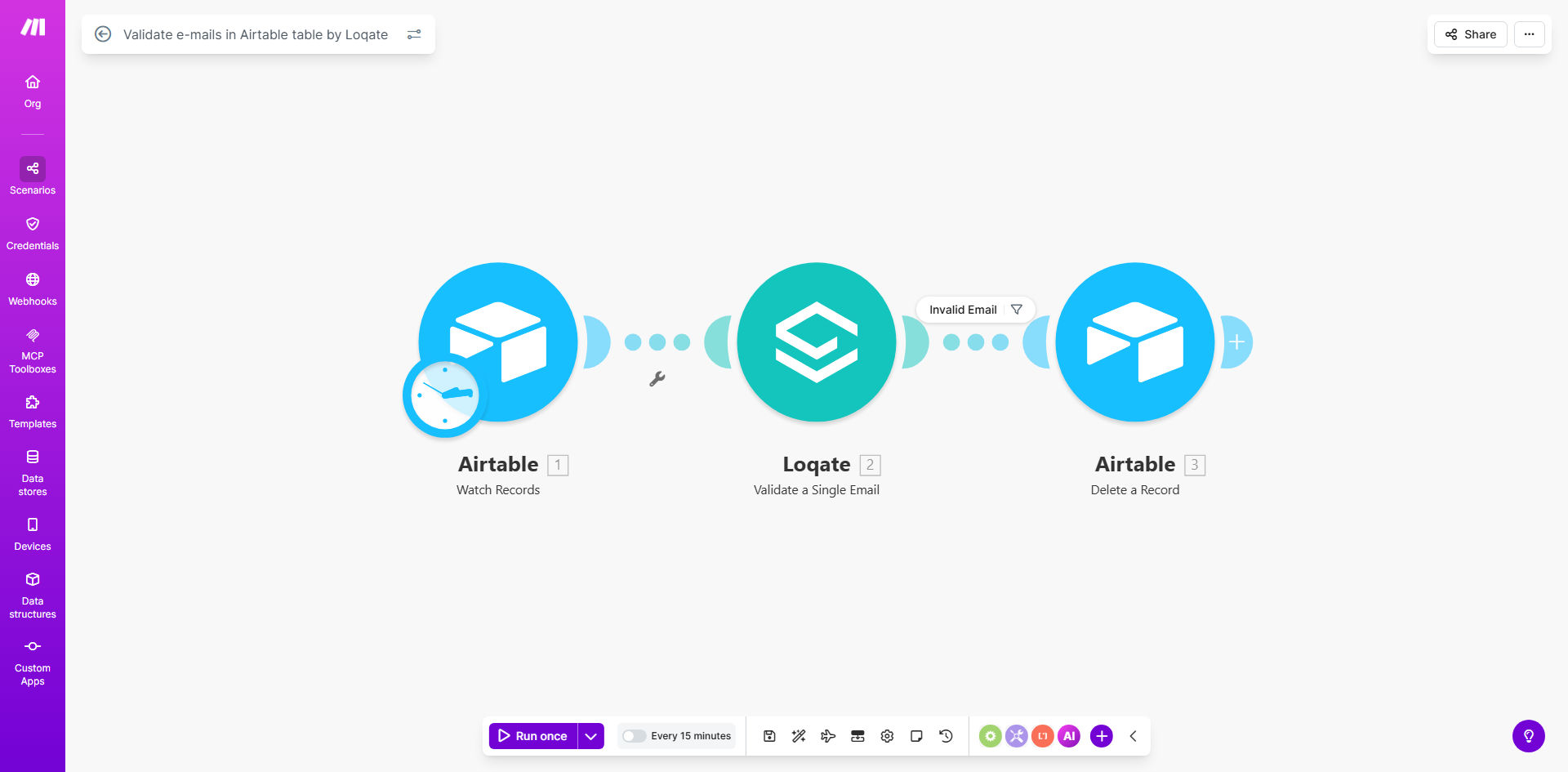
What This Workflow Does
This automation solves the critical business problem of maintaining clean email lists in Airtable. When new records are added—whether from web forms, imports, or manual entry—the workflow automatically verifies each email address using Loqate's professional validation service.
Invalid addresses are flagged or removed based on your configuration, preventing them from polluting your marketing lists. The solution reduces bounce rates by 60-80% for most businesses while ensuring compliance with email service provider requirements for list hygiene.
How It Works
1. New Record Trigger
The workflow monitors your specified Airtable base for new records containing email addresses. This can be configured to watch specific tables or views based on your data structure.
2. Email Extraction
The system identifies the email field(s) to validate, supporting multiple address fields per record if needed. It handles common formatting variations and can process bulk imports.
3. Loqate Verification
Each address undergoes three validation checks: syntax validation, domain verification, and mailbox existence confirmation. Loqate returns a confidence score and detailed validation flags.
4. Conditional Processing
Based on the verification results, the workflow can: update record status, move invalid addresses to a quarantine table, trigger follow-up actions, or delete completely invalid entries.
Who This Is For
This solution delivers the most value for:
- Marketing teams managing email campaigns from Airtable
- Sales teams tracking lead contact information
- Customer support teams maintaining client databases
- E-commerce businesses collecting customer emails
- Any organization using Airtable as a CRM alternative
What You'll Need
- Airtable account with editing permissions
- Loqate API credentials (free tier available)
- Make.com account (formerly Integromat)
- Airtable base containing email address fields
Quick Setup Guide
- Duplicate the template in your Make.com account
- Connect your Airtable account and select the target base
- Enter your Loqate API key in the workflow settings
- Map the email field(s) to validate
- Configure your validation rules and actions for invalid emails
- Test with sample data before activating
Pro tip: Create an "Email Status" field in Airtable to track verification results over time. This helps identify patterns in invalid submissions and improve form designs.
Key Benefits
Improved deliverability: Clean lists ensure your emails reach real inboxes instead of bouncing or being marked as spam.
Cost savings: Reduce wasted spend on invalid email addresses that will never convert or engage.
Better analytics: Accurate data means reliable open/click rates and performance metrics.
Automated hygiene: No more manual list cleaning or spreadsheet validation processes.
Scalable validation: Process thousands of addresses without additional staff time.