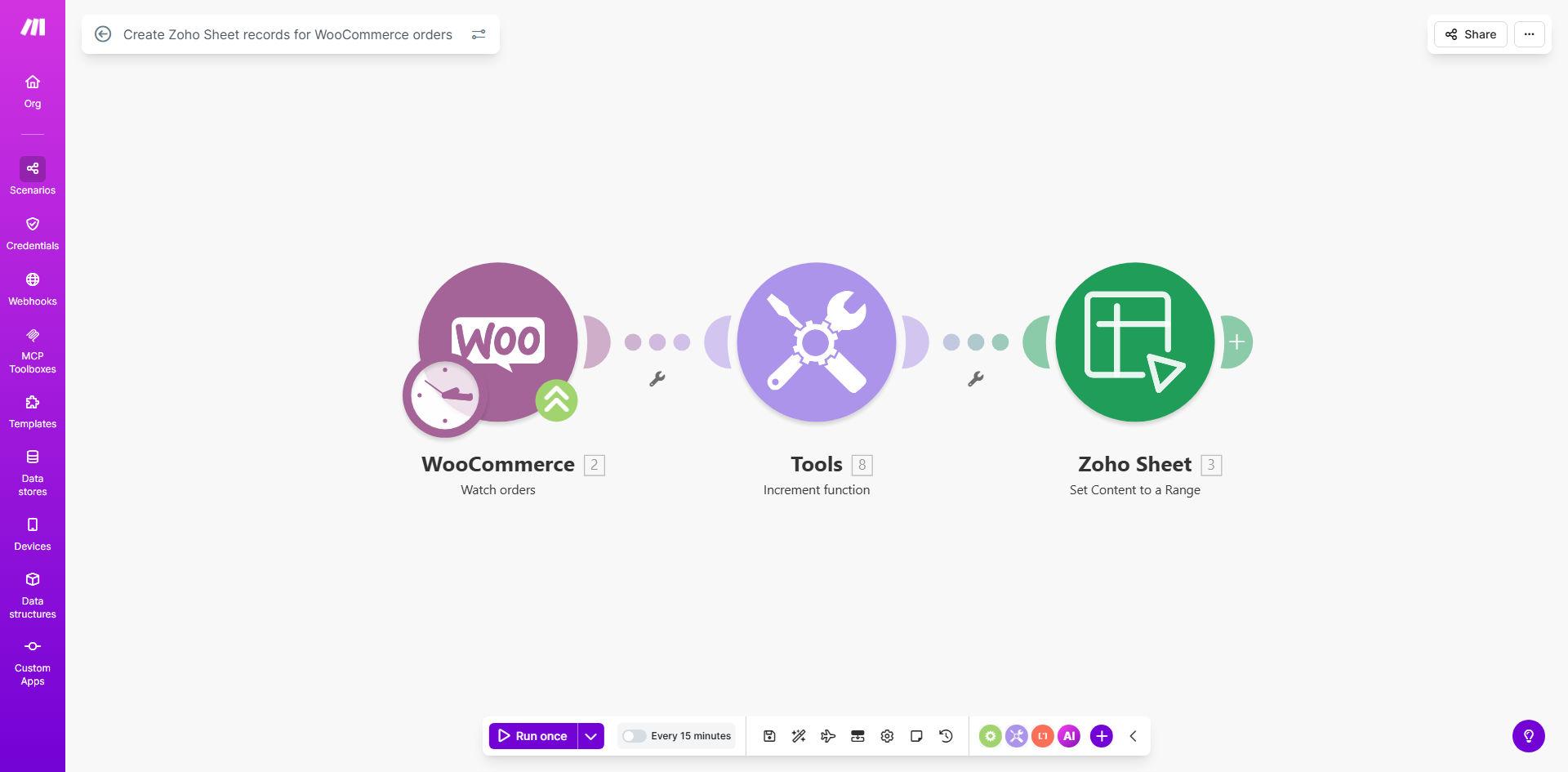
What This Workflow Does
This automation solves the tedious manual process of copying WooCommerce order data into spreadsheets for record-keeping. Ecommerce businesses typically spend hours each week transferring order details to accounting systems, inventory trackers, or CRM databases.
The workflow automatically creates a new row in your Zoho Sheets spreadsheet whenever a WooCommerce order is placed. It maps all relevant order details (customer information, products purchased, payment method, etc.) to designated columns, maintaining perfect data consistency without human intervention.
How It Works
1. New order trigger
The workflow monitors your WooCommerce store for new orders through real-time webhooks. As soon as a customer completes checkout, the automation activates.
2. Data extraction
Key order details are pulled from WooCommerce including customer name, email, shipping address, product SKUs, quantities, prices, taxes, and payment status.
3. Data transformation
The raw order data is formatted for Zoho Sheets - converting timestamps, calculating totals, and applying your preferred naming conventions.
4. Zoho Sheets update
The processed data is appended as a new row in your designated Zoho Sheet, with each field mapped to its correct column according to your template.
Pro tip: Add conditional logic to skip test orders or filter by product category before updating your sheets.
Who This Is For
This workflow benefits WooCommerce store owners who:
- Manually export order data to spreadsheets for accounting or inventory
- Need centralized order records accessible to multiple team members
- Want to analyze sales trends using Zoho's reporting tools
- Operate with lean teams where manual data entry wastes valuable time
What You'll Need
- A WooCommerce store with API access enabled
- A Zoho account with Sheets functionality
- A Make.com account (free tier available)
- Your Zoho Sheet pre-formatted with column headers
Quick Setup Guide
- Install the template in your Make.com account
- Connect your WooCommerce store via OAuth
- Authorize access to your Zoho Sheets account
- Map WooCommerce fields to your Zoho Sheet columns
- Test with a sample order and verify the sheet update
- Activate the workflow for automatic processing
Key Benefits
Eliminate 5-10 hours per week of manual data entry and spreadsheet management for most small ecommerce stores.
Reduce order processing errors by 90%+ compared to manual copy-paste methods that often miss fields or transpose numbers.
Enable real-time inventory tracking when combined with Zoho's calculation features to monitor stock levels automatically.
Create audit-ready records with timestamps showing exactly when each order was recorded in your system.
Scale order processing effortlessly as your store grows - the automation handles 10 or 10,000 orders with equal reliability.