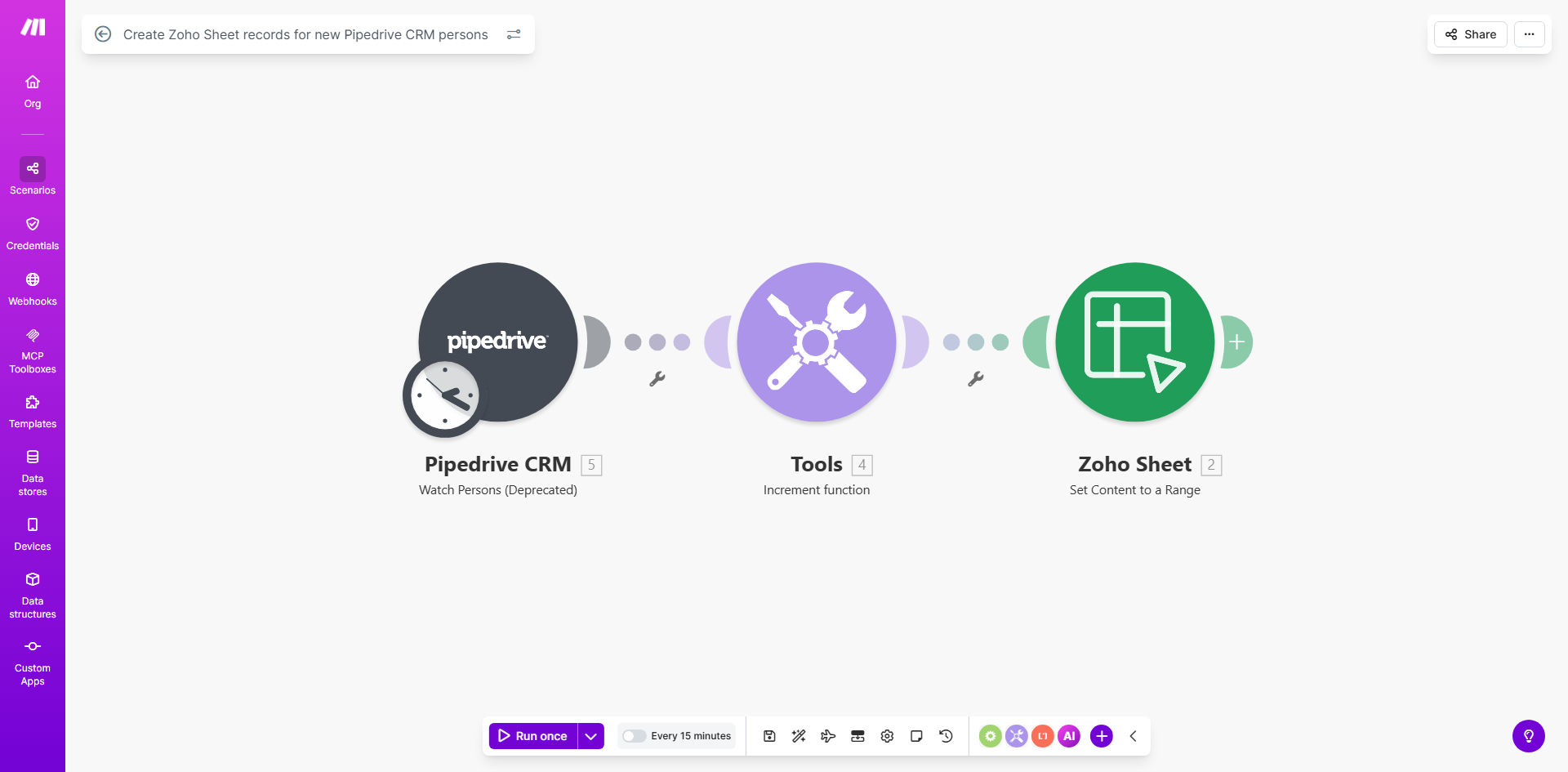
What This Workflow Does
This automation solves a critical pain point for sales teams using Pipedrive CRM who need to maintain updated contact records in Zoho Sheets for reporting, analysis, or operational workflows. Instead of manually exporting and importing data, the Make.com template automatically:
- Watches for new contacts added to Pipedrive
- Extracts relevant contact details (name, email, company, etc.)
- Creates corresponding records in your specified Zoho Sheet
- Runs on a schedule you define (typically every 15-60 minutes)
For sales managers, this means always having current CRM data available in spreadsheets for territory planning, lead distribution, or performance tracking without any manual work.
How It Works
1. Trigger: New Pipedrive Contact
The workflow starts when Make.com detects a new person record in your Pipedrive account. This happens automatically at your configured interval.
2. Data Extraction
Key contact fields are pulled from Pipedrive including standard fields (name, email, phone) plus any custom fields you specify during setup.
3. Zoho Sheets Preparation
The template formats the extracted data to match your Zoho Sheet structure, handling data type conversions as needed.
4. Record Creation
Make.com adds a new row to your designated Zoho Sheet with all mapped contact information, including timestamps for tracking.
Pro tip: Add a "Last Synced" column in your sheet to quickly identify when each contact was updated from Pipedrive.
Who This Is For
This automation delivers the most value for:
- Sales teams using Pipedrive who need CRM data in spreadsheets for reporting
- Operations managers maintaining master contact lists across multiple systems
- Marketing teams that segment contacts based on CRM data for campaigns
- Small businesses using Zoho Sheets as a lightweight CRM supplement
What You'll Need
- An active Pipedrive CRM account with contacts to sync
- A Zoho Sheets spreadsheet with write permissions
- A Make.com account (free plan sufficient for basic use)
- 10-15 minutes for initial configuration
Quick Setup Guide
- Click "Get This Workflow" to copy the template to your Make.com account
- Connect your Pipedrive and Zoho accounts when prompted
- Specify which Pipedrive fields to include in the sync
- Select or create your destination Zoho Sheet
- Set your preferred sync frequency (start with hourly for testing)
- Run a test sync to verify data flows correctly
- Enable the workflow for automatic ongoing updates
Key Benefits
Eliminate manual data entry: Save 2-5 hours per week typically spent exporting/importing contact data between systems.
Improve data accuracy: Automated syncs prevent human errors that occur during manual transfers.
Real-time visibility: Sales teams always work with current CRM data in their spreadsheets.
Flexible reporting: Use Zoho Sheets' analysis tools on your live CRM data without complex exports.
Scalable solution: The workflow handles thousands of contacts as easily as dozens.