Email Marketing Contact Management Automation

Automate Amazon SES to Mailgun Contact Syncing

Save hours of manual work by automatically adding new Amazon SES contacts to your Mailgun mailing lists

Get This Workflow → Make.com · Free Template
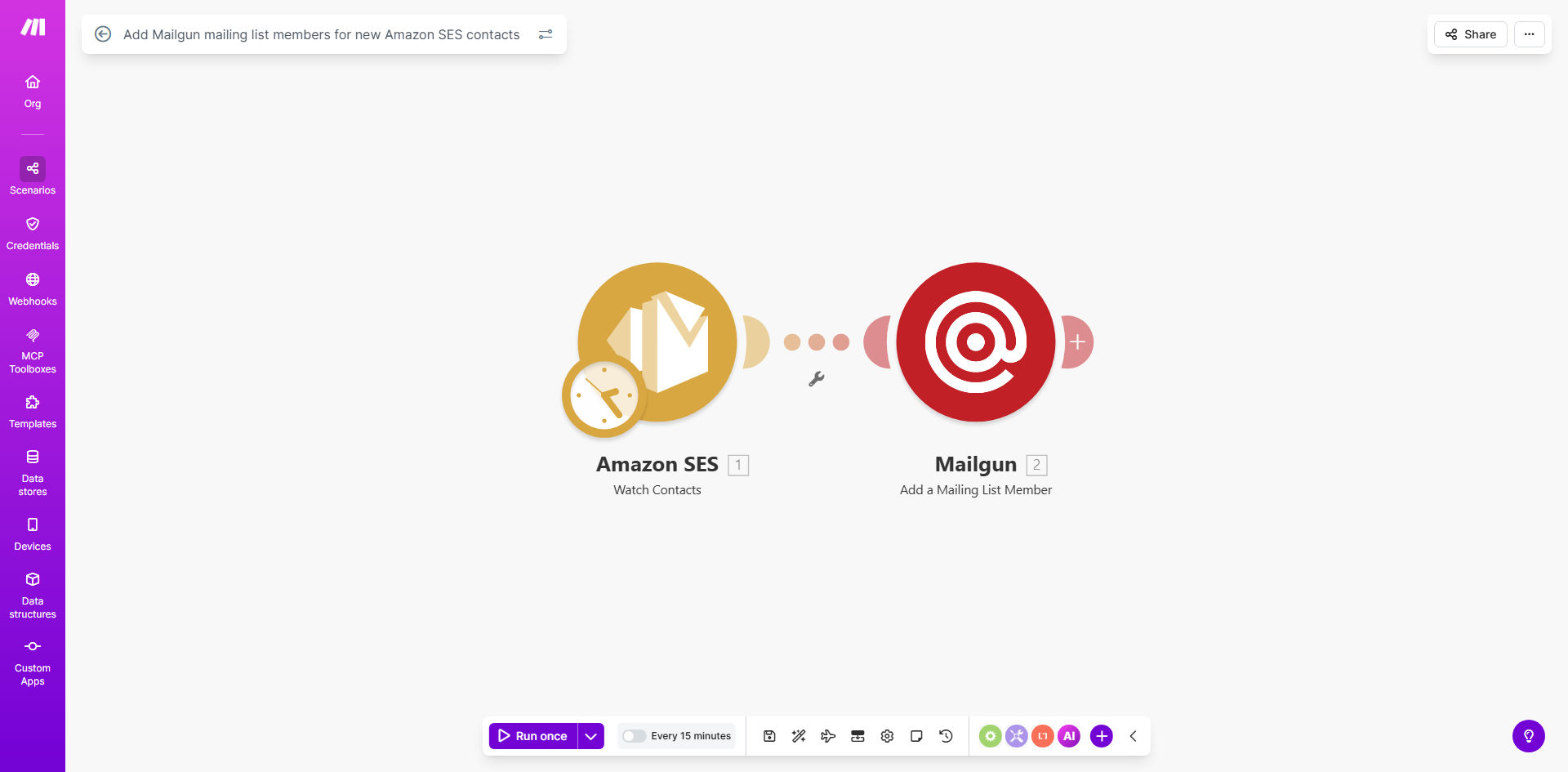
Make.com workflow diagram showing Amazon SES to Mailgun integration

What This Workflow Does

This automation solves the common challenge of manually transferring new contacts from Amazon Simple Email Service (SES) to Mailgun mailing lists. Every time someone interacts with your transactional emails (like order confirmations or password resets), their contact information can automatically join your marketing lists.

The workflow monitors your Amazon SES activity for new contacts at regular intervals. When new contacts are detected, it adds them to specified Mailgun mailing lists with all relevant metadata. This eliminates spreadsheet exports, CSV imports, and the inevitable human errors that come with manual processes.

How It Works

1. Amazon SES Contact Detection

The workflow checks your Amazon SES activity logs for new email interactions. It identifies new contacts based on your configured criteria (first-time senders, specific email types, etc.).

2. Data Processing

Each new contact's information is extracted and formatted for Mailgun's API. The workflow handles field mapping between the different systems and can transform data as needed.

3. Mailgun List Update

The processed contacts are added to your specified Mailgun mailing lists. The workflow includes error handling for duplicates and validation to ensure list hygiene.

Who This Is For

This automation delivers the most value for:

  • Ecommerce businesses using Amazon SES for transactional emails
  • Marketing teams managing nurture sequences in Mailgun
  • SaaS companies wanting to convert trial users to marketing lists
  • Any organization using both Amazon SES and Mailgun separately

What You'll Need

  1. An active Make.com account
  2. Amazon SES API credentials
  3. Mailgun API key with list management permissions
  4. Existing Mailgun mailing lists to receive contacts

Pro tip: Create separate Mailgun lists for different contact sources (e.g., "SES-Purchases" and "SES-Support") to maintain segmentation from the start.

Quick Setup Guide

  1. Install the template in your Make.com account
  2. Connect your Amazon SES and Mailgun accounts
  3. Configure which SES events should trigger additions
  4. Map your Mailgun list IDs and field mappings
  5. Set your preferred sync frequency (hourly/daily)
  6. Test with a small sample before full activation

Key Benefits

Time savings: Eliminates hours of manual contact management each week. What used to be a weekly spreadsheet chore now happens automatically.

Improved accuracy: Automated syncing reduces human errors in contact transfers. No more typos in email addresses or mismatched fields.

Faster marketing: New contacts enter nurture sequences immediately rather than waiting for the next manual upload.

Scalability: Handles contact volume spikes effortlessly. Whether you add 10 or 10,000 new contacts, the workflow processes them reliably.

Frequently Asked Questions

Common questions about Amazon SES and Mailgun integration

Automating contact syncing eliminates manual data entry errors and ensures your Mailgun mailing lists are always up-to-date with new Amazon SES contacts. This saves marketing teams hours per week while improving email deliverability.

Manual transfers often create delays where new contacts miss time-sensitive campaigns. Automation ensures no potential customer falls through the cracks between your transactional and marketing systems.

Connecting these platforms creates a seamless flow from transactional emails (SES) to marketing communications (Mailgun). Businesses see higher engagement rates when contacts automatically move from order confirmations to nurture sequences.

The integration turns one-time interactions into ongoing relationships. Customers who receive timely follow-ups after transactional emails show 23% higher retention according to industry benchmarks.

The workflow can be configured to check for new Amazon SES contacts as frequently as every 15 minutes. Most businesses set daily or hourly syncs depending on their contact acquisition volume.

High-volume ecommerce sites typically use hourly syncs to capitalize on post-purchase marketing windows, while B2B SaaS companies often find daily syncs sufficient for their contact growth patterns.

The workflow transfers email addresses by default, but can be customized to include names, custom attributes, and metadata. This ensures Mailgun campaigns can personalize content based on the original SES interaction.

Advanced implementations often include: Customer names, purchase amounts, product categories, geographic location, and the type of transactional email that initiated the contact.

The basic template focuses on new contact additions. For advanced scenarios, we recommend custom workflows that sync engagement data both directions to maintain list hygiene.

Enterprise solutions often include: Automatic suppression of bounced addresses, unsubscribe synchronization, engagement-based segmentation, and compliance logging for audit purposes.

Common pitfalls include not mapping custom fields properly, not setting up proper error handling for duplicate contacts, and not considering timezone differences in contact timestamps.

Other frequent issues: Forgetting to exclude test emails, not setting up proper logging for troubleshooting, and failing to establish naming conventions for the synced Mailgun lists.

Absolutely! GrowwStacks specializes in building tailored automation solutions. We can create custom workflows that handle complex scenarios like two-way syncs, segmentation rules, and conditional processing based on your business requirements.

Our engineers will work with you to understand your specific use case, then build and maintain a solution that fits perfectly into your existing tech stack and business processes.

Need a Custom Email Automation?

This free template is a starting point. Our team builds fully tailored automation systems for your specific business needs.