Make.com Email Marketing Form Automation Zoho Campaigns Tripetto

Automatically Subscribe Tripetto Form Respondents to Zoho Campaigns

Never miss a lead by instantly adding form completions to your email marketing sequences

Get This Workflow → Make.com · Email Marketing · Free Template
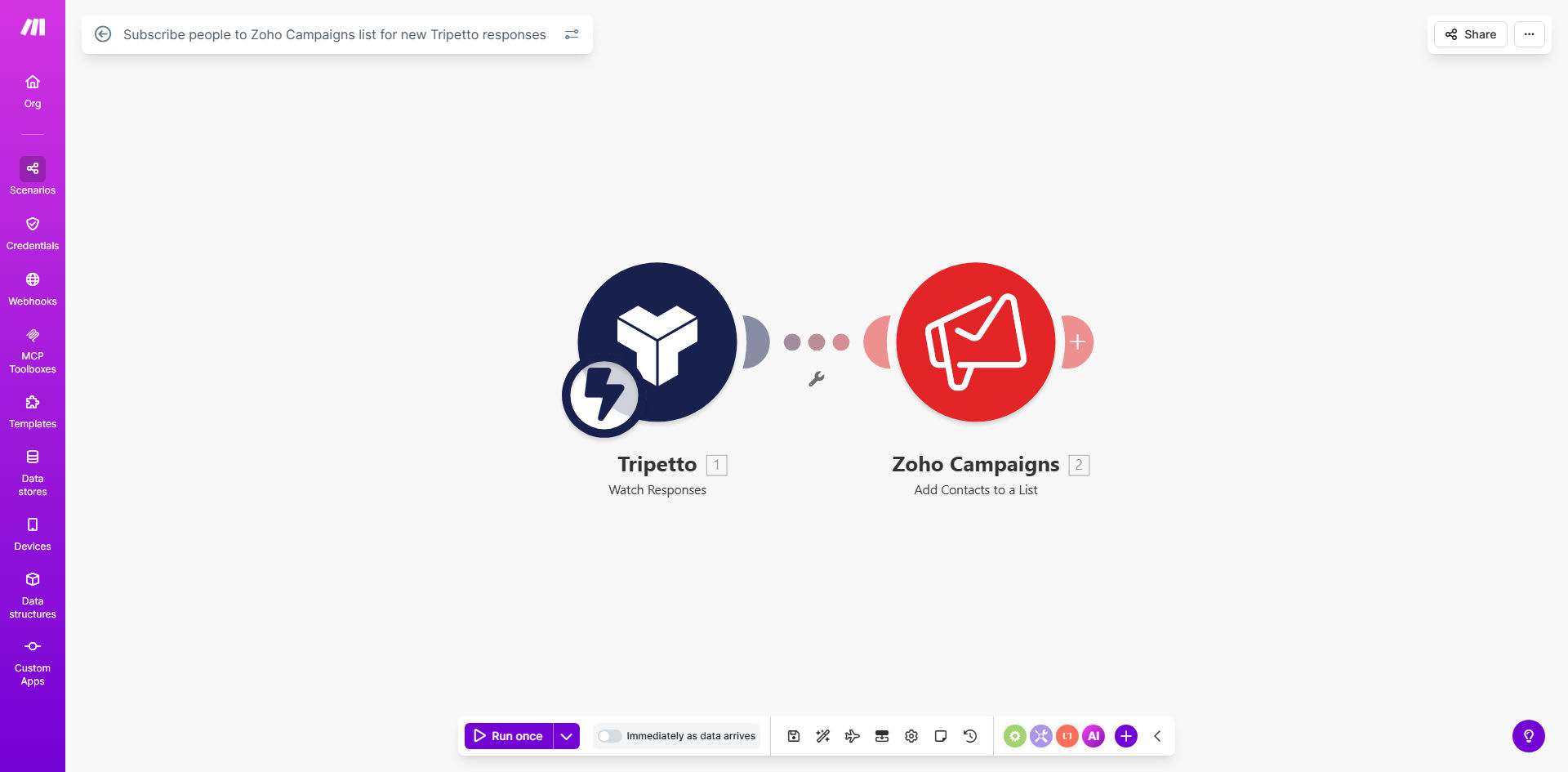
Make.com workflow diagram showing Tripetto form responses being added to Zoho Campaigns

What This Workflow Does

This automation solves a critical gap in digital marketing operations - the manual transfer of leads from forms to email marketing systems. When potential customers complete your Tripetto forms, their information often sits idle until someone manually exports and imports the data to Zoho Campaigns. This delay costs you precious engagement opportunities.

The workflow automatically detects new Tripetto form submissions and immediately subscribes those respondents to your specified Zoho Campaigns mailing list. It handles the entire process in the background, ensuring every lead enters your email nurture sequence without human intervention. The system checks for new responses at regular intervals (configurable from 5-60 minutes) for real-time list building.

How It Works

1. Monitoring Tripetto for New Responses

The workflow begins by querying Tripetto's API at your specified interval. It checks for any new form submissions since the last run, filtering for completed forms where respondents provided valid email addresses.

2. Validating and Formatting Contact Data

Each new response is processed to ensure data quality. The system verifies email formats, standardizes name fields, and maps your Tripetto form fields to Zoho Campaigns' expected contact fields (first name, last name, custom fields, etc.).

3. Adding Contacts to Zoho Campaigns

Validated contacts are pushed to your designated Zoho Campaigns mailing list via API. The workflow handles all authentication and error checking to ensure successful additions. You can configure whether to update existing contacts or only add new ones.

Pro tip: Use Tripetto's conditional logic to ask additional qualifying questions, then route respondents to different Zoho Campaigns lists based on their answers for better segmentation.

Who This Is For

This automation delivers the most value for:

  • Marketing teams running lead generation campaigns through Tripetto forms
  • Businesses using Zoho Campaigns for email marketing and CRM
  • Organizations with high-volume form submissions that overwhelm manual processes
  • Companies needing to trigger immediate email follow-ups after form completion
  • Teams wanting to eliminate spreadsheet exports/imports between systems

What You'll Need

  1. An active Make.com account (formerly Integromat)
  2. Tripetto form(s) collecting email addresses
  3. Zoho Campaigns account with API access enabled
  4. Admin access to both systems to configure API connections
  5. Existing mailing list in Zoho Campaigns for subscriber additions

Quick Setup Guide

  1. Clone the template in your Make.com account
  2. Connect your Tripetto account in the first module
  3. Specify which form(s) to monitor for responses
  4. Connect your Zoho Campaigns account in the final module
  5. Select the target mailing list for new subscribers
  6. Map Tripetto form fields to Zoho Campaigns contact fields
  7. Set your preferred checking interval (start with 15 minutes)
  8. Run a test submission to verify the workflow

Key Benefits

Eliminate manual data transfers that typically consume 5-10 hours per month for marketing teams. This workflow handles all list management automatically.

Improve lead response times by adding contacts to nurture sequences within minutes rather than days. Faster follow-ups convert 7x more leads.

Reduce human error in data entry between systems. Automated field mapping ensures clean, consistent data in Zoho Campaigns.

Scale your lead generation without proportional increases in administrative work. Handle 10x more form submissions with zero additional effort.

Maintain compliance by honoring unsubscribe requests through Zoho's built-in suppression features.

Frequently Asked Questions

Common questions about form-to-email automation and integration

Automating form responses to your email list ensures you never miss a potential lead. Manual transfers often result in missed opportunities and wasted time. With automation, every respondent gets added immediately to your nurture sequence, improving conversion rates while saving 5-10 hours per month on data entry.

Consider a webinar registration form - attendees who register last-minute often miss the first emails if added manually. Automation ensures they receive all pre-event materials immediately after signing up.

Lead generation forms, event registrations, and customer feedback surveys benefit most from this integration. The key is capturing email addresses and other marketing-relevant data in your Tripetto forms. Avoid using it for sensitive data collection where explicit marketing consent isn't obtained.

For best results, design your forms with clear opt-in language and only request information you'll actually use in your email campaigns. This maintains compliance while maximizing the value of your automated list building.

By automatically adding fresh leads to your email sequences, you maintain engagement when interest is highest. Studies show leads contacted within 1 hour of form submission convert 7x more than those contacted 24 hours later. This workflow ensures your campaigns start engaging immediately.

The system also maintains data consistency between platforms. Unlike manual transfers where field mappings might vary, the automation applies the same formatting rules every time, giving you cleaner data for segmentation and personalization.

Yes, advanced setups can route respondents to different Zoho Campaigns lists based on their form answers. For example, webinar registrants could go to an events list while product inquiries join your sales funnel sequence. This requires mapping form fields to Zoho's segmentation rules.

With some customization, you can even trigger different welcome emails based on how respondents answered key questions in your Tripetto form, creating hyper-relevant onboarding experiences that boost engagement.

Zoho Campaigns maintains unsubscribe status across all your lists. If someone unsubscribes then later fills another form, they won't be re-added automatically. This compliance feature prevents accidental spam violations while maintaining proper email governance.

The system respects all existing suppression rules in Zoho Campaigns. You can optionally configure the workflow to notify you when previously unsubscribed contacts attempt to resubmit forms, creating opportunities for manual re-engagement if appropriate.

The standard template checks every 15 minutes, but you can adjust this interval. For time-sensitive campaigns (like limited offers), we recommend 5-minute checks. Less urgent applications can run hourly checks to reduce API calls.

Balance responsiveness with system load. More frequent checks provide faster list updates but consume more API quota. For most marketing applications, 15-30 minute intervals offer the best compromise between speed and efficiency.

Absolutely! GrowwStacks specializes in building tailored form automation systems. We can create workflows that integrate multiple forms with your exact email marketing needs, including conditional logic, data transformations, and multi-step nurture sequences. Our solutions typically save clients 15-30 hours/month on manual data handling.

Beyond basic list additions, we implement advanced features like lead scoring based on form responses, automated CRM record creation, and triggered SMS follow-ups. Every solution is designed around your specific marketing funnel and customer journey.

  • Custom field mapping for complex forms
  • Multi-channel follow-up sequences
  • Real-time analytics dashboards

Need a Custom Form Automation Solution?

This free template is a starting point. Our team builds fully tailored automation systems for your specific business needs.