Make.com Stripe Zoho Campaigns Email Marketing Customer Onboarding

Add new Stripe customers to Zoho Campaigns mailing list

Automatically subscribe paying customers to your email marketing lists for seamless onboarding and nurturing

Get This Workflow Make.com · Stripe · Free Template
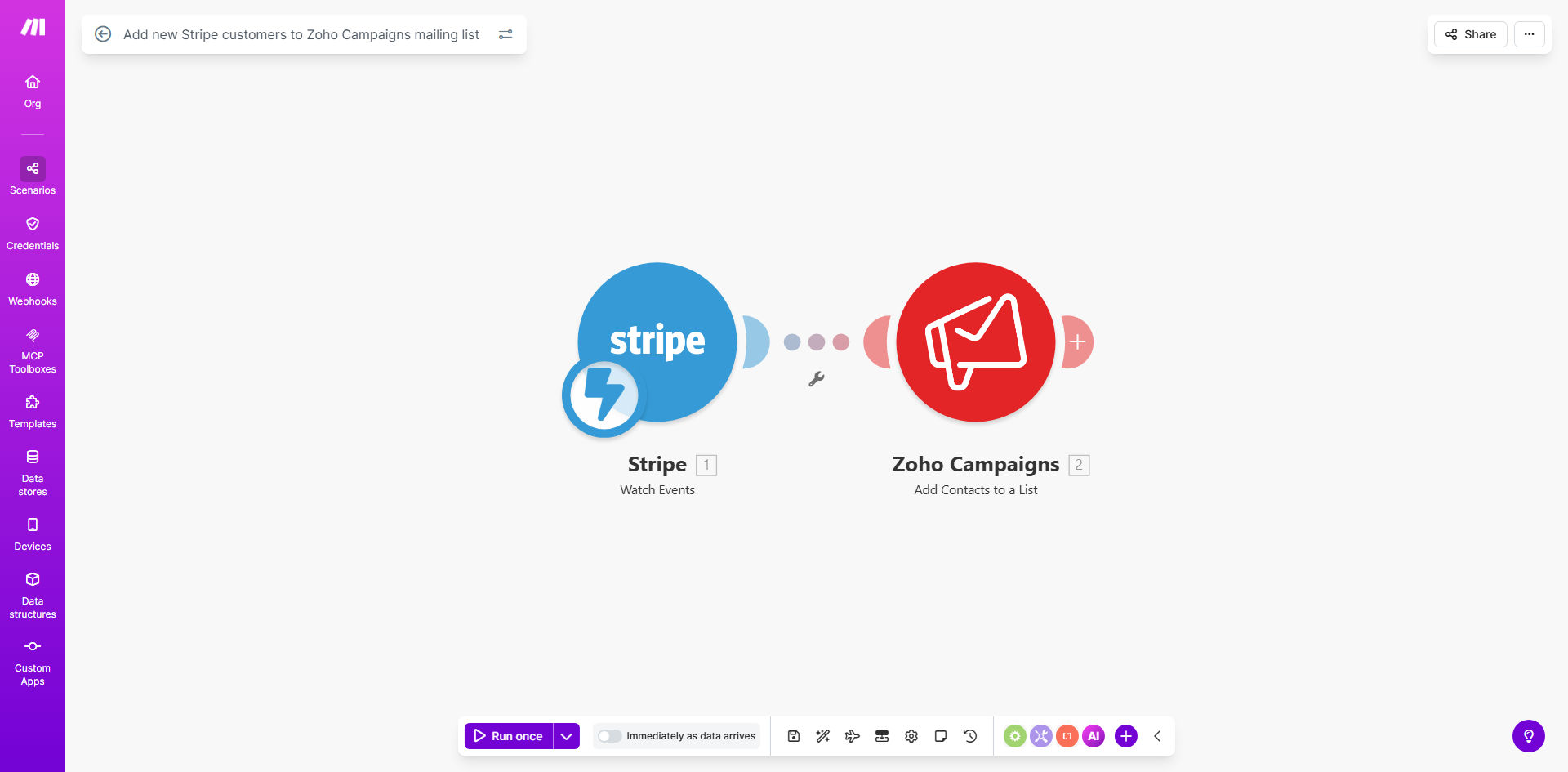
Make.com workflow diagram showing Stripe to Zoho Campaigns integration

What This Workflow Does

This automation solves the common problem of disconnected payment and marketing systems. When customers purchase through Stripe, their information often gets stuck in your payment processor rather than flowing to your email marketing platform. Manually exporting and importing customer lists wastes time and leads to missed opportunities to engage new buyers.

The workflow automatically detects new Stripe customers at regular intervals and subscribes them to your chosen Zoho Campaigns mailing list. This ensures every paying customer immediately enters your email nurturing sequence, receiving welcome messages, product guides, and special offers tailored to their purchase.

How It Works

1. Monitoring Stripe for new customers

The workflow checks your Stripe account at scheduled intervals (e.g., hourly or daily) for newly created customer records. It captures essential information like name, email address, and purchase details.

2. Formatting customer data

Make.com structures the Stripe data to match Zoho Campaigns' expected format. This may include combining first/last names, standardizing date formats, or extracting specific product information for segmentation.

3. Adding to Zoho Campaigns

The workflow uses Zoho Campaigns' API to create new contacts in your specified mailing list. It can apply tags or custom fields based on the customer's purchase behavior for advanced segmentation.

Pro tip: Add a slight delay (15-30 minutes) between purchase and email subscription to avoid overwhelming customers with multiple immediate emails from different systems.

Who This Is For

This workflow benefits any business using Stripe for payments and Zoho Campaigns for email marketing, particularly:

  • Ecommerce stores wanting to automate post-purchase email sequences
  • SaaS companies needing to onboard new subscribers
  • Digital product sellers delivering access instructions via email
  • Membership sites requiring automated welcome communications
  • Any business looking to reduce manual data entry between systems

What You'll Need

  1. A Make.com account (free or paid)
  2. Stripe account with API access
  3. Zoho Campaigns account with API enabled
  4. Existing mailing list in Zoho Campaigns for new subscribers

Quick Setup Guide

  1. Copy the template to your Make.com account
  2. Connect your Stripe account in the first module
  3. Configure which customer fields to monitor (default is email, name)
  4. Connect your Zoho Campaigns account
  5. Select the target mailing list and any default tags
  6. Set your preferred polling interval (start with daily if unsure)
  7. Test with a new Stripe customer to verify the flow

Key Benefits

Eliminates manual list management: Save 2-5 hours per week normally spent exporting from Stripe and importing to Zoho Campaigns.

Improves email deliverability: New customers receive your emails immediately when most engaged, rather than days later when manually processed.

Enables timely nurturing: Welcome sequences begin right after purchase when the customer is most receptive to additional information.

Reduces human error: Automated transfers prevent typos and missed entries common with manual processes.

Scales with your business: Processes 10 or 10,000 new customers with identical reliability.

Frequently Asked Questions

Common questions about Stripe-Zoho Campaigns automation and integration

Connecting Stripe with Zoho Campaigns ensures new customers are immediately added to your email marketing lists. This eliminates manual data entry, reduces human error, and helps you start nurturing customers from their first purchase with welcome sequences and product education emails.

The integration creates a closed-loop system where customer purchase data directly informs your email marketing strategy. You'll see higher open rates and engagement when emails reference recent purchases.

Typically this workflow transfers customer name, email address, and purchase details. You can customize which fields to sync based on your marketing needs. Common additions include subscription status, purchase amount, and product categories for segmentation.

The workflow can be configured to pass only the data you need for marketing purposes, helping maintain data privacy while still enabling personalized email campaigns.

  • Basic: Name, email, purchase date
  • Advanced: Product name, price, subscription interval
  • Custom: Any Stripe customer metadata fields

Make.com can check for new Stripe customers as frequently as every 5 minutes or on a schedule you define. For most businesses, checking hourly or daily provides the right balance between timely onboarding and system efficiency.

High-volume ecommerce stores may need near-real-time updates, while B2B companies with fewer transactions can often use daily checks. Consider your email sequence timing when setting the interval.

Yes, this workflow enables powerful segmentation. You can create lists or tags in Zoho Campaigns based on purchase amount, product type, or subscription status from Stripe. This allows for targeted email campaigns that increase engagement and repeat purchases.

For example, customers who bought Product A get different follow-up content than those who bought Product B. High-value customers might receive exclusive offers, while first-time buyers get educational content.

Zoho Campaigns honors unsubscribe requests automatically. The workflow won't resubscribe unsubscribed emails unless the customer makes another purchase and you've configured that behavior. Always comply with email marketing regulations like CAN-SPAM and GDPR.

Some businesses choose to maintain separate lists for transactional vs. marketing emails, ensuring critical purchase communications still reach customers who opt out of promotions.

Automated onboarding emails triggered by Stripe purchases deliver timely, relevant content. Customers receive welcome messages, setup guides, and product tips exactly when they need them. This professional touch increases satisfaction and reduces support queries.

When emails reference the specific product just purchased, customers feel understood rather than marketed to. Personalization based on real purchase data builds trust and loyalty.

Absolutely. GrowwStacks specializes in building tailored automation solutions. We can create custom workflows that sync specific data fields, trigger advanced segmentation, or integrate additional apps like your CRM or help desk for a complete customer onboarding system.

Our team will analyze your current Stripe and Zoho Campaigns setup, then design an automation that fits your exact business processes and marketing goals. We handle all the technical implementation so you can focus on your business.

  • Custom field mapping
  • Multi-step welcome sequences
  • Conditional logic based on purchase behavior

Need a Custom Stripe-Zoho Campaigns Automation?

This free template is a starting point. Our team builds fully tailored automation systems for your specific business needs.