Make.com Xero Amazon SES Contact Sync Email Marketing

Automatically Sync Xero Contacts to Amazon SES

Eliminate manual data entry by automatically adding new accounting contacts to your email marketing lists

Get This Workflow → Make.com · Xero · Free Template
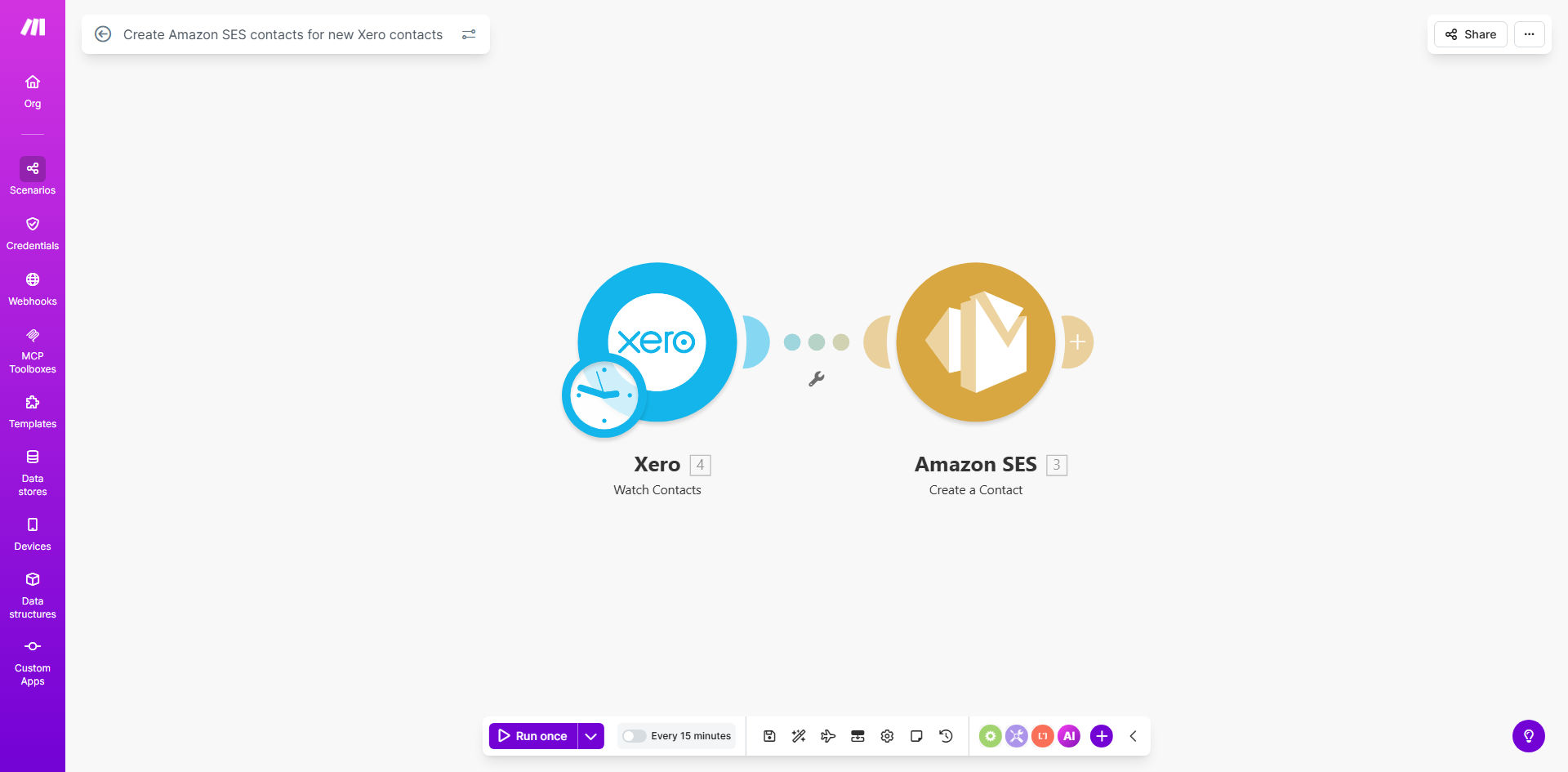
Xero to Amazon SES contact sync workflow diagram

What This Workflow Does

This automation solves a common pain point for businesses using Xero accounting alongside Amazon SES for email marketing. Every time you add a new customer or supplier in Xero, their contact details automatically sync to your Amazon SES email lists—no manual copying required.

The workflow runs in the background, checking for new Xero contacts at scheduled intervals (typically hourly or daily). When it detects a new contact, it creates a corresponding entry in Amazon SES with all relevant details. This ensures your email campaigns always target your complete, up-to-date customer base.

How It Works

1. Monitor Xero for new contacts

The workflow regularly polls your Xero account's contact list using the Xero API. It tracks which contacts have already been processed to avoid duplicates.

2. Extract contact details

For each new contact, the system pulls key information like name, email address, phone number, and any custom fields you've configured in Xero.

3. Format for Amazon SES

The contact data gets transformed to match Amazon SES's expected format, with proper field mappings for email marketing segmentation.

4. Create SES contact

The workflow uses Amazon SES's API to create a new contact entry with all the transferred details, ready for your email campaigns.

Pro tip: Configure the workflow to add contacts to specific SES contact lists based on Xero contact categories or tags for better email targeting.

Who This Is For

This automation benefits any business that:

  • Uses Xero for accounting and Amazon SES for email marketing
  • Frequently adds new customers/suppliers to Xero
  • Sends regular email campaigns (newsletters, promotions, updates)
  • Wants to eliminate manual contact data entry between systems
  • Needs accurate, real-time contact lists for compliance

What You'll Need

  1. A Make.com account (free tier available)
  2. Xero account with API access enabled
  3. Amazon SES account with permissions to manage contacts
  4. Basic understanding of both platforms' contact structures

Quick Setup Guide

  1. Clone the template from Make.com
  2. Connect your Xero account in the workflow settings
  3. Connect your Amazon SES account
  4. Configure field mappings between Xero and SES
  5. Set your preferred sync frequency (hourly recommended)
  6. Test with a few sample contacts
  7. Activate the workflow

Key Benefits

Save 2-3 hours weekly by eliminating manual contact copying between systems. The workflow handles data transfer automatically with perfect accuracy.

Never miss a new contact in your email campaigns. Automated syncing ensures your marketing lists stay current without manual oversight.

Reduce human errors that occur when manually transcribing contact details between platforms. The API connection guarantees data integrity.

Improve email deliverability by ensuring all contacts are properly formatted for Amazon SES's requirements.

Gain segmentation power by mapping Xero contact categories to Amazon SES lists for targeted email campaigns.

Frequently Asked Questions

Common questions about Xero and Amazon SES integration

Syncing Xero contacts with Amazon SES ensures your email marketing lists always stay updated with new customers and suppliers. This eliminates manual data entry errors and saves 2-3 hours per week typically spent copying contact details between systems.

For example, a retail business adding 50 new customers weekly would otherwise need to manually transfer each contact's details. The automation handles this instantly while reducing the risk of typos in email addresses.

The workflow checks for new contacts at intervals you configure (typically hourly or daily). Each new contact found in Xero automatically triggers creation of a corresponding Amazon SES contact with all relevant details.

You can adjust the polling frequency based on your business needs—more frequent for high-volume contact additions, less frequent for stable contact lists to reduce API calls.

The workflow transfers name, email address, and any custom fields you configure. You can map Xero contact fields to specific Amazon SES contact attributes for precise segmentation in your email campaigns.

Common mappings include transferring Xero contact categories as SES tags, phone numbers for SMS campaigns, and billing addresses for location-based offers—all configurable in the workflow settings.

Yes, you can set rules to exclude certain contact types (like suppliers) or only include contacts from specific Xero groups. The workflow supports conditional logic to match your business requirements.

A common setup excludes contacts marked "Archived" in Xero or only includes those tagged "Marketing Opt-In." These filters prevent unwanted contacts from cluttering your email lists while maintaining compliance with privacy regulations.

The workflow checks for duplicates before creating new contacts. You can configure it to either skip existing contacts or update their information with the latest Xero data.

For businesses that frequently update contact details (like changing email addresses), the update option ensures your Amazon SES lists always reflect current information without creating duplicate entries.

Make.com workflows have 99.9% uptime. Failed operations automatically retry, and you receive alerts if any sync attempts fail repeatedly, ensuring your contact data remains accurate.

The system includes error handling for common issues like API rate limits or temporary service outages. You can review sync logs to verify all contact transfers completed successfully.

Absolutely! GrowwStacks specializes in building tailored accounting-marketing integrations. We can customize field mappings, add approval workflows, integrate additional systems, and handle complex business rules.

Our team has created custom versions that add features like: contact validation before syncing, multi-step approval processes for new contacts, integration with CRM systems, and automatic tagging based on purchase history. Book a consultation to discuss your specific needs.

  • Custom field mappings for your business data
  • Multi-system integration beyond Xero/SES
  • Approval workflows for compliance

Need a Custom Xero-SES Automation?

This free template is a starting point. Our team builds fully tailored automation systems for your specific business needs.