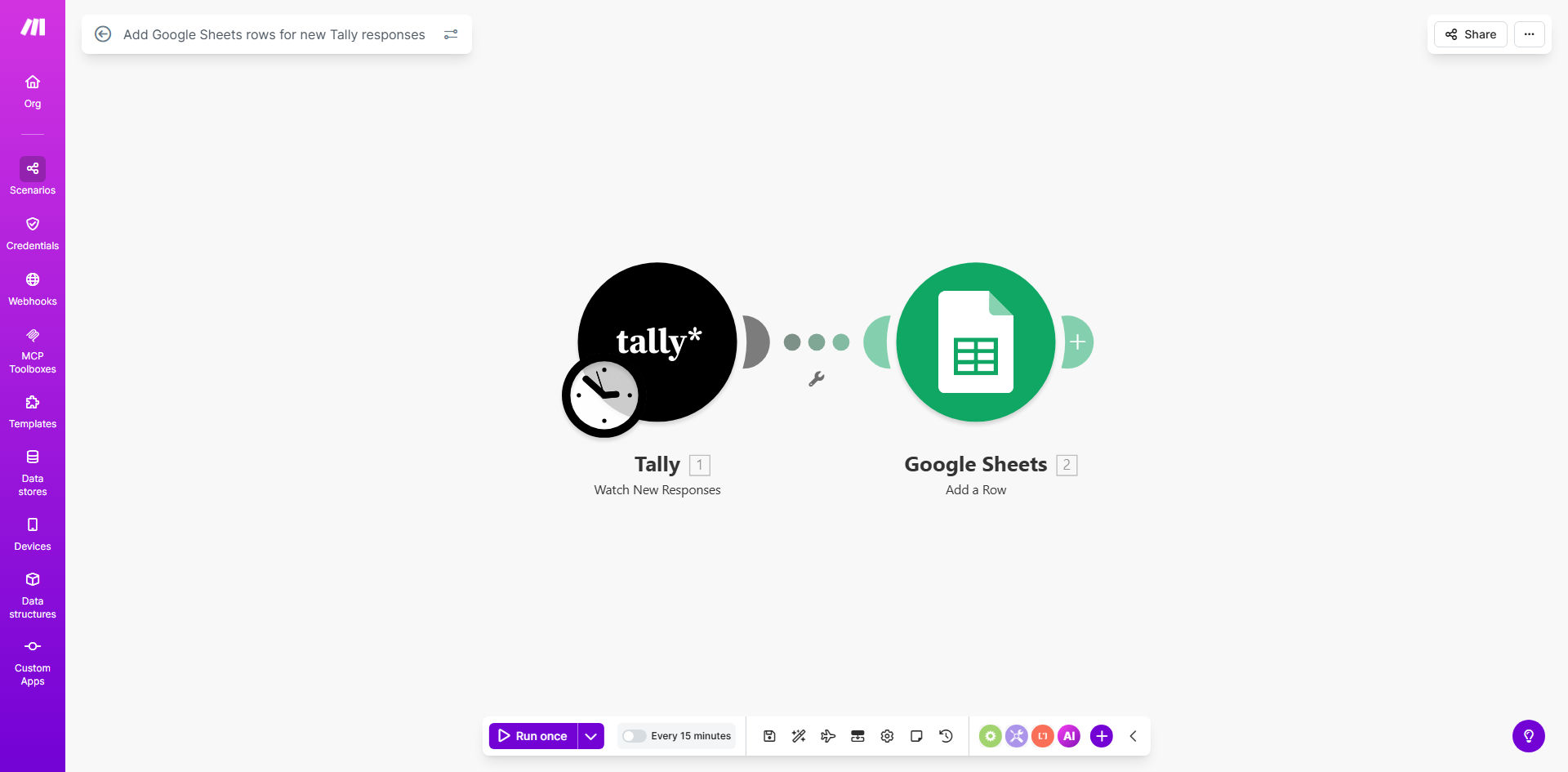
What This Workflow Does
This automation solves the tedious process of manually copying data from Tally form submissions to Google Sheets. Every time someone submits your Tally form, the workflow automatically adds their responses as a new row in your specified Google Sheet.
Businesses using Tally for surveys, lead generation, or internal requests often waste hours each week transferring data to spreadsheets for analysis. This workflow eliminates that repetitive work while ensuring perfect accuracy - no more missed submissions or copy-paste errors.
How It Works
1. Monitors your Tally form for new responses
The workflow checks your Tally account at regular intervals (configurable from 5-60 minutes) for new submissions. When detected, it immediately processes each response.
2. Structures the form data
Each form field (text answers, multiple choice selections, file upload links) is extracted and prepared for spreadsheet insertion. The workflow handles all data types Tally supports.
3. Adds rows to your Google Sheet
The system connects to your specified Google Sheet and appends each response as a new row, with fields mapped to your column structure. Timestamps are automatically added for tracking.
Pro tip: Use separate Sheets tabs for different form types (e.g., customer feedback vs. job applications) by duplicating and customizing this workflow.
Who This Is For
This automation delivers the most value for:
- Marketing teams collecting lead data through Tally forms
- HR departments processing job applications or employee feedback
- Event organizers tracking registrations and attendee information
- Small businesses using Tally for customer surveys or service requests
- Researchers compiling data from multiple respondents
What You'll Need
- A Tally form with responses you want to track
- A Google Sheet with column headers matching your form fields
- A Make.com account (free plan available)
- Editor access to both Tally and Google Sheets
Quick Setup Guide
- Click "Get This Workflow" to copy the template to your Make.com account
- Connect your Tally and Google Sheets accounts when prompted
- Select your source Tally form and destination Google Sheet
- Map form fields to Sheet columns using the visual editor
- Set your preferred polling interval (15 minutes recommended)
- Turn on the workflow and test with a form submission
Key Benefits
Save 5-10 hours monthly by eliminating manual data transfers between Tally and Sheets. The workflow handles everything automatically.
100% data accuracy with no human errors in transcription. Every field transfers exactly as submitted.
Real-time visibility as responses appear in Sheets within minutes of submission, without refreshing.
Scalable solution that works whether you get 5 or 500 responses daily, with no additional effort.
Historical tracking with automatic timestamps for every entry, creating a perfect audit trail.