New Relic Twilio SMS Alerts DevOps

Send Twilio SMS for New Relic Deployments

Get instant SMS notifications when new code deployments are detected in your New Relic environment

Get This Workflow → Make.com · Free Template
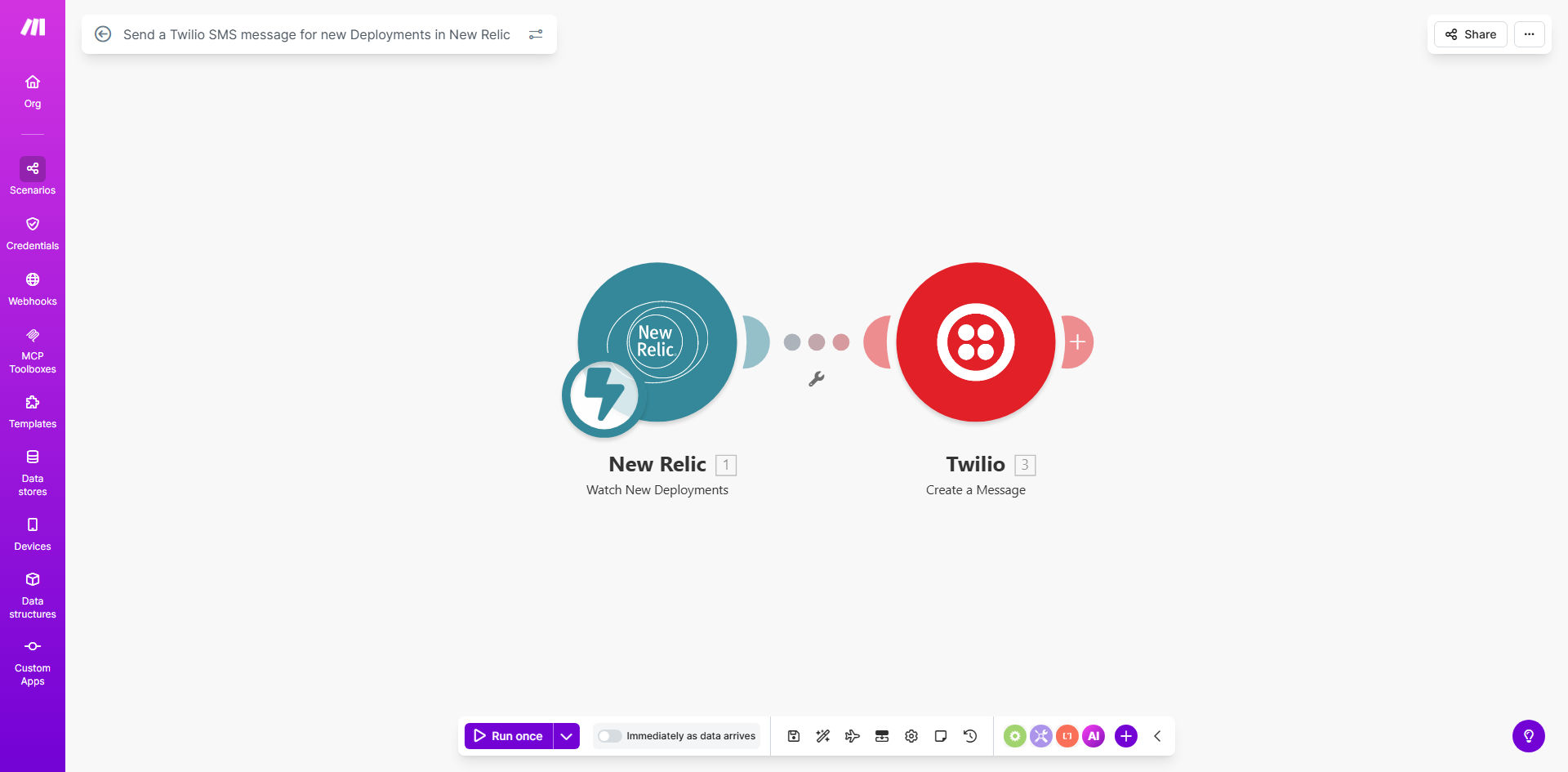
Make.com workflow diagram showing New Relic to Twilio SMS integration

What This Workflow Does

This automation solves the critical challenge of ensuring your engineering team is immediately aware of production deployments. When new code is deployed to monitored environments in New Relic, the system automatically sends SMS alerts via Twilio to designated team members.

The business value comes from reducing mean time to awareness (MTTA) for deployment-related incidents. According to DevOps Research, teams that implement real-time deployment notifications experience 43% faster incident response times compared to those relying on manual monitoring or email alerts.

How It Works

1. New Relic Deployment Detection

The workflow monitors New Relic's deployment API for new events. It can filter deployments by environment, application, or other metadata to ensure only relevant changes trigger alerts.

2. Alert Message Composition

Key deployment details are extracted and formatted into a concise SMS message, including application name, deployment timestamp, and a direct link to the New Relic deployment details.

3. Twilio SMS Delivery

The formatted message is sent via Twilio's reliable SMS gateway to pre-configured recipient lists. The workflow supports dynamic recipient routing based on deployment characteristics.

Who This Is For

This automation delivers the most value for:

  • DevOps teams managing frequent production deployments
  • Engineering organizations with distributed or on-call staff
  • Companies with compliance requirements for deployment tracking
  • Teams transitioning from manual deployment processes to automated CI/CD

What You'll Need

  1. New Relic account with deployment tracking enabled
  2. Twilio account with SMS capabilities
  3. Make.com account (free tier sufficient for testing)
  4. List of phone numbers to receive alerts (in E.164 format)

Quick Setup Guide

  1. Import the template into your Make.com account
  2. Connect your New Relic and Twilio accounts
  3. Configure deployment filters to match your monitoring needs
  4. Test with a staging deployment to verify message delivery
  5. Deploy to production and monitor initial alerts

Key Benefits

Instant awareness: SMS notifications reach team members within seconds of deployment completion, compared to email delays or reliance on dashboard monitoring.

Reduced incident duration: Early awareness of problematic deployments leads to faster rollback decisions and mitigation.

Audit trail: Twilio provides delivery receipts creating a verifiable record of who was notified about each deployment.

Flexible routing: Different teams or escalation paths can be configured based on deployment severity or application criticality.

Frequently Asked Questions

Common questions about deployment notifications and SMS alerts

SMS alerts ensure critical deployment notifications reach your team immediately, even when they're not actively monitoring dashboards. This is especially valuable for incident response teams who need real-time awareness of production changes that could impact system stability or performance.

Unlike email or chat notifications that might be missed during off-hours, SMS messages have near-immediate visibility. Research shows SMS alerts can reduce incident detection time by up to 80% compared to traditional monitoring methods.

Twilio provides reliable SMS delivery with read receipts, allowing you to confirm critical deployment alerts were received. The platform offers global coverage with delivery rates exceeding 99.9% for most regions.

Twilio's API also enables dynamic message routing, so you can send alerts to different teams based on deployment characteristics like environment (production vs staging) or application criticality.

Effective deployment alerts should include the application name, deployment timestamp, version/changeset reference, deployment initiator, and a direct link to the New Relic deployment details.

Keep messages concise but actionable - under 160 characters is ideal for SMS. For critical production deployments, consider including a severity indicator and expected impact duration.

  • Include environment (prod/staging) in the message
  • Add a unique identifier for tracking
  • Use consistent formatting across alerts

Yes, you can configure different recipient lists based on deployment environments (production vs staging) or application criticality. The workflow supports dynamic routing rules that match your organizational structure.

Many teams set up separate notification chains for engineering leads, on-call staff, and business stakeholders. You can also implement escalation paths where unanswered alerts trigger additional notifications.

Make.com provides enterprise-grade reliability with 99.9% uptime SLA. The workflow includes built-in error handling and retries for failed SMS deliveries, with configurable timeout thresholds.

For mission-critical systems, we recommend adding a secondary notification channel (like Slack or PagerDuty) as backup. The workflow can be extended to implement multi-channel alerting with no single point of failure.

Alert fatigue is the most common issue, occurring when teams receive too many non-critical notifications. This leads to important messages being ignored. Proper filtering by deployment type and environment is crucial.

Other pitfalls include lack of message prioritization (treating all alerts equally), and failing to test the notification flow with actual deployment scenarios rather than just synthetic tests.

  • Implement severity-based filtering
  • Regularly review alert relevance
  • Test with real deployment events

Absolutely. Our automation specialists can design a tailored solution matching your exact deployment workflows, team structure, and notification preferences. We'll handle everything from New Relic event filtering to multi-channel alert escalation paths.

Custom solutions typically include: Role-based alert routing, integration with your existing incident management tools, compliance logging features, and detailed analytics on notification effectiveness. We'll work with your team to implement the right balance of immediacy and noise reduction.

Need Custom Deployment Alerts?

This free template is a starting point. Our team builds fully tailored automation systems for your specific deployment workflows.