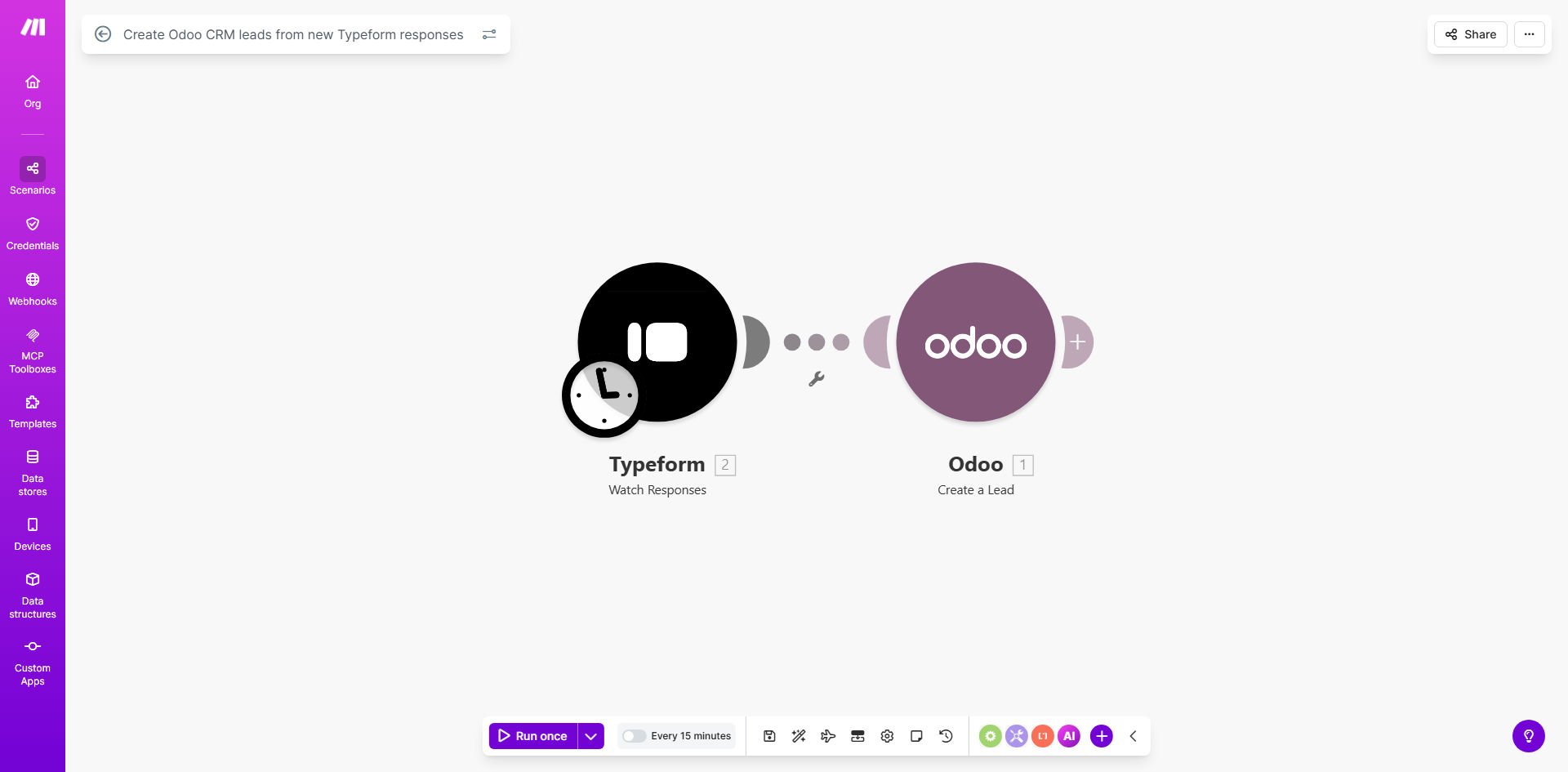
What This Workflow Does
This automation solves a common pain point for businesses using Typeform for lead generation and Odoo as their CRM system. Manually transferring form responses to your CRM is time-consuming and prone to errors. This workflow eliminates that friction by automatically creating new Odoo CRM leads whenever someone submits your Typeform.
The system watches for new Typeform responses at regular intervals, extracts all the submitted information, and maps it to the appropriate fields in Odoo CRM. This ensures your sales team gets complete, accurate lead information immediately after submission - without anyone having to copy and paste data between systems.
How It Works
1. Trigger: New Typeform response
The workflow starts when Make.com detects a new submission on your configured Typeform. It can check for responses as frequently as every minute, ensuring minimal delay between form submission and lead creation.
2. Data extraction and transformation
The system retrieves all the response data from Typeform, including answers to all form fields. You can configure which fields to include and how to format the data before sending it to Odoo.
3. Lead creation in Odoo CRM
Using Odoo's API, the workflow creates a new lead record with all the collected information. You can map Typeform fields to specific Odoo CRM fields, including custom fields you've created in either system.
Pro tip: Add a hidden field in your Typeform to track the source of each lead (e.g., "Website Contact Form" or "Event Registration"). Map this to a custom field in Odoo for better lead source tracking.
Who This Is For
This automation is ideal for:
- Sales teams using Odoo CRM who want to capture leads from Typeform submissions
- Marketing teams running lead generation campaigns through Typeform
- Businesses that receive high volumes of form submissions and need to process them efficiently
- Companies looking to reduce manual data entry errors between systems
- Organizations wanting faster response times to inbound inquiries
What You'll Need
- A Make.com account (free or paid)
- An active Typeform account with at least one form
- An Odoo CRM instance with API access
- Admin access to both Typeform and Odoo to configure API connections
Quick Setup Guide
- Copy the template from Make.com to your account
- Connect your Typeform account in the first module
- Connect your Odoo CRM account in the last module
- Map your Typeform fields to Odoo CRM fields
- Set your preferred polling interval for checking new responses
- Test the workflow with a form submission
- Activate the scenario when everything works correctly
Key Benefits
Save 5-10 minutes per lead by eliminating manual data entry between systems. For businesses receiving 50 leads per week, that's 40+ hours saved annually.
Reduce data entry errors that commonly occur when copying information between systems. Automated transfers ensure 100% accuracy in your CRM data.
Improve sales response times by getting leads into your CRM instantly after submission. Faster follow-ups can significantly increase conversion rates.
Gain better lead source tracking by automatically recording where each lead originated from in your CRM system.
Scale your lead generation without adding administrative staff. The automation handles increasing form volumes effortlessly.