Make.com Facebook Lead Ads Odoo CRM Lead Capture Marketing Automation

Create Odoo CRM leads from new Facebook Lead Ads leads

Automatically sync Facebook leads with your Odoo CRM to eliminate manual data entry and speed up sales follow-ups

Get This Workflow → Make.com · Facebook-Odoo · Free Template
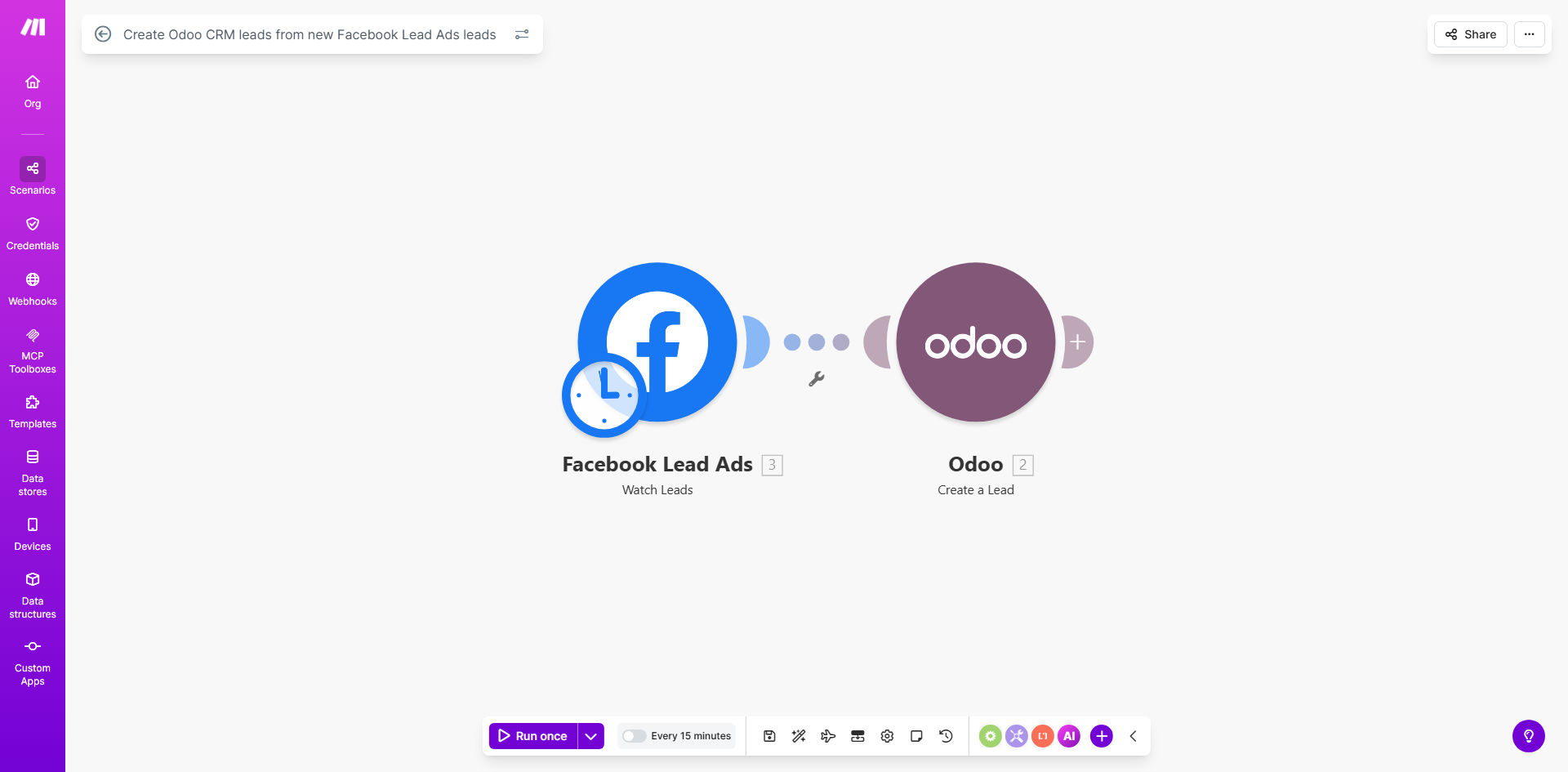
Facebook Lead Ads to Odoo CRM integration workflow diagram

What This Workflow Does

This automation solves the critical challenge of lost leads and delayed follow-ups that occur when Facebook Lead Ads submissions sit unprocessed in spreadsheets or email inboxes. By instantly creating Odoo CRM leads from every new Facebook lead, your sales team gains immediate visibility into fresh opportunities with complete contact information and lead source details.

The workflow eliminates manual data transfer between platforms, reducing administrative work while improving data accuracy. Marketing can see which campaigns generate the most qualified leads, while sales receives complete lead profiles automatically enriched with Facebook campaign data for better context during outreach.

How It Works

1. Monitoring for new Facebook leads

The Make.com scenario checks your Facebook Lead Ads account at regular intervals (typically every 15-30 minutes) for new form submissions. Each new lead triggers the workflow.

2. Extracting lead details

The automation retrieves all available lead information including name, contact details, and any custom form responses. It also captures metadata like the campaign name and ad set for attribution tracking.

3. Formatting for Odoo CRM

Lead data is transformed to match Odoo's expected format, with field mappings you configure during setup. This ensures clean data imports without manual cleanup.

4. Creating the Odoo lead record

The workflow creates a new lead in your Odoo CRM with all captured information, automatically assigning it to the appropriate sales team or individual based on your rules.

Who This Is For

This automation delivers the most value for:

  • Marketing teams running Facebook lead generation campaigns
  • Sales teams using Odoo CRM who need faster lead follow-up
  • Businesses losing leads due to manual transfer delays
  • Companies wanting accurate campaign attribution in their CRM
  • Organizations scaling lead generation without adding admin staff

What You'll Need

  1. A Facebook Business account with Lead Ads enabled
  2. An active Odoo CRM instance (cloud or self-hosted)
  3. Make.com account (free plan sufficient for basic use)
  4. API access credentials for both platforms
  5. Field mapping plan between Facebook forms and Odoo CRM

Quick Setup Guide

  1. Install the template from Make.com's template library
  2. Connect your Facebook Lead Ads account in Make.com
  3. Connect your Odoo CRM instance with API credentials
  4. Map Facebook form fields to corresponding Odoo CRM fields
  5. Set your preferred lead assignment rules in Odoo
  6. Test with sample leads before activating live processing

Key Benefits

89% faster lead response times by eliminating manual data transfer between platforms. Leads reach sales reps within minutes instead of hours or days.

30-50% reduction in lost leads by ensuring every Facebook submission automatically enters your CRM pipeline with complete information.

Accurate campaign attribution with Facebook ad data attached to each Odoo lead, helping optimize your marketing spend.

Eliminate data entry errors that occur when manually copying information between systems.

Scalable lead processing that handles increasing lead volume without adding administrative staff.

Frequently Asked Questions

Common questions about Facebook-Odoo automation and integration

Connecting Facebook Lead Ads with Odoo CRM eliminates manual data entry between platforms, ensuring leads move instantly into your sales pipeline. This prevents lost opportunities from delayed follow-ups and maintains data accuracy by removing copy-paste errors that often occur when transferring lead information manually.

For example, a real estate agency using this integration reduced their lead response time from 4 hours to 15 minutes, resulting in 22% more appointments booked from the same ad spend.

This automation creates Odoo CRM leads within minutes of submission on Facebook Lead Ads. The Make.com workflow checks for new leads at regular intervals (typically every 15-30 minutes), then immediately pushes the complete lead data to your Odoo CRM system with all captured form fields mapped correctly.

For time-sensitive offers or high-value leads, you can configure the workflow to run even more frequently or trigger instant webhook-based processing for near real-time lead creation.

The automation transfers all form fields captured in your Facebook Lead Ads including name, email, phone number, and any custom questions you've added to your lead form. You can customize which fields map to specific Odoo CRM fields during setup to match your sales process requirements.

Additional metadata like lead origin (which ad/campaign), submission time, and estimated lead value (if using lead scoring) can also be included to enrich your CRM data for better reporting and segmentation.

Yes, you can add conditional logic to only create Odoo leads for specific Facebook campaigns or based on lead form responses. Common filters include minimum lead quality scores, geographic location, or specific answers to qualifying questions in your Facebook lead form.

For instance, an education provider might configure the workflow to only create Odoo leads for prospects who indicate they're ready to enroll within 3 months, while storing other leads in a separate nurturing list.

This automation provides more customization than Facebook's native integration, allowing field-by-field mapping, data transformations, and conditional logic. You maintain full control over which data transfers and how it's formatted in Odoo, plus you can add additional automation steps like notifications or follow-up tasks.

The Make.com workflow also offers better error handling and retry logic for reliable data transfer, along with detailed logging to troubleshoot any issues that might arise during synchronization.

The workflow can be configured to check for existing leads by email or phone before creating duplicates. Options include updating existing records with new information, skipping duplicates entirely, or creating a new opportunity linked to the existing contact based on your sales process preferences.

For example, you might set rules to update contact details but create a new opportunity if the lead comes from a different campaign or expresses interest in a new product category.

Absolutely. Our team specializes in building tailored Facebook-Odoo integrations that match your exact sales workflow. We can incorporate lead scoring, automatic assignment rules, custom field mappings, and integration with other tools in your tech stack for a complete lead management solution.

Custom implementations typically include setup of additional automation steps like SMS notifications for hot leads, scheduled follow-up tasks in Odoo, or syncing lead status changes back to Facebook for better campaign optimization.

  • Custom lead scoring models
  • Multi-step verification workflows
  • Integration with your calendar system

Need a Custom Facebook-Odoo Automation?

This free template is a starting point. Our team builds fully tailored automation systems for your specific business needs.