Make.com CRM Integration Pipedrive Odoo Sales Automation

Automatically Sync Pipedrive Deals to Odoo CRM

Eliminate manual data entry and keep both CRMs in sync with this ready-to-use automation workflow

Get This Workflow → Make.com · CRM · Free Template
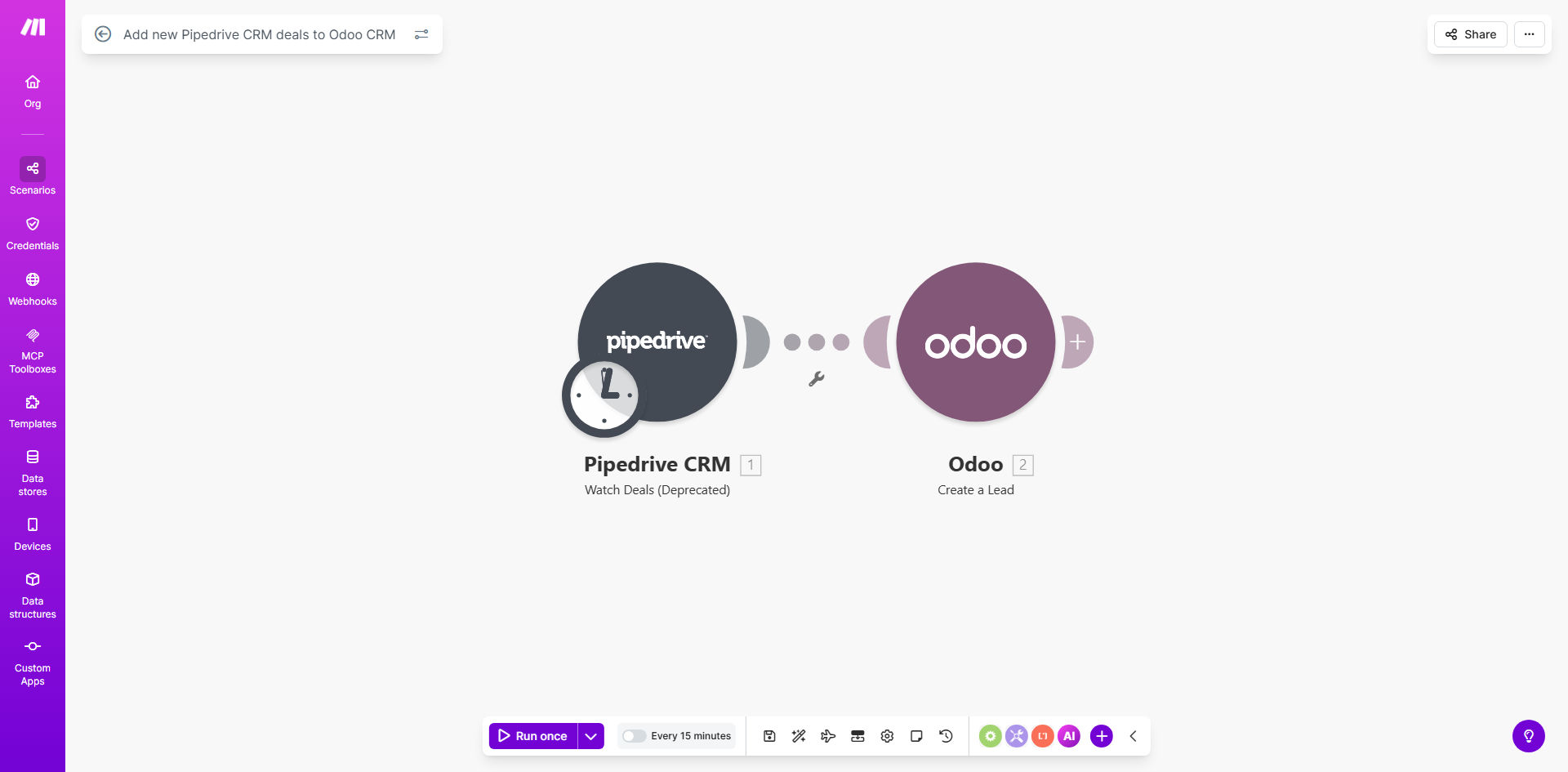
Pipedrive to Odoo CRM integration workflow diagram

What This Workflow Does

This automation solves a common challenge for businesses using both Pipedrive and Odoo CRM. When sales teams create new deals in Pipedrive, other departments using Odoo often don't have visibility into these opportunities. Manual data entry between systems is time-consuming and prone to errors.

The workflow automatically detects new deals created in Pipedrive and creates corresponding records in Odoo CRM. It maps all relevant deal information between the systems, ensuring both platforms stay synchronized without any manual intervention. This eliminates duplicate work and gives all teams access to the same up-to-date sales pipeline information.

How It Works

1. Monitor Pipedrive for new deals

The workflow continuously checks Pipedrive's API for newly created deals using a webhook or scheduled polling method. When a new deal appears, it captures all relevant details including deal name, value, expected close date, pipeline stage, and associated contacts.

2. Transform data for Odoo compatibility

Pipedrive and Odoo use different data structures for CRM records. The workflow includes data transformation steps to map Pipedrive fields to their Odoo equivalents, ensuring information transfers accurately between systems.

3. Create corresponding Odoo opportunity

Using Odoo's API, the workflow creates a new opportunity record with all the mapped deal information. It maintains references between the systems so you can track which records are linked.

4. Handle errors and notifications

If any step fails, the workflow logs the error and can notify administrators via email or Slack. Successful transfers are also logged for auditing purposes.

Who This Is For

This automation is ideal for:

  • Sales teams using Pipedrive while other departments use Odoo
  • Businesses migrating from Pipedrive to Odoo who need interim sync
  • Companies with separate teams preferring different CRM interfaces
  • Organizations needing to feed sales data into Odoo's ERP modules

What You'll Need

  1. Active accounts in both Pipedrive and Odoo CRM
  2. API access credentials for both platforms
  3. Make.com account (free plan sufficient for basic usage)
  4. Field mapping plan between Pipedrive deals and Odoo opportunities

Quick Setup Guide

  1. Copy the template to your Make.com account
  2. Connect your Pipedrive account using API credentials
  3. Connect your Odoo instance with the required permissions
  4. Map Pipedrive deal fields to corresponding Odoo opportunity fields
  5. Test with sample deals to verify data transfers correctly
  6. Activate the scenario to begin automatic syncing

Key Benefits

Eliminate duplicate data entry - Save 5-15 minutes per deal that would otherwise be spent manually recreating records in Odoo. For teams creating 20+ deals weekly, this adds up to 40+ hours saved annually.

Improve data accuracy - Automated transfers reduce human error in recreating deals across systems. Field mapping ensures consistent formatting between platforms.

Enhance cross-department visibility - Customer service, fulfillment, and accounting teams in Odoo gain immediate visibility into new sales opportunities without waiting for manual updates.

Maintain system flexibility - Let teams use their preferred CRM interface while ensuring critical deal data flows between systems automatically.

Pro tip: Start with syncing only the most critical deal fields, then expand the field mapping as you confirm the basic workflow functions correctly. This phased approach simplifies troubleshooting.

Frequently Asked Questions

Common questions about CRM sync automation and integration

Syncing deals between Pipedrive and Odoo eliminates duplicate data entry, ensures all teams work with the same customer information, and provides a complete view of sales pipelines across both platforms. This is especially valuable when different departments prefer different CRM interfaces but need access to the same deal data.

For example, your sales team might love Pipedrive's deal-focused interface while your operations team relies on Odoo's integrated business apps. Automated sync means neither team has to compromise on their preferred tools while maintaining data consistency.

This workflow typically transfers deal name, value, expected close date, pipeline stage, associated contacts, and custom fields you configure. You can map any Pipedrive deal field to corresponding Odoo CRM fields during setup to ensure all critical information transfers accurately between systems.

The template includes common field mappings out of the box, but you can customize these to match your specific business processes. Most businesses start with basic deal information before adding more specialized fields.

  • Standard fields: Deal name, value, stage, probability
  • Timing fields: Created date, expected close date
  • Relationship fields: Associated contacts, companies

The sync occurs in near real-time, typically within 1-2 minutes of a new deal being created in Pipedrive. The exact timing depends on your Make.com plan and how frequently the scenario checks for new deals.

Higher-tier Make.com plans allow for more frequent polling or can use instant webhook triggers for true real-time syncing. Even with basic polling, the slight delay is negligible for most business processes compared to manual syncing that might happen hours or days later.

Yes, you can configure filters to only sync deals that meet specific criteria like minimum deal value, pipeline stage, or custom field values. This prevents cluttering Odoo with deals that aren't relevant to certain teams or workflows.

For instance, you might only sync deals over $10,000 or those that have reached a certain stage in your sales process. The template includes examples of common filters you can modify to match your business rules.

This template focuses on new deal creation. For updating existing deals, you would need to extend the workflow with additional modules to detect and sync changes. Many businesses start with new deal syncs before implementing more complex two-way sync functionality.

When ready, you can add modules to monitor for deal updates in Pipedrive and push those changes to Odoo. This requires more complex logic to handle field-level changes and potential conflicts between systems.

Make.com provides robust error handling and retry mechanisms. If a sync fails due to temporary API issues, the system will automatically retry. You'll also receive notifications if any critical failures occur, allowing you to manually intervene if needed.

The template includes logging of all sync attempts, both successful and failed. Over time, you'll typically see success rates above 99% for properly configured integrations. Regular monitoring helps identify any patterns in failures that might need addressing.

Absolutely. Our team at GrowwStacks specializes in building custom CRM integrations that match your exact business processes. We can create two-way syncs, add conditional logic, integrate additional systems, and ensure the solution scales with your needs.

Beyond basic deal syncing, we've built solutions that include: automated lead scoring, deal stage-dependent actions, integration with accounting systems, and complex data transformations between platforms. Every business has unique workflows that generic templates can't fully address.

  • Custom field mapping and transformations
  • Multi-system integration beyond just Pipedrive-Odoo
  • Conditional logic based on deal attributes

Need a Custom CRM Sync Automation?

This free template is a starting point. Our team builds fully tailored automation systems for your specific business needs.