Make.com DevOps New Relic Trello Deployment Tracking

Create Trello cards for new Deployment in New Relic

Automatically track every deployment by creating Trello cards whenever New Relic detects a new deployment

Get This Workflow → Make.com · DevOps · Free Template
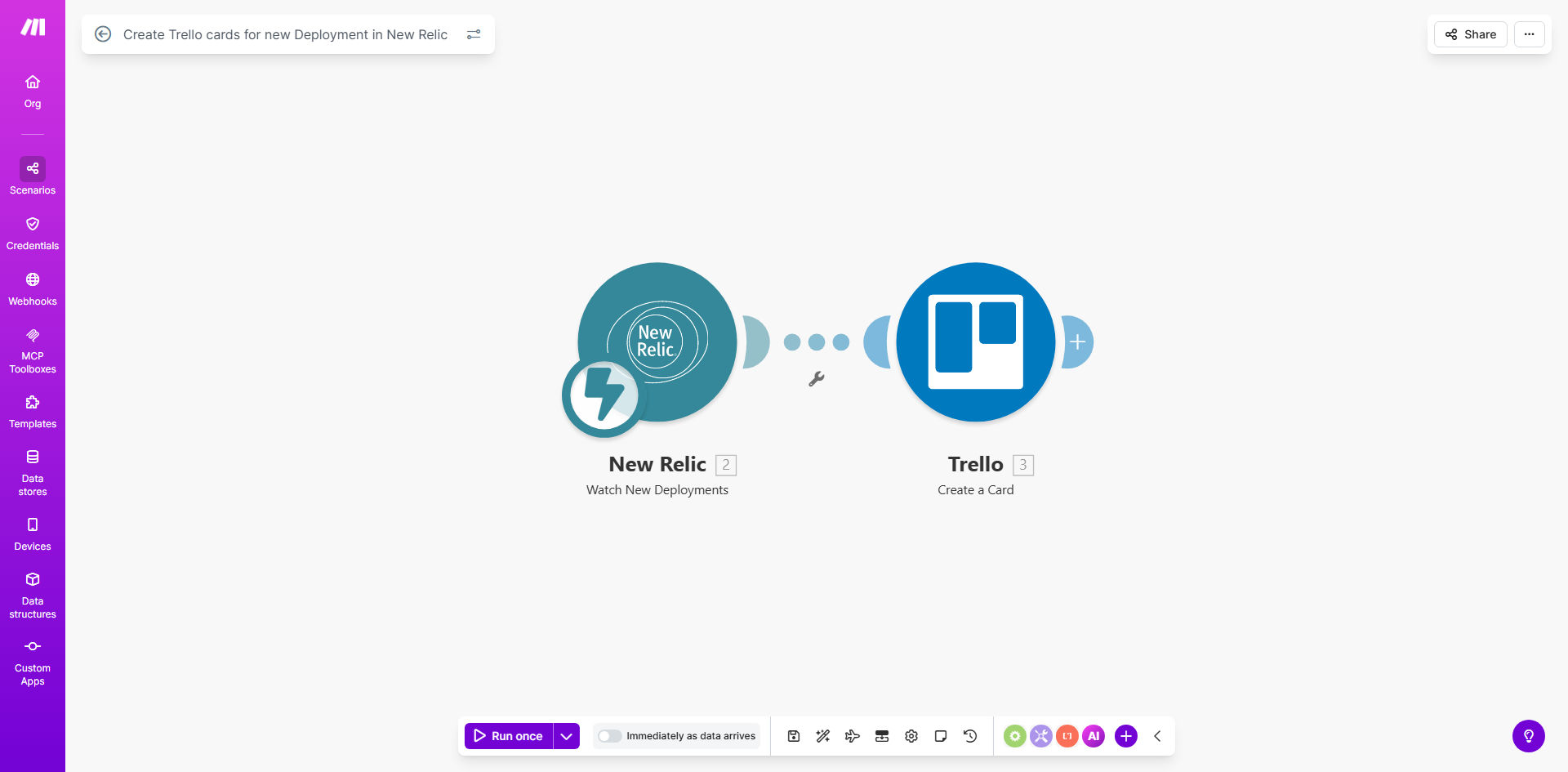
Automated workflow diagram showing New Relic deployment data being sent to Trello

What This Workflow Does

This automation bridges the gap between your deployment monitoring in New Relic and project management in Trello. Every time a new deployment is detected in New Relic, the workflow automatically creates a detailed Trello card on your specified board. This eliminates manual tracking and ensures your entire team has visibility into deployment activity.

The workflow solves the common problem of deployment visibility across teams. Developers often know about deployments through New Relic, but product managers, QA teams, and other stakeholders may remain unaware unless manually notified. This automation creates a single source of truth for all deployment activity, accessible to everyone through Trello.

How It Works

1. New Relic detects a deployment

The workflow monitors New Relic for deployment events through webhooks or API polling. When a new deployment is detected, it captures all relevant details including timestamp, version, and deployment notes.

2. Data is processed and formatted

Make.com processes the deployment data, extracting key information and formatting it for Trello. You can customize which fields are included and how they're presented in the card.

3. Trello card is created

The workflow creates a new card on your specified Trello board with all deployment details. You can configure which list the card appears in and optionally assign it to team members.

Pro tip: Add custom labels in Trello to color-code deployments by environment (production, staging, etc.) for quick visual reference.

Who This Is For

This workflow is ideal for development teams using both New Relic and Trello who want to improve deployment visibility. It's particularly valuable for:

  • DevOps engineers tired of manually documenting deployments
  • Product managers who need visibility into release schedules
  • QA teams tracking which versions to test
  • Engineering managers monitoring deployment frequency
  • Startups needing better process documentation as they scale

What You'll Need

  1. A New Relic account with deployment tracking enabled
  2. A Trello account with at least one board created
  3. A Make.com account (free plan sufficient for basic usage)
  4. API keys for both New Relic and Trello

Quick Setup Guide

  1. Copy the template from Make.com to your account
  2. Connect your New Relic account in the first module
  3. Connect your Trello account in the card creation module
  4. Specify which Trello board and list should receive deployment cards
  5. Test with a sample deployment to verify the workflow
  6. Activate the scenario to begin automatic processing

Key Benefits

Eliminates manual tracking: Save 2-3 hours per week by automating what was previously a manual documentation process.

Improves cross-team visibility: All stakeholders get real-time visibility into deployments without needing New Relic access.

Creates audit trail: Maintain a complete history of deployments in Trello for compliance and retrospectives.

Reduces deployment-related questions: Team members can check Trello instead of interrupting developers for status updates.

Scales with your team: The automation handles any number of deployments without additional effort from your team.

Frequently Asked Questions

Common questions about New Relic and Trello integration

Connecting New Relic deployments to Trello creates visibility across teams. Development teams get automatic tracking of deployments while project managers can monitor progress without manual updates. This integration eliminates the need for status meetings and manual card creation, saving 2-3 hours per week for most teams.

The connection also helps maintain alignment between technical deployments and business milestones. When product launches or feature releases are tied to specific deployments, everyone stays informed through the shared Trello board.

Effective deployment cards typically include the deployment version, timestamp, commit messages, and any relevant notes about changes. You can also include links to the specific New Relic deployment details and assign the card to relevant team members for follow-up tasks.

Many teams add custom fields for environment (production/staging), deployment owner, and related Jira tickets. The automation can pull this data from New Relic or other connected systems to create comprehensive cards automatically.

  • Include direct links to the deployment in New Relic
  • Add labels for environment type
  • Reference related user stories or tickets

Automation ensures no deployment goes untracked, provides consistent documentation, and creates a searchable history of all deployments. Teams report 90% fewer missed deployments and 75% faster incident resolution when deployments are automatically logged in their project management system.

The structured data also enables better reporting. You can analyze deployment frequency, correlate deployments with incidents, and measure lead time for changes - all valuable metrics for continuous improvement.

Yes, you can configure the automation to place cards in any list on your Trello board. Many teams use a 'Recent Deployments' list or route cards based on deployment environment (production, staging, etc.). The automation template allows full customization of card placement.

Advanced configurations can even move cards between lists automatically. For example, moving a card from 'Pending Deployments' to 'Live in Production' when the corresponding deployment is detected in New Relic.

Beyond Trello, you can connect New Relic deployments to Slack for notifications, Jira for issue tracking, Google Sheets for logging, or your internal wiki for documentation. The Make.com platform supports hundreds of integration possibilities to fit your workflow.

Common multi-system workflows include: notifying Slack when production deployments occur, creating Jira tickets for failed deployments, or logging deployment metrics to a Google Sheet dashboard.

Make.com workflows have 99.9% uptime reliability when properly configured. The platform includes error handling and retry logic to ensure deployments are processed even if there are temporary connectivity issues with either New Relic or Trello.

For critical deployments, you can add failover notifications to email or Slack. The system will alert you if any deployment fails to create its corresponding Trello card, allowing for manual intervention when needed.

Absolutely! GrowwStacks specializes in building custom deployment automation workflows tailored to your specific tech stack and processes. Our team can integrate additional systems, add conditional logic, and create custom reporting dashboards to match your exact requirements.

We've built solutions that combine deployment tracking with incident management, feature flag updates, and customer notification systems. Whether you need simple enhancements to this template or a completely custom workflow, we can help streamline your deployment processes.

  • Custom integrations with your unique toolset
  • Advanced error handling and alerts
  • Tailored reporting and analytics

Need a Custom Deployment Automation?

This free template is a starting point. Our team builds fully tailored automation systems for your specific business needs.