DevOps Email Automation New Relic Make.com

New Relic Deployment Email Notifications

Automatically send email alerts when new code deployments are detected in New Relic

Get This Workflow → Make.com · Free Template
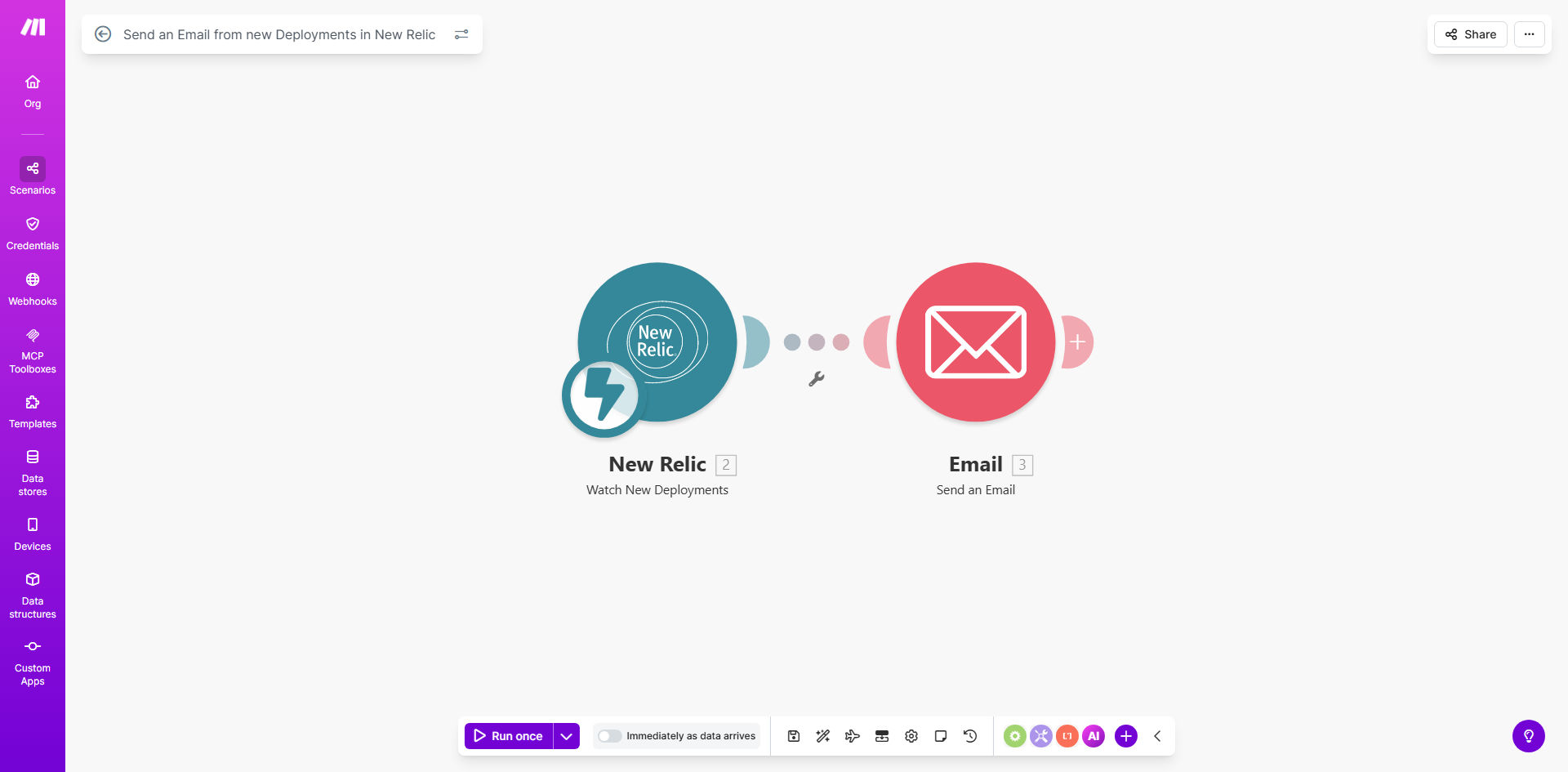
Make.com workflow diagram showing New Relic deployment triggering email notification

What This Workflow Does

This automation solves the common challenge of keeping teams informed about code deployments in real-time. When engineering teams push new code, stakeholders across the organization often remain unaware until issues arise or someone manually shares the update.

The workflow automatically detects new deployment markers in New Relic and sends customized email notifications to designated recipients. This ensures product managers, QA teams, customer support, and other stakeholders are immediately aware of production changes without requiring developers to send manual updates.

How It Works

1. New Relic Deployment Detection

The workflow monitors New Relic for deployment markers, which are automatically created when new code is deployed to your environments.

2. Deployment Data Extraction

Key details like deployment timestamp, version number, commit messages, and affected services are extracted from New Relic's API.

3. Email Template Processing

The workflow populates a pre-designed email template with the deployment details, creating a professional notification.

4. Recipient Management

Emails are sent to predefined distribution lists that can vary based on deployment type, environment, or other criteria.

Who This Is For

This automation benefits:

  • DevOps teams needing to streamline deployment communications
  • Engineering managers tracking release cycles
  • Product teams staying informed about new features
  • Support teams preparing for potential customer inquiries
  • QA teams monitoring production changes

What You'll Need

  1. An active New Relic account with deployment markers enabled
  2. A Make.com account (free tier available)
  3. An email service provider (Gmail, Outlook, SendGrid, etc.)
  4. List of notification recipients and distribution groups

Quick Setup Guide

  1. Clone the template in your Make.com account
  2. Connect your New Relic account using API credentials
  3. Configure your email service connection
  4. Customize the email template with your branding
  5. Set up recipient distribution lists
  6. Test with a sample deployment

Key Benefits

Instant visibility: Reduces the lag between deployments and team awareness from hours to seconds.

Consistent communication: Ensures all stakeholders receive the same standardized deployment information.

Reduced developer overhead: Eliminates manual notification tasks from engineering workflows.

Audit trail: Creates a record of deployment notifications for compliance and reference.

Scalable: Automatically handles notifications as your team and deployment frequency grows.

Frequently Asked Questions

Common questions about deployment automation and integration

Automating deployment notifications ensures your team is immediately informed about code changes without manual monitoring. This reduces deployment-related communication delays and keeps stakeholders synchronized.

Manual notifications often get delayed or forgotten in busy development cycles. Automation creates a reliable system that works 24/7, even for off-hours deployments.

  • Eliminates human forgetfulness in communication
  • Provides consistent information to all recipients
  • Documents notifications for compliance purposes

Effective deployment notifications should include the deployment timestamp, version number, affected services, change summary, and responsible team members. This helps recipients quickly understand the impact.

For example, a well-structured notification might highlight which microservices were updated, link to the relevant Jira tickets, and note any special testing considerations for QA teams.

  • Include links to relevant documentation or tickets
  • Highlight breaking changes or special instructions
  • Group similar deployments into single notifications when appropriate

New Relic provides detailed deployment markers that automatically trigger notifications, giving teams real-time visibility into when new code hits production environments.

These markers create a timeline in New Relic's UI that helps correlate deployment events with subsequent performance changes or incidents, making post-mortems more efficient.

  • Automatic timestamping of deployment events
  • Correlation with performance metrics
  • Centralized record of all deployments

Make.com allows you to connect New Relic with email services and other tools without coding, creating customized notification flows that match your team's communication needs.

You can easily add conditional logic, like sending different notifications for production vs. staging deployments, or routing alerts to different teams based on the affected services.

  • No-code integration between tools
  • Flexible routing and conditional logic
  • Easy to modify as processes change

Configure separate notification paths for successful and failed deployments, including relevant error details and escalation contacts for quick resolution of deployment issues.

For critical failures, you might set up immediate SMS alerts to on-call engineers while sending a detailed post-mortem email to the broader team with next steps.

  • Differentiate between warnings and critical failures
  • Include remediation steps in failure notifications
  • Set up escalation paths for urgent issues

Yes, Make.com can route New Relic deployment data to multiple communication channels simultaneously, ensuring all relevant teams receive alerts through their preferred platforms.

You might configure important production deployments to trigger both email and Slack notifications, while staging deployments only go to the engineering team's private channel.

  • Multi-channel notification strategies
  • Channel-specific message formatting
  • Conditional routing based on severity

Absolutely. Our team specializes in creating tailored deployment notification systems that integrate with your specific tech stack and communication workflows.

We can design custom solutions that match your team structure, deployment processes, and notification preferences, whether you need simple alerts or complex multi-channel escalation paths.

  • Customized to your deployment pipeline
  • Integration with your existing tools
  • Ongoing support and adjustments

Need a Custom Deployment Automation?

This free template is a starting point. Our team builds fully tailored automation systems for your specific business needs.