Lead Generation CRM Automation Dux-Soup Make.com

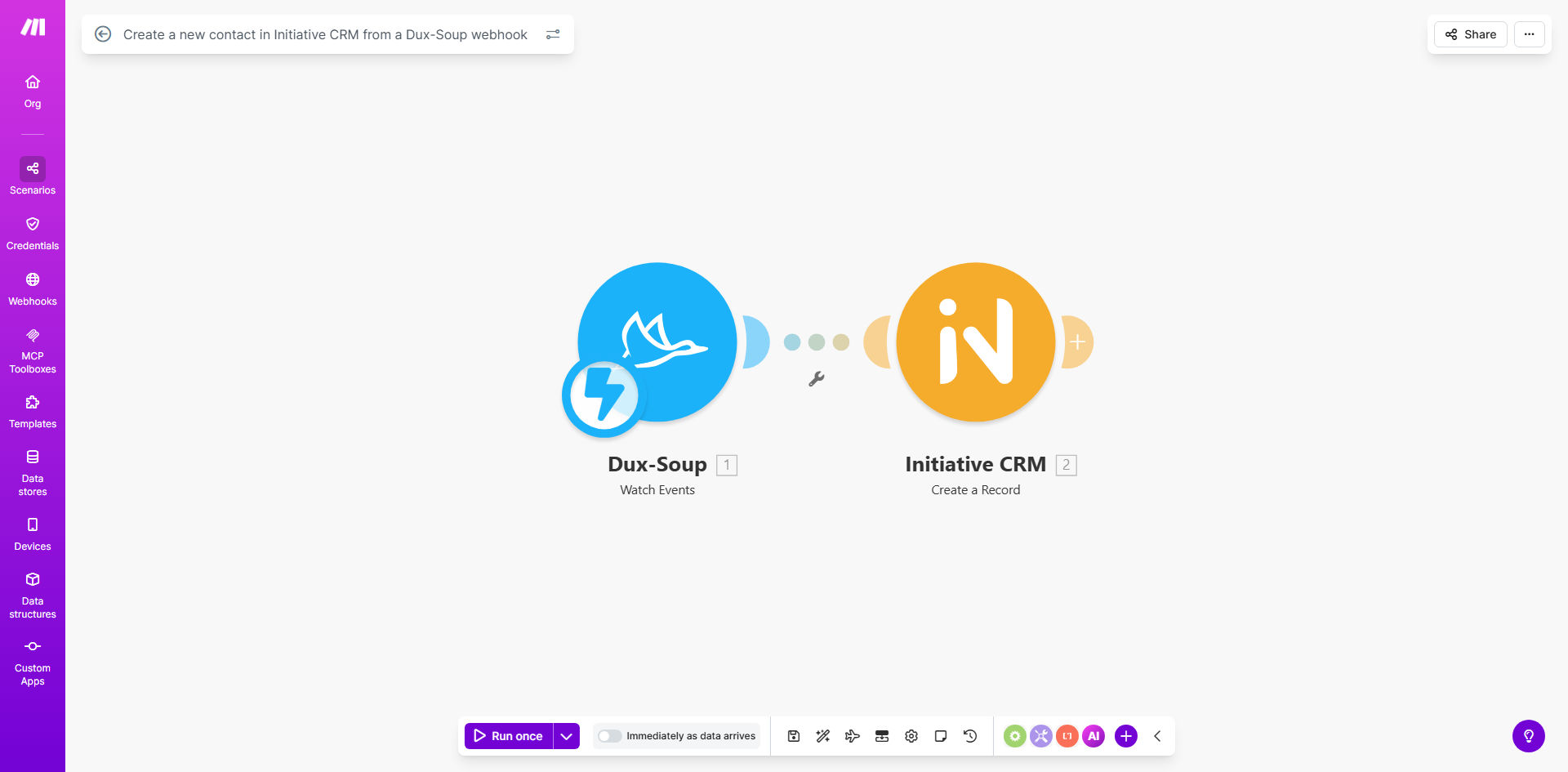
Create a new contact in Initiative CRM from a Dux-Soup webhook

Every time a new lead is received in Dux-Soup, a new contact will be instantly created in Initiative CRM.

Get This Workflow → Make.com · Free Template
Make.com workflow diagram showing Dux-Soup to Initiative CRM integration

What This Workflow Does

This automation bridges the gap between your LinkedIn prospecting efforts and your CRM system. When Dux-Soup captures a new lead on LinkedIn, this workflow automatically creates a corresponding contact record in Initiative CRM with all relevant details.

The solution eliminates manual data entry, reduces human error, and ensures no leads fall through the cracks between prospecting and CRM management. Your sales team gains immediate access to new leads in their familiar CRM environment.

How It Works

1. Dux-Soup captures LinkedIn lead

When Dux-Soup identifies and saves a new LinkedIn profile during your automated or manual prospecting, it triggers the webhook.

2. Make.com receives the webhook

The workflow activates immediately upon receiving the Dux-Soup payload containing the lead's information.

3. Data transformation

The workflow maps Dux-Soup fields to your Initiative CRM contact fields, ensuring proper formatting for names, companies, and custom fields.

4. CRM contact creation

Make.com creates a new contact in Initiative CRM using the transformed data, complete with LinkedIn profile links and any tags from Dux-Soup.

Pro tip: Add a secondary step to notify your sales team via Slack or email when high-priority leads (based on title or company) enter your CRM.

Who This Is For

This workflow is ideal for:

  • Sales teams using LinkedIn for outbound prospecting
  • Recruiters building talent pipelines
  • Marketing teams tracking LinkedIn engagement
  • Businesses wanting to centralize lead data in their CRM

What You'll Need

  1. Active Dux-Soup account with webhook capabilities
  2. Initiative CRM account with API access
  3. Make.com account (free tier available)
  4. Field mapping document for your CRM contact structure

Quick Setup Guide

  1. Copy this template to your Make.com account
  2. Configure your Dux-Soup webhook URL in Make.com
  3. Map Dux-Soup fields to your Initiative CRM contact fields
  4. Test with sample LinkedIn profiles
  5. Activate the workflow and begin prospecting

Key Benefits

Eliminate manual data entry - Save 5-10 minutes per lead that would otherwise be spent copying information between systems.

Improve data accuracy - Automated transfers reduce typos and missing information common in manual processes.

Faster follow-up - Leads appear in your CRM within seconds, enabling immediate outreach while engagement is fresh.

Complete lead tracking - All prospecting activity is automatically recorded in your central CRM system.

Frequently Asked Questions

Common questions about LinkedIn-to-CRM automation

Integrating Dux-Soup with your CRM automates lead capture from LinkedIn, eliminating manual data entry. This ensures all your prospecting efforts directly feed into your sales pipeline without missed opportunities or duplicate work.

For example, sales teams can focus on building relationships rather than administrative tasks, while maintaining complete records of all interactions in their central CRM system.

The workflow typically transfers contact names, LinkedIn profiles, job titles, companies, and any custom notes or tags from Dux-Soup. You can configure additional fields based on your CRM requirements and the data Dux-Soup captures.

Advanced implementations might include LinkedIn activity data, connection degrees, or even trigger different CRM workflows based on lead scoring from Dux-Soup.

Webhook integrations are highly reliable when properly configured, with near real-time data transfer. Make.com provides error handling and retry mechanisms to ensure data consistency even if temporary connection issues occur.

The platform logs all transfer attempts and can notify administrators of any persistent failures, giving you visibility into your automation health.

Make.com allows custom field mapping between systems that may not have native integrations. You can also add conditional logic, data transformations, and connect additional tools in your workflow that wouldn't be possible with direct integrations.

For instance, you could enrich the lead data with company information from Clearbit before it reaches your CRM, or trigger personalized email sequences based on specific criteria.

The workflow processes leads within seconds of Dux-Soup capturing them. This immediate transfer means your sales team can follow up while the lead is still warm, significantly improving conversion rates.

In performance tests, typical lead processing time from LinkedIn to CRM is under 15 seconds, far faster than any manual process could achieve.

The workflow requires minimal maintenance. Periodic checks to ensure field mappings remain accurate as CRM or Dux-Soup updates occur are recommended. Make.com provides monitoring alerts for any failures.

We suggest reviewing the workflow quarterly or whenever you make changes to your CRM contact fields or Dux-Soup configuration.

Yes! GrowwStacks specializes in building tailored automation solutions. We can customize this workflow to match your specific CRM fields, add validation rules, or integrate additional steps like email sequencing.

Our team will work with you to understand your unique sales process and build an automation system that fits seamlessly into your existing tools and workflows.

Need a Custom LinkedIn-to-CRM Automation?

This free template is a starting point. Our team builds fully tailored automation systems for your specific business needs.