Make.com Calendly CRM Integration Automation Contact Management

Create a new contact in Initiative CRM from new events in Calendly

Automatically sync booking data from Calendly scheduling pages to your Initiative CRM contacts

Get This Workflow Make.com · Calendly · Free Template
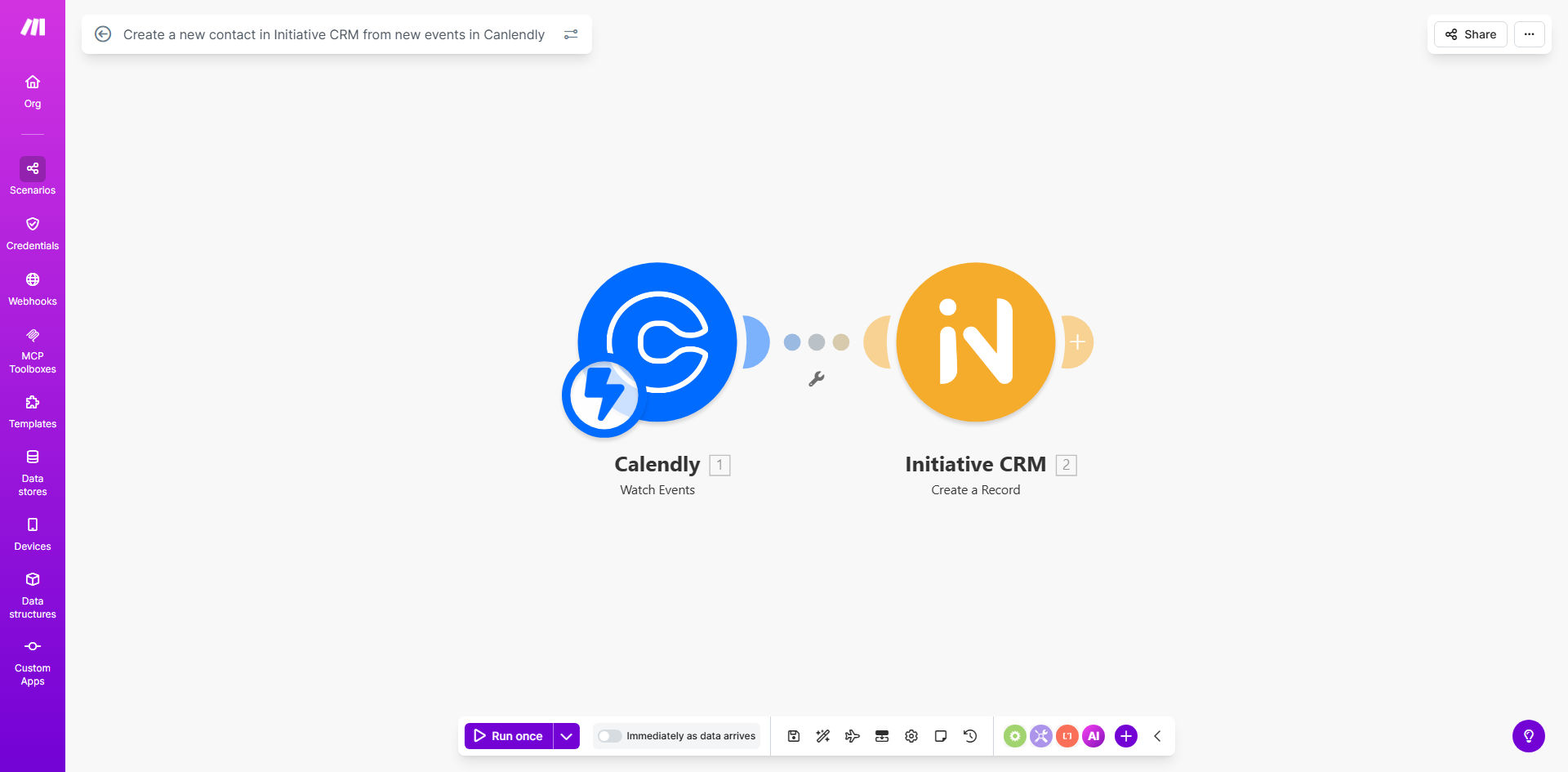
Calendly to Initiative CRM integration workflow diagram

What This Workflow Does

This automation solves a common pain point for sales teams and service businesses - manually transferring contact information from scheduling tools like Calendly into their CRM system. Every time a prospect books a meeting through your Calendly page, their details instantly appear as a new contact in Initiative CRM.

The workflow eliminates duplicate data entry, reduces human error, and ensures no leads fall through the cracks between scheduling and CRM follow-up. It's particularly valuable for businesses with high meeting volumes where manual transfers become time-consuming and unreliable.

How It Works

1. New Calendly event trigger

The workflow monitors your Calendly account for new scheduled events. When someone books time on your calendar, it immediately captures all their submitted information including name, email, phone number, and any custom questions answered during booking.

2. Data formatting

The system processes the raw Calendly data to match Initiative CRM's expected field formats. This includes properly formatting names, standardizing phone numbers, and mapping custom questions to appropriate CRM fields.

3. CRM contact creation

The formatted contact information is sent to Initiative CRM via API to create a new contact record. The workflow includes error handling to retry failed attempts and logging to track all synchronization attempts.

Pro tip: Add a custom field in Initiative CRM to track the original Calendly event type. This helps your sales team understand the context of each meeting when following up.

Who This Is For

This integration delivers the most value for:

  • Sales teams using Calendly for prospect meetings
  • Consulting/service businesses with booking-based lead generation
  • Companies transitioning from manual CRM entry to automated processes
  • Businesses experiencing data quality issues from manual transfers
  • Teams needing real-time visibility into new bookings in their CRM

What You'll Need

  1. A Calendly premium account (required for API access)
  2. Admin access to your Initiative CRM instance
  3. API credentials for both systems
  4. Field mapping plan between Calendly and CRM fields

Quick Setup Guide

  1. Connect your Calendly account in Make.com
  2. Authenticate with your Initiative CRM API
  3. Map Calendly fields to corresponding CRM fields
  4. Set up error handling and logging preferences
  5. Test with sample bookings before going live

Key Benefits

Save 5+ hours weekly by eliminating manual CRM data entry for every new booking. Your team can focus on selling instead of admin work.

Reduce missed opportunities with instant CRM updates. No more delays between booking and sales follow-up.

Improve data accuracy by removing human error from manual transfers. Every field transfers exactly as submitted.

Gain better insights by having complete meeting history attached to each CRM contact record.

Scale your booking volume without proportional increases in administrative overhead.

Frequently Asked Questions

Common questions about Calendly-CRM automation and integration

Connecting Calendly with your CRM eliminates manual data entry when new meetings are scheduled. It ensures every new contact from booking pages automatically appears in your sales pipeline with all their details, saving hours per week on admin work while reducing human error.

For example, a real estate agency using this integration saw their lead response time drop from 24 hours to under 15 minutes, resulting in 30% more appointments converting to listings.

This integration typically transfers the contact's name, email, phone number, meeting date/time, and any custom questions answered during booking. You can configure exactly which fields map between systems based on your CRM requirements.

The most commonly synced fields include:

  • Contact information (name, email, phone)
  • Meeting details (date, time, duration)
  • Booking page responses
  • Event type/category

Contacts sync instantly - typically within 5-10 seconds of the Calendly booking being completed. This real-time sync means your sales team can immediately follow up while the meeting is still fresh in the prospect's mind.

One marketing agency reported their sales team now receives CRM notifications about new bookings before Calendly's confirmation email even reaches the prospect, giving them a competitive edge in responsiveness.

Yes, you can set rules to only create contacts for specific Calendly event types or based on booking form responses. For example, you might exclude internal meetings or only sync contacts who book premium consultation slots.

Advanced filtering options include:

  • Event type/category matching
  • Form response value conditions
  • Time-based rules
  • Team member-specific flows

The workflow can be configured to either update existing contacts with new meeting details or skip duplicates. Most businesses choose to update existing records to maintain complete meeting history for each contact.

A financial advisory firm using this approach found they reduced duplicate contacts by 85% while gaining visibility into how often each client scheduled follow-up meetings.

Yes, the integration works across all Calendly scheduling pages, including team scheduling. Each team member's bookings will create contacts in your shared CRM, with optional fields to track which team member the meeting is with.

This is particularly valuable for:

  • Sales teams with multiple reps
  • Service businesses with specialists
  • Companies using round-robin scheduling

Absolutely. GrowwStacks specializes in building tailored Calendly integrations that match your specific CRM fields, sales processes, and business rules. We can add custom logic, notifications, and multi-step workflows beyond this basic template.

Our custom implementations often include:

  • Multi-step lead qualification flows
  • Automated follow-up sequences
  • Custom reporting and analytics
  • Team-specific notification rules

Need a Custom Calendly-CRM Automation?

This free template is a starting point. Our team builds fully tailored automation systems for your specific business needs.