CRM Automation Task Management Sales Pipeline

Create ClickUp Tasks from New Initiative CRM Contacts

Automatically convert new CRM leads into actionable tasks with this Make.com workflow template

Get This Workflow → Make.com · Free Template
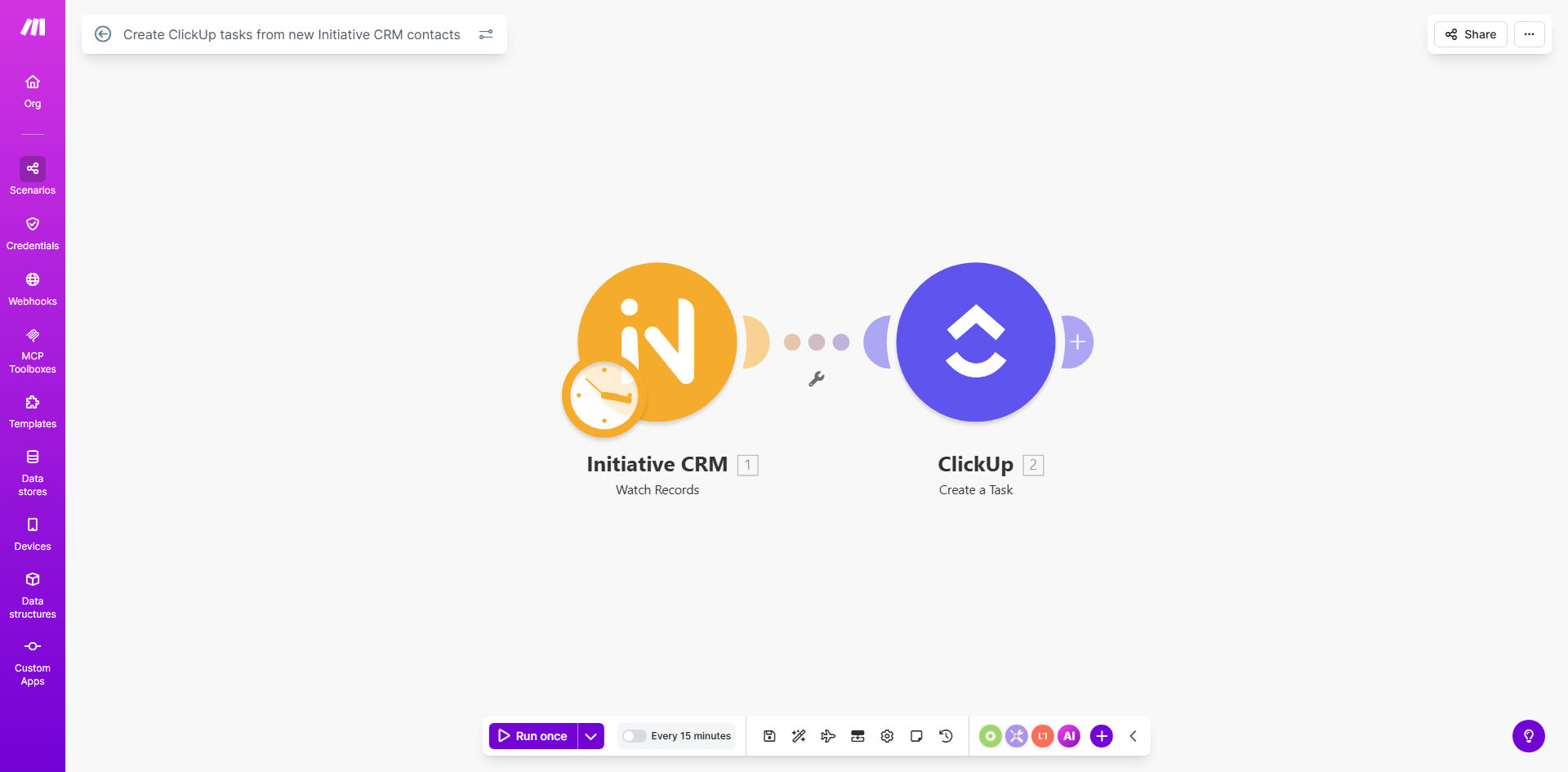
Make.com workflow diagram showing CRM contacts syncing to ClickUp tasks

What This Workflow Does

This automation bridges the gap between your CRM and task management systems by automatically creating ClickUp tasks for every new contact in Initiative CRM. It eliminates manual data entry and ensures sales teams never miss following up with new leads.

The workflow runs every 15 minutes, checking for new contacts and transforming them into properly categorized tasks with relevant details pre-populated. This creates a seamless handoff between marketing-qualified leads and sales execution.

How It Works

1. CRM Contact Monitoring

The workflow polls Initiative CRM's API for new contacts added since the last check. It captures all relevant lead information including contact details, source, and any custom fields.

2. Data Transformation

Contact data is mapped to ClickUp task properties, converting CRM-specific fields into actionable task attributes like priority, due date, and assignment logic.

3. Task Creation

The system creates tasks in your specified ClickUp list with all mapped data, ensuring sales reps have complete context for follow-up without switching between platforms.

Who This Is For

This automation delivers the most value for:

  • Sales teams managing high volumes of incoming leads
  • Businesses using Initiative CRM with ClickUp for sales pipeline management
  • Organizations wanting to reduce lead response times
  • Teams struggling with manual data entry between systems

What You'll Need

  1. Active Initiative CRM account with API access
  2. ClickUp account with permission to create tasks
  3. Make.com account (free tier available)
  4. 15 minutes for initial setup

Quick Setup Guide

  1. Copy this template to your Make.com account
  2. Connect your Initiative CRM and ClickUp accounts
  3. Map CRM fields to ClickUp task properties
  4. Set your preferred task assignment rules
  5. Activate the workflow

Pro tip: Configure custom task templates in ClickUp to automatically include standardized follow-up checklists and processes for different lead types.

Key Benefits

Faster lead response: Eliminate delays between lead capture and sales follow-up with instant task creation.

Reduced human error: Automated data transfer prevents mistakes from manual entry between systems.

Improved accountability: Every lead becomes a tracked task with clear ownership in your team's workflow.

Better visibility: Sales managers gain real-time insight into lead handling through ClickUp's tracking features.

Scalable processes: The system handles increasing lead volumes without additional staffing needs.

Frequently Asked Questions

Common questions about CRM to task management automation

Automating CRM to task management ensures no leads fall through the cracks by instantly creating follow-up tasks for new contacts. This eliminates manual data entry delays that often cause missed opportunities in sales pipelines.

The average sales team loses 27% of potential revenue from slow follow-up on new leads. Automation reduces first response time from hours/days to minutes, significantly improving conversion rates.

15-minute sync intervals strike the perfect balance between real-time responsiveness and system efficiency. This frequency captures new leads quickly while preventing API rate limits from being exceeded during high-volume periods.

For time-sensitive industries like real estate or high-ticket sales, consider 5-minute intervals during business hours. The template allows easy adjustment of polling frequency without technical changes.

Yes, the workflow can map any CRM field to corresponding ClickUp task properties. Common implementations include priority levels based on lead score, due dates from estimated close dates, and custom task descriptions pulling multiple CRM fields.

Advanced configurations can even trigger different follow-up workflows based on field values, creating specialized tasks for different lead types or product interests.

The automation includes duplicate checking by comparing contact details before task creation. When duplicates are detected, the system can either skip creation or update existing tasks based on your configured preferences.

For sales teams, we recommend setting the workflow to update existing tasks with new information from duplicate contacts, ensuring reps always have the most current lead data.

Sales teams most commonly use these auto-generated tasks for immediate follow-ups, scheduling demos, or adding leads to nurture sequences. The tasks often include CRM data context to personalize outreach without switching between platforms.

Many organizations configure the automation to assign tasks based on territory, product specialty, or round-robin distribution, ensuring fair lead distribution across team members.

Businesses typically see 30-50% faster first contact times, 20% higher lead conversion rates, and 15% more touches per lead. The automation also provides accurate tracking of sales cycle stages from initial contact to close.

Additional benefits include reduced administrative workload for sales reps (saving 5-7 hours weekly) and improved data quality for sales forecasting and pipeline management.

Absolutely! Our team specializes in building tailored automation solutions that connect your specific CRM with task management systems. We'll design workflows matching your sales processes, data structures, and team collaboration preferences.

Custom implementations can include advanced features like lead scoring integration, multi-step nurture sequences, and bi-directional sync between platforms. Book a free consultation to discuss your requirements.

Need a Custom CRM Automation?

This free template is a starting point. Our team builds fully tailored automation systems for your specific business needs.