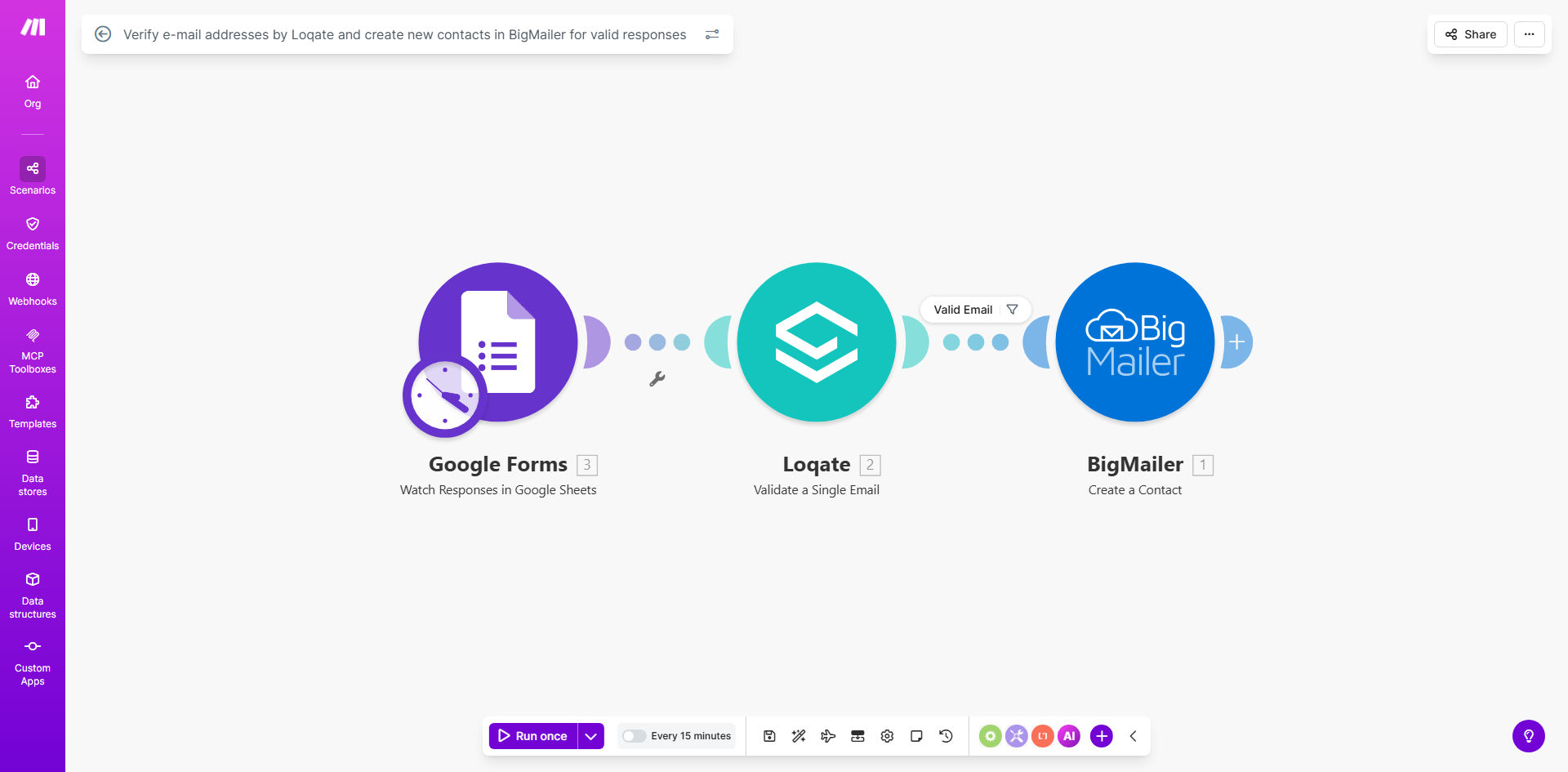
What This Workflow Does
This automation solves the critical problem of invalid email addresses entering your marketing database from form submissions. When potential customers complete your Google Form, their email address automatically undergoes rigorous verification through Loqate's validation service before being added to BigMailer.
The workflow prevents common issues like typos, disposable emails, and fake addresses from polluting your contact lists. By ensuring only valid emails reach BigMailer, you maintain higher deliverability rates, improve campaign performance, and reduce wasted marketing effort on unreachable contacts.
How It Works
1. Form Submission Trigger
The workflow activates whenever a new response is submitted to your connected Google Form. It extracts the email address field along with any other relevant contact information.
2. Loqate Verification
The email address is sent to Loqate's verification API which checks: proper formatting, valid domain existence, and mailbox availability. This happens in real-time without the recipient receiving any verification email.
3. Validation Filter
The workflow evaluates Loqate's response to determine if the address meets your validation criteria. You can customize what constitutes a "valid" email based on your business requirements.
4. BigMailer Integration
Only successfully verified emails proceed to create new contacts in your BigMailer account. The workflow maps all form fields to the corresponding BigMailer contact fields automatically.
5. Error Handling
Invalid emails trigger alternative paths for follow-up or logging. The workflow maintains complete records while preventing bad data from entering your CRM.
Who This Is For
This template benefits any business using Google Forms for lead generation, event registration, or customer surveys that feed into BigMailer for email marketing. It's particularly valuable for:
- Marketing teams wanting cleaner contact lists
- Sales teams needing qualified leads
- Event organizers managing attendee communications
- E-commerce stores collecting customer emails
- Educational institutions processing applications
Pro tip: Combine this with phone number verification for complete contact data validation. Many Make.com templates can chain multiple verification steps.
What You'll Need
- A Google Forms with email collection
- Loqate API credentials (free tier available)
- BigMailer account with API access
- Make.com account (free plan sufficient)
Quick Setup Guide
- Copy this template to your Make.com account
- Connect your Google Forms as the trigger
- Enter your Loqate API credentials in the verification module
- Configure your BigMailer connection and field mappings
- Set your validation criteria (what constitutes a "valid" email)
- Test with sample form submissions
- Activate the workflow
Key Benefits
Improved deliverability: Verified emails mean fewer bounces and better inbox placement for your campaigns. BigMailer's algorithms reward lists with high validity rates.
Time savings: No more manual email validation or cleaning bad data from your CRM. The workflow handles everything automatically in real-time.
Higher conversion rates: By ensuring communications reach actual people, you'll see better open rates, click-throughs, and ultimately more conversions.
Data integrity: Maintain clean records from the first touchpoint, enabling accurate analytics and segmentation in BigMailer.
Scalability: The workflow handles any volume of form submissions without additional effort on your part.