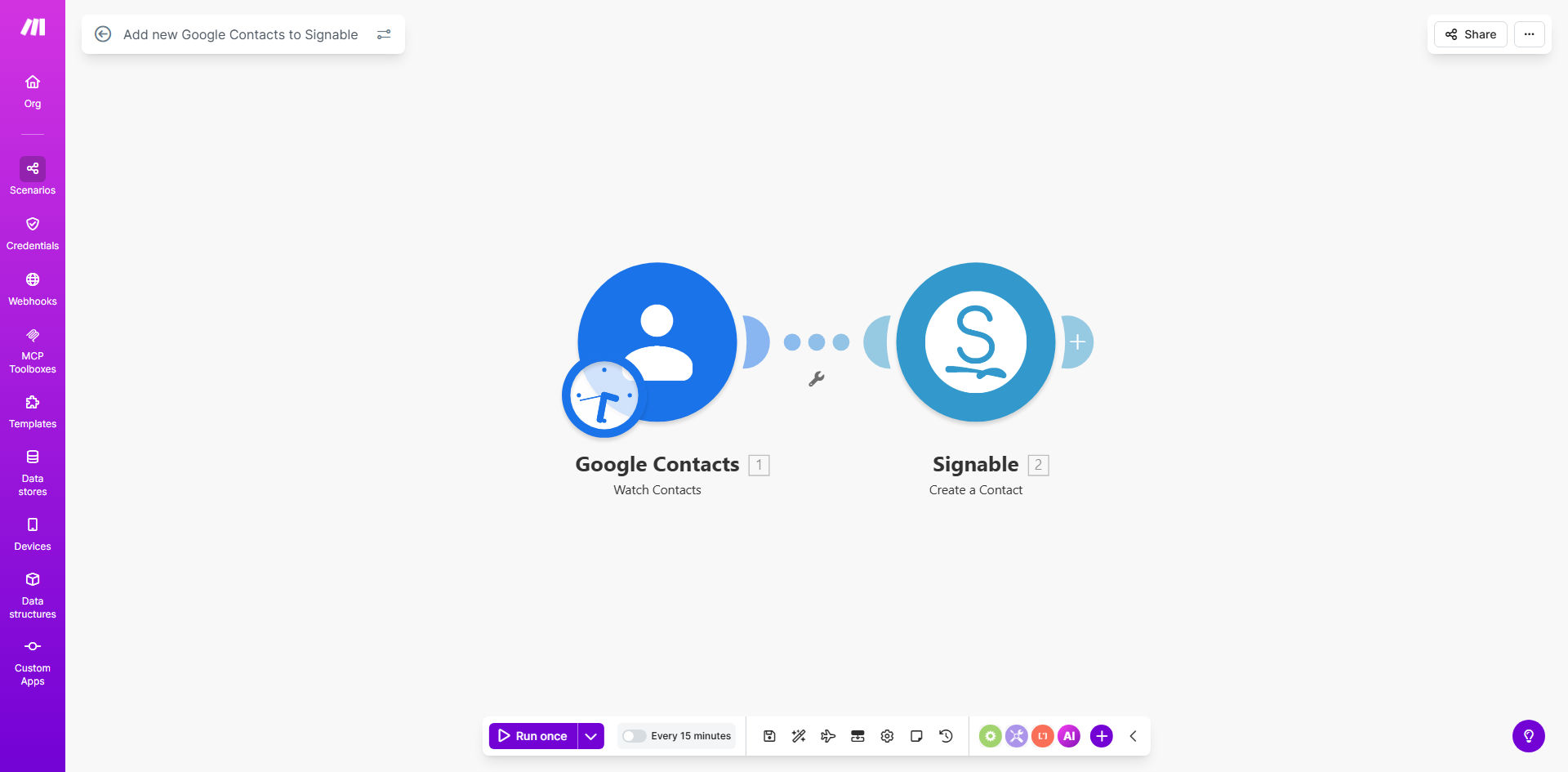
What This Workflow Does
This automation solves the common problem of manually transferring contact information between business applications. When you add a new contact in Google Contacts, this workflow automatically creates a corresponding contact in Signable, ready to receive documents for electronic signing.
Businesses waste countless hours copying contact details between systems or dealing with errors from manual data entry. This workflow eliminates those inefficiencies while ensuring your signing workflows begin immediately with new contacts. The automation runs in the background whenever a new contact is added, requiring zero manual intervention.
How It Works
1. New Contact Detection
The workflow monitors your Google Contacts for new additions, checking at regular intervals you configure (typically every 15-60 minutes).
2. Data Extraction
When a new contact is detected, the workflow extracts relevant fields like name, email, phone number, and any custom fields you've mapped.
3. Contact Creation in Signable
The extracted information is formatted according to Signable's API requirements and a new contact record is created automatically.
4. Error Handling
If any step fails (like invalid email format), the workflow can notify your team or retry according to your configured rules.
Who This Is For
This automation delivers the most value for:
- Real estate agencies processing new client agreements
- Consulting firms onboarding new clients
- Freelancers managing contracts with multiple clients
- Sales teams processing high volumes of leads
- HR departments handling new hire paperwork
What You'll Need
- A Make.com account (free tier available)
- Admin access to your Google Contacts
- A Signable account with API access
- Approximately 20-30 minutes for initial setup
Quick Setup Guide
- Duplicate the template in your Make.com account
- Connect your Google account and authorize access to Contacts
- Connect your Signable account using OAuth
- Map the contact fields you want transferred between systems
- Set your preferred polling interval (how often to check for new contacts)
- Test with a new contact to verify the workflow functions correctly
Key Benefits
Eliminate manual data entry: Save 2-5 minutes per contact by removing copy-paste between systems. For businesses adding 50+ contacts weekly, this reclaims 4-8 hours monthly.
Reduce errors: Automated transfers have near-zero error rates compared to manual entry's 1-4% mistake rate. Never misspell a client's email in your signing system again.
Faster document processing: New contacts enter your signing workflow immediately rather than waiting for manual uploads, accelerating contract cycles.
Scalable operations: The system handles 10 or 10,000 contacts with equal reliability, growing with your business needs.
Pro tip: Add a custom field in Google Contacts to indicate which documents the contact should receive (like "NDA" or "Service Agreement"). Modify the workflow to automatically send the appropriate documents when creating the Signable contact.