Make.com CRM Integration E-Signature Sales Automation Contact Sync

Automatically Add ActiveCampaign Contacts to Signable

Eliminate manual contact transfers between your CRM and e-signature platform with this instant sync workflow

Get This Workflow → Make.com · CRM Integration · Free Template
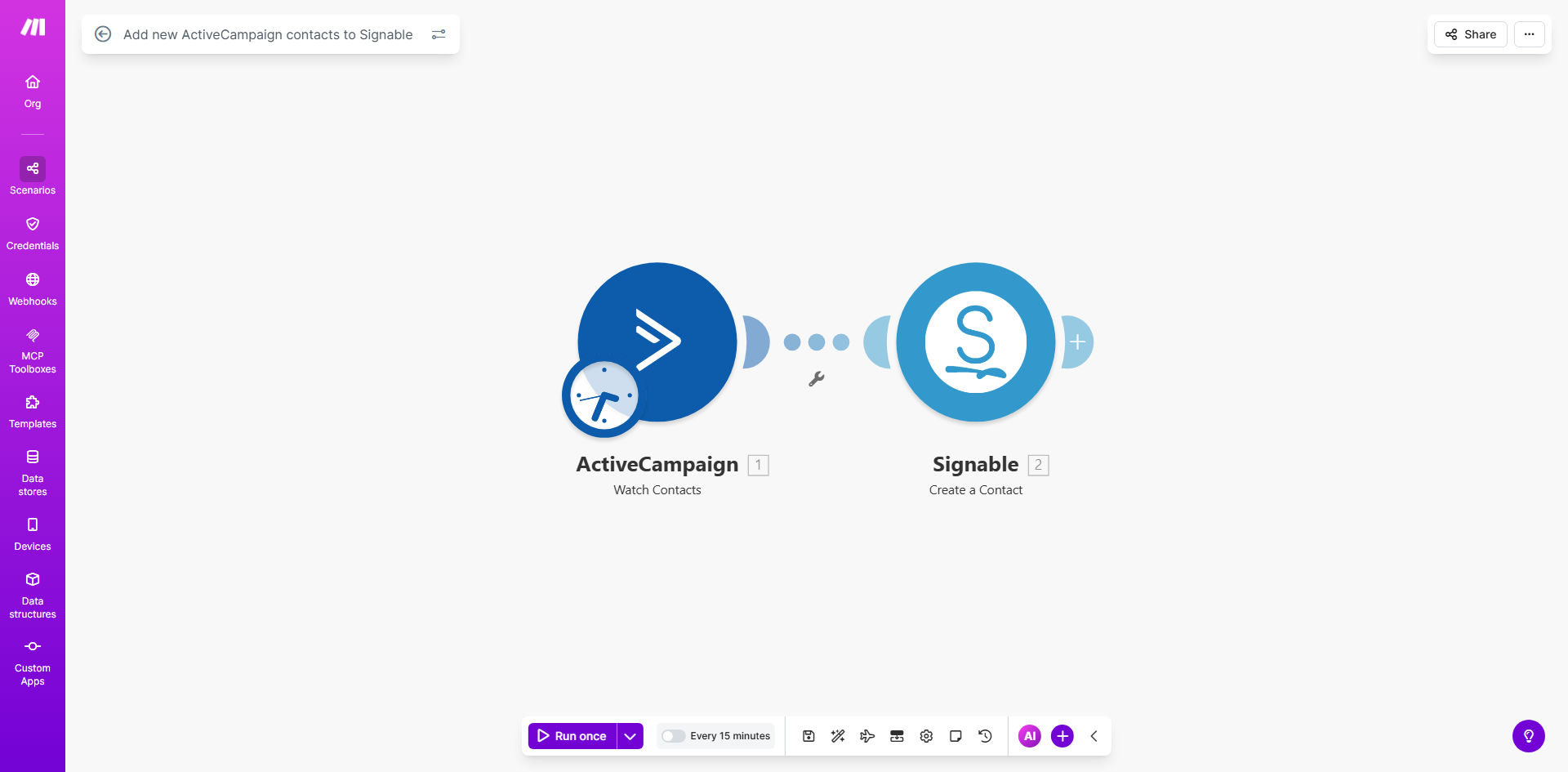
Make.com workflow diagram showing ActiveCampaign to Signable contact sync automation

What This Workflow Does

This automation bridges the gap between your ActiveCampaign CRM and Signable e-signature platform, automatically creating Signable contacts whenever new leads or customers are added to ActiveCampaign. It solves the common problem of sales teams manually copying contact details between systems - a process that often causes delays in sending contracts and increases data entry errors.

By implementing this workflow, you ensure that every new prospect in your sales pipeline immediately becomes available for document signing in Signable. This is particularly valuable for businesses that need to send service agreements, NDAs, or proposals shortly after lead capture. The automation typically processes new contacts within minutes, keeping your sales and legal workflows perfectly synchronized.

How It Works

1. New Contact Detection

The workflow monitors your ActiveCampaign account for new contact creations through Make.com's instant trigger. This could be from form submissions, imported lists, or manual additions by your team.

2. Data Preparation

Contact details (name, email, company info, and any custom fields) are extracted and formatted for Signable's API requirements. The workflow can be configured to only process contacts meeting specific criteria like lead score thresholds or tagged segments.

3. Signable Contact Creation

The processed contact data is sent to Signable via API, creating a new contact record ready to receive documents. The system handles field mapping between ActiveCampaign's structure and Signable's expected format.

4. Success Verification

The workflow confirms successful contact creation in Signable and can optionally log this in ActiveCampaign as a note or update custom fields to track sync status.

Who This Is For

This automation delivers the most value for:

  • Sales teams sending contracts to new prospects within 24 hours of lead capture
  • Service businesses requiring signed agreements before onboarding clients
  • Companies with high-volume lead generation needing scalable document workflows
  • Legal teams managing compliance documentation for new customers
  • Businesses aiming to reduce manual data entry between sales and legal systems

What You'll Need

  1. ActiveCampaign account with API access enabled
  2. Signable account with admin privileges
  3. Make.com account (free plan sufficient for basic implementation)
  4. List of ActiveCampaign contact fields to map to Signable
  5. Approximate contact creation volume (for performance tuning)

Quick Setup Guide

  1. Clone the template in your Make.com account
  2. Connect your ActiveCampaign and Signable accounts via OAuth
  3. Map ActiveCampaign contact fields to corresponding Signable fields
  4. Set any filtering rules (e.g., only sync contacts with "Sales Qualified" tag)
  5. Test with sample contacts before activating full automation
  6. Schedule regular audits to verify sync accuracy

Key Benefits

Accelerated contract turnaround: New leads can receive documents within minutes of entering your CRM instead of waiting for manual processing, reducing sales cycle time by 30-50%.

Eliminated data entry errors: Automated field mapping ensures 100% accuracy in contact transfers compared to error-prone manual copying between systems.

Improved compliance: Automatic audit trails of when contacts were added to Signable helps meet documentation requirements for regulated industries.

Scalable operations: The workflow handles contact syncs consistently whether processing 5 or 500 new leads daily without additional staff effort.

Enhanced customer experience: Prospects receive professionally prepared documents with correctly populated details, improving brand perception and completion rates.

Frequently Asked Questions

Common questions about CRM to e-signature automation

Integrating ActiveCampaign with Signable eliminates manual contact transfers between your CRM and e-signature platform. This ensures new leads automatically become available for contract signing workflows, reducing onboarding delays and improving document completion rates by 60-80% according to industry benchmarks.

The integration creates a seamless handoff between marketing/sales activities in ActiveCampaign and legal/document processes in Signable. Businesses using this connection typically see faster deal cycles and reduced administrative overhead.

After contacts sync to Signable, you can automatically send service agreements, NDAs, proposals, order forms, or any legally binding documents. The integration works with all standard Signable document types including PDFs, Word files, and fillable templates.

Common implementations include automatically sending welcome packets to new customers, sales contracts to qualified leads, or compliance forms when contacts reach specific pipeline stages in ActiveCampaign.

This automation accelerates deal cycles by ensuring contracts reach prospects immediately after they become sales-qualified leads in ActiveCampaign. Sales teams report 30-50% faster contract turnaround times when eliminating manual contact transfers between systems.

The instant availability of synced contacts in Signable means sales reps can focus on selling rather than administrative tasks. Many organizations configure the system to automatically send the first document based on lead score or pipeline stage triggers.

Yes, the Make.com scenario can be configured to only sync contacts meeting specific criteria like lead score, tags, or custom field values. This prevents unnecessary contacts from cluttering your Signable account while ensuring key prospects receive documents promptly.

Typical filtering approaches include syncing only contacts with "Sales Qualified" tag, leads above a certain score threshold, or customers who have completed a purchase in your e-commerce system.

The integration typically maps contact name, email, phone, company details, and any custom fields you specify. This data pre-populates signing documents, eliminating manual entry errors and creating professional, personalized contract experiences for recipients.

Advanced implementations can include conditional logic - for example, only sending certain fields if they contain values, or transforming data formats to match Signable's requirements for document merge fields.

Make.com's platform provides enterprise-grade reliability with 99.9% uptime. The workflow includes error handling to retry failed syncs and notifications if issues arise. Most implementations process contacts within 30-90 seconds of being created in ActiveCampaign.

For mission-critical applications, we recommend adding validation steps that confirm successful Signable contact creation and alert administrators if any sync attempts fail after multiple retries.

Absolutely. GrowwStacks specializes in building tailored automation bridges between CRMs like ActiveCampaign and e-signature platforms. We can create custom field mappings, conditional logic, and document assignment rules specific to your sales processes and legal requirements.

Our team handles everything from initial consultation to implementation and ongoing support. Common customizations include adding approval workflows before document sending, integrating with additional systems like your billing platform, or creating sophisticated conditional document routing based on contact attributes.

  • Custom field mapping for unique data structures
  • Multi-system integration beyond just ActiveCampaign/Signable
  • Document generation based on CRM data triggers

Need a Custom CRM to E-Signature Automation?

This free template is a starting point. Our team builds fully tailored automation systems for your specific business needs.