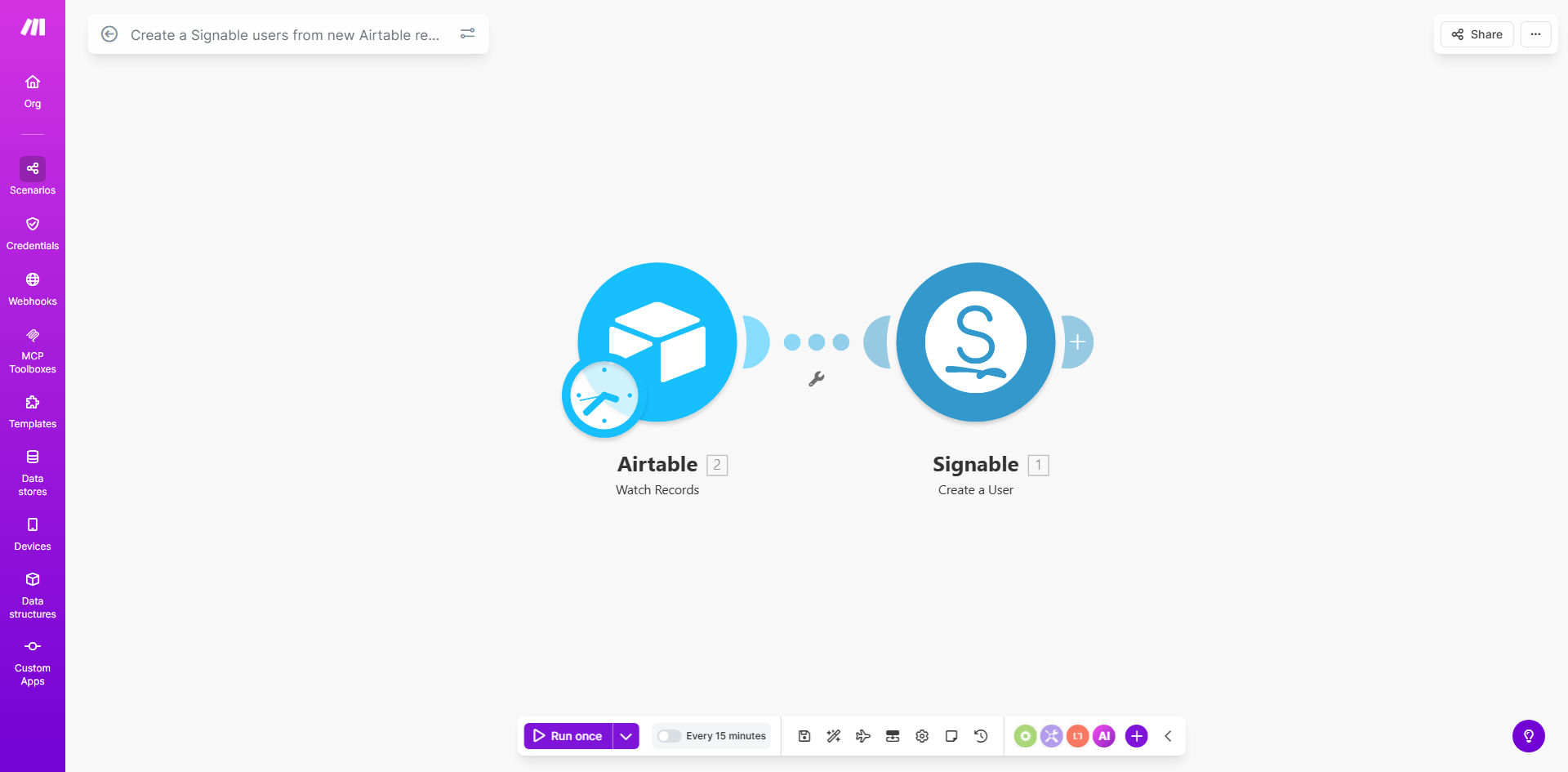
What This Workflow Does
This automation solves a common pain point for businesses using both Airtable and Signable - the tedious manual process of transferring contact information between systems. Every time you add a new client, employee, or vendor to your Airtable database, the workflow automatically creates a corresponding user in Signable, ready to receive documents for electronic signature.
The template handles all the field mapping between systems, ensuring names, email addresses, and other critical details transfer accurately. This eliminates duplicate data entry, reduces human error, and accelerates your document signing processes - whether you're onboarding employees, executing contracts with clients, or collecting vendor agreements.
How It Works
1. New Record Detection
The workflow monitors your specified Airtable base for new records being added. You can configure which table and view to watch based on your business needs.
2. Data Extraction
When a new record appears, the automation extracts the relevant contact fields (name, email, phone, etc.) according to your field mapping configuration.
3. Signable User Creation
The extracted data is formatted and sent to Signable's API, which creates a new user account with all the provided details. The workflow includes error handling to manage cases where required fields are missing.
4. Success Confirmation
After successful user creation in Signable, the workflow can optionally update your Airtable record with a status confirmation or the new Signable user ID for future reference.
Who This Is For
This automation is ideal for any business that:
- Maintains a client/contact database in Airtable
- Regularly sends documents for electronic signature via Signable
- Wants to eliminate duplicate data entry between systems
- Needs to track signing status alongside other business data
Common use cases include HR departments onboarding new employees, legal firms managing client contracts, real estate agencies processing lease agreements, and financial services firms handling compliance documentation.
What You'll Need
- An active Make.com account (formerly Integromat)
- Admin access to your Airtable base with at least one table containing contact information
- A Signable account with API access enabled
- Basic understanding of field mapping between systems
Quick Setup Guide
- Copy the template to your Make.com account
- Connect your Airtable account and select the base/table to monitor
- Connect your Signable account and verify API permissions
- Map the Airtable fields to corresponding Signable user fields
- Test with a new Airtable record to verify user creation in Signable
- Schedule the workflow to run automatically (recommended every 15-60 minutes)
Pro tip: Create a dedicated "Signable Status" field in Airtable to track which records have been successfully processed. This helps with troubleshooting and avoids duplicate processing.
Key Benefits
Reduce manual work by 80%: Eliminate the need to manually create Signable users for every new contact in your Airtable database.
Improve data accuracy: Automated field mapping ensures information transfers correctly between systems, reducing human error.
Accelerate document workflows: New contacts become signing-ready immediately after being added to Airtable, shortening your contract cycle times.
Maintain a single source of truth: Keep all contact data in Airtable while seamlessly pushing what's needed to Signable.
Scale your operations: Handle hundreds of new signers without additional administrative work as your business grows.