Make.com Document Automation Signable Google Drive E-Signature

Automate Document Storage from Signable to Google Drive

Never manually transfer signed documents again. This workflow automatically saves completed Signable envelopes to your Google Drive with proper naming and organization.

Get This Workflow → Make.com · Document Automation · Free Template
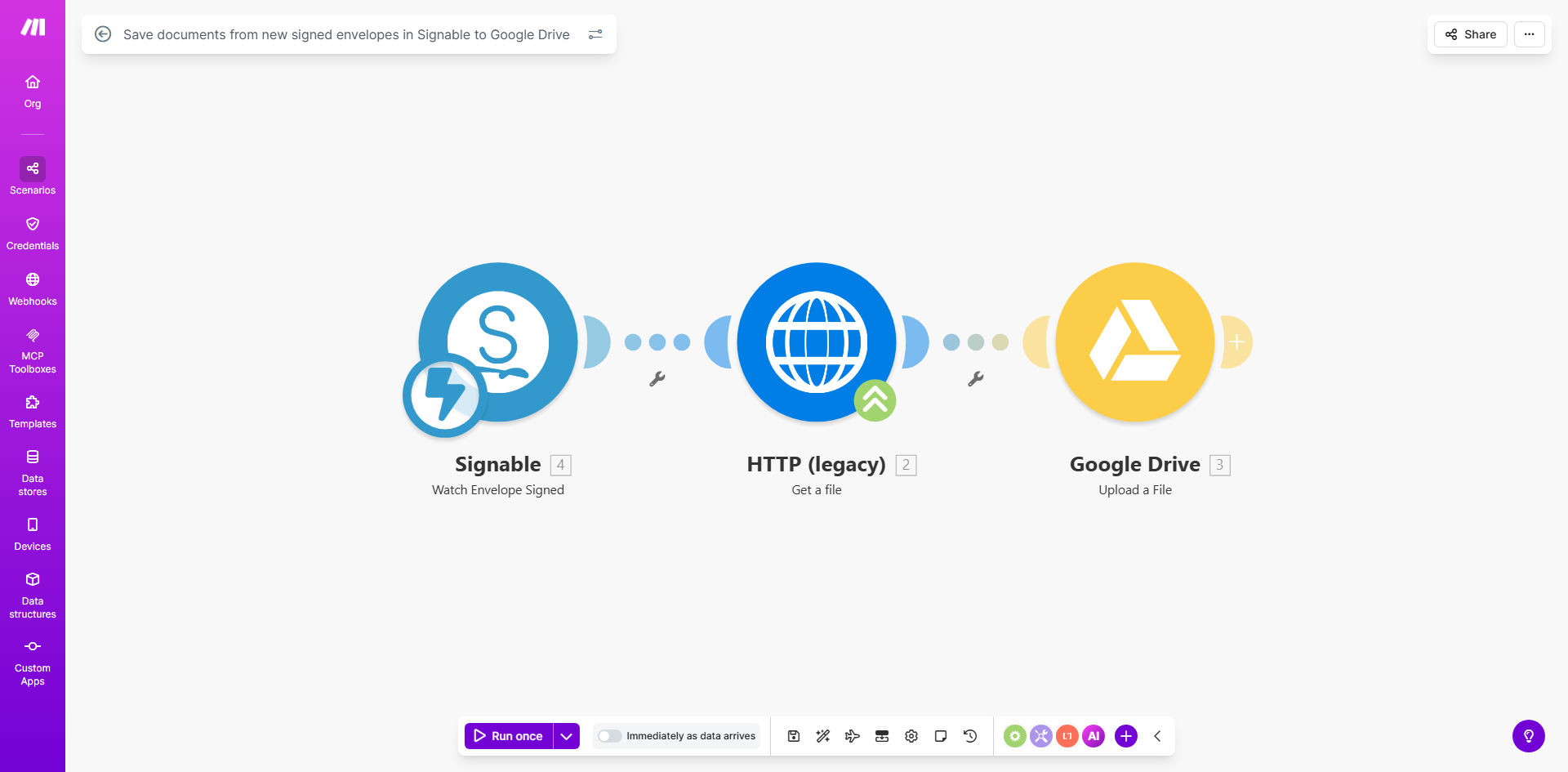
Make.com workflow diagram showing Signable to Google Drive document transfer

What This Workflow Does

This automation solves the tedious and error-prone process of manually downloading signed documents from Signable and uploading them to Google Drive. Every time a document is signed in Signable, the workflow automatically:

  • Captures the completed document with all signatures
  • Names the file according to your preferred convention
  • Stores it in the correct Google Drive folder
  • Maintains a complete audit trail of the transaction

Legal teams, HR departments, and sales organizations using this automation report saving 5-8 hours per week on document management while eliminating the risk of lost contracts.

How It Works

1. Trigger on Signed Documents

The workflow monitors your Signable account for newly completed envelopes. As soon as all parties sign, it immediately captures the final document.

2. Apply Naming Conventions

Using data from the signing event (client name, date, document type), the workflow automatically generates a consistent filename that makes documents easy to find later.

3. Organize in Google Drive

The system places each document in the appropriate folder based on your predefined rules. Common structures include by client, project, or date-based hierarchies.

4. Confirm Successful Transfer

After saving to Drive, the workflow logs the action and can optionally notify your team via email or Slack that a new signed document is available.

Who This Is For

This automation delivers the most value for:

  • Legal firms managing multiple client contracts
  • HR departments handling employee onboarding documents
  • Sales teams processing proposals and order forms
  • Small businesses that need organized document storage without administrative overhead
  • Real estate agencies managing numerous signed agreements

What You'll Need

  1. An active Signable account with documents to process
  2. Google Drive access with appropriate storage space
  3. A Make.com account (free tier available)
  4. Approximately 15 minutes for initial setup

Quick Setup Guide

  1. Click "Get This Workflow" to copy the template to your Make.com account
  2. Connect your Signable account in the Make.com settings
  3. Authorize access to your Google Drive
  4. Configure your preferred folder structure and naming conventions
  5. Test with a sample document to verify everything works
  6. Activate the workflow to begin automatic processing

Pro tip: Set up a dedicated "Signed Documents" folder in Drive with subfolders by year to maintain organization as your document volume grows.

Key Benefits

Eliminate manual document transfers that consume 2-3 hours per week for most businesses. The automation handles everything instantly after signing.

Never lose a signed contract again with automatic backup to Google Drive. Even if Signable has an outage, your documents remain safe.

Reduce document retrieval time by 80% compared to manual filing systems. Consistent naming and organization make files instantly findable.

Maintain compliance effortlessly with a complete audit trail of when documents were signed and stored.

Scale your document workflow without adding administrative staff. The system handles 10 or 10,000 documents with equal reliability.

Frequently Asked Questions

Common questions about document automation and integration

Automating document storage saves 2-3 hours per week by eliminating manual file transfers. It ensures signed contracts are never lost and creates a centralized audit trail. Businesses using automation reduce document retrieval time by 80% compared to manual filing systems.

A real estate agency processing 50 contracts monthly saved 35 hours in their first quarter by implementing this automation, while also improving compliance with document retention policies.

Make.com uses enterprise-grade encryption for all data transfers. Documents remain encrypted during transfer and storage. The automation maintains the same security standards as manual transfers while reducing human error risks.

The workflow only requests necessary permissions (read from Signable, write to specific Drive folders) and doesn't store documents permanently on Make.com servers.

Yes, the workflow can be modified to organize documents by client name, date, or document type. Common structures include /Year/Month/Client or /Project Name/Documents. Our team can help design an optimal structure for your business needs.

For example, a law firm might use: /Clients/Client Name/Agreements/Year while a sales team might prefer: /Opportunities/Deal Name/Signed Contracts

The workflow includes error handling that notifies you of any transfer failures. Failed attempts are automatically retried, and you receive an alert if issues persist. This ensures no documents fall through the cracks.

Common temporary issues like network interruptions are handled gracefully, with the system automatically resuming transfers once connectivity is restored.

Make.com provides more customization than native integrations. You can add conditional logic, rename files automatically, trigger secondary actions, and integrate with additional apps. The workflow grows with your business needs.

Unlike static integrations, you can modify this workflow to add steps like notifying your CRM when contracts are signed or creating follow-up tasks in your project management tool.

Yes, the workflow can append metadata like signing date, parties involved, or custom tags to each document. This makes searching and organizing documents significantly easier while maintaining compliance.

For Google Drive, metadata can be added as file properties or included in the filename. Advanced implementations can even populate Google Sheets with document details for reporting.

Absolutely. Our team specializes in building tailored document workflows that match your exact business processes. We can integrate multiple e-signature platforms, add approval steps, and create custom naming conventions.

Custom solutions typically include: multiple document types handling, conditional routing based on content, automated notifications to stakeholders, and integration with your existing business systems.

  • Free consultation to understand your workflow
  • 2-week implementation timeline for most projects
  • Ongoing support and optimization

Need a Custom Document Automation?

This free template is a starting point. Our team builds fully tailored automation systems for your specific business needs.