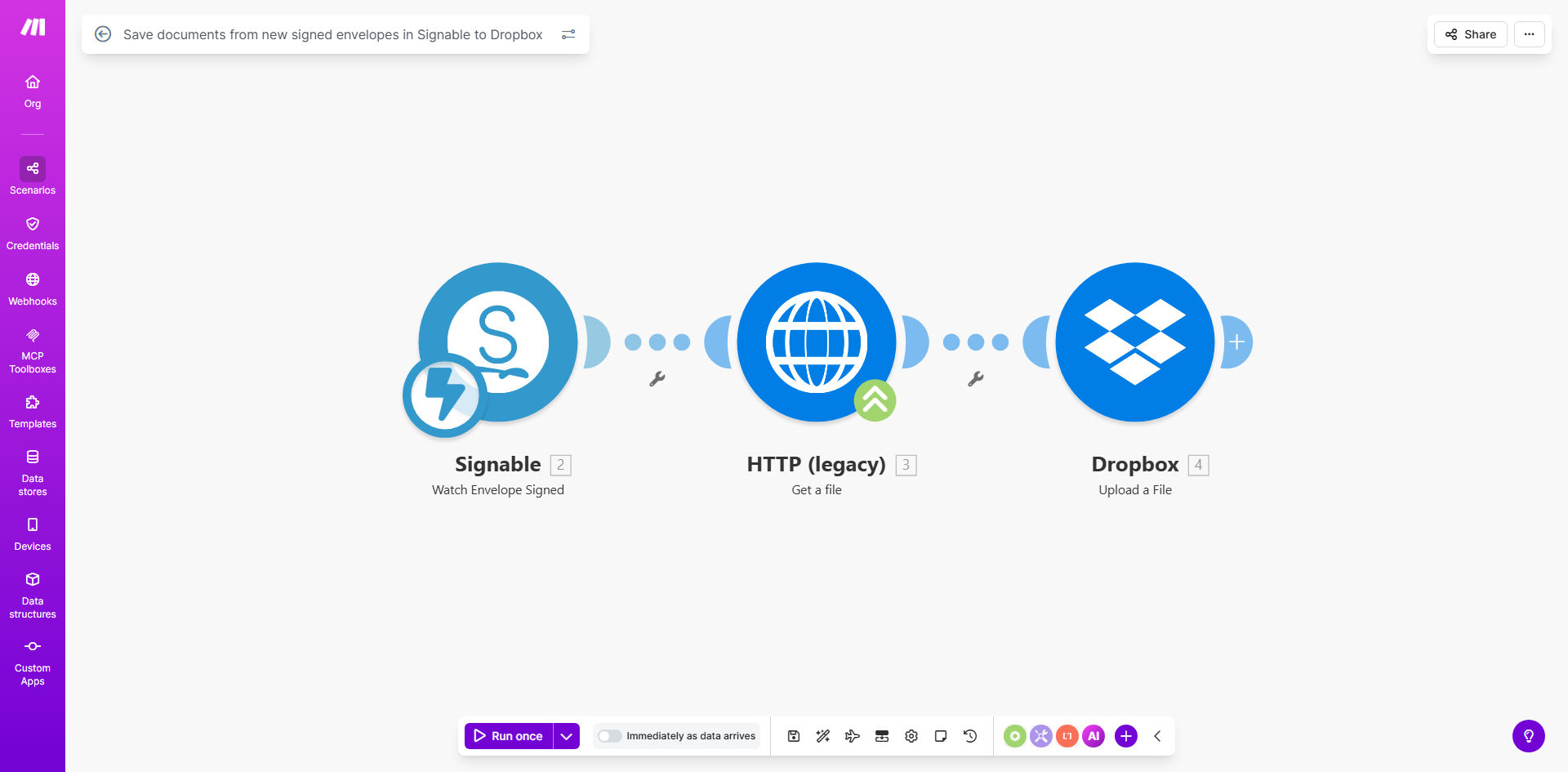
What This Workflow Does
This automation solves the tedious and error-prone process of manually downloading signed documents from Signable and uploading them to Dropbox. Every time a contract or agreement is signed in Signable, the workflow automatically saves the completed document to your specified Dropbox folder with no human intervention required.
The system creates a reliable backup of all signed documents while maintaining proper organization in your cloud storage. This is particularly valuable for businesses that handle numerous contracts, as it eliminates the risk of losing track of signed documents or having team members work from outdated versions.
How It Works
1. Trigger: New signed envelope in Signable
The workflow monitors your Signable account for new signed envelopes. As soon as all parties complete signing, the workflow is triggered automatically.
2. Document retrieval
The system securely accesses the signed document through Signable's API, ensuring it retrieves the final version with all signatures and annotations intact.
3. File preparation
The document is processed with your preferred naming convention (e.g., "Contract_[ClientName]_[DateSigned].pdf") and any relevant metadata is extracted for organization purposes.
4. Secure transfer to Dropbox
The prepared document is uploaded to your designated Dropbox folder, maintaining all security permissions and creating a timestamped record of when it was stored.
Pro tip: Configure the workflow to create subfolders by client name or month to keep your Dropbox organized automatically.
Who This Is For
This automation is ideal for:
- Legal firms managing numerous client contracts
- HR departments handling employee onboarding documents
- Real estate agencies processing property agreements
- Freelancers and consultants who need signed proposals archived
- Any business using Signable that wants reliable document backups
What You'll Need
- An active Signable account with API access
- A Dropbox Business or personal account
- A Make.com account (free tier available)
- Basic understanding of folder structures in Dropbox
Quick Setup Guide
- Clone the template in your Make.com account
- Connect your Signable account via API
- Authenticate your Dropbox integration
- Specify your target Dropbox folder path
- Set your preferred file naming convention
- Test with a sample signed document
- Activate the workflow
Key Benefits
Save 2-5 hours per week by eliminating manual document transfers between Signable and Dropbox. What used to be a repetitive administrative task now happens automatically in the background.
100% document capture rate ensures no signed contracts slip through the cracks. The system works 24/7, capturing documents even when your team is offline.
Enhanced security and compliance through automatic backups in your controlled Dropbox environment. Maintain chain of custody for legal documents without extra effort.
Instant team access to signed documents in your centralized Dropbox repository. No more waiting for someone to manually share files.
Customizable organization lets you structure documents by client, date, or project automatically as they're saved.