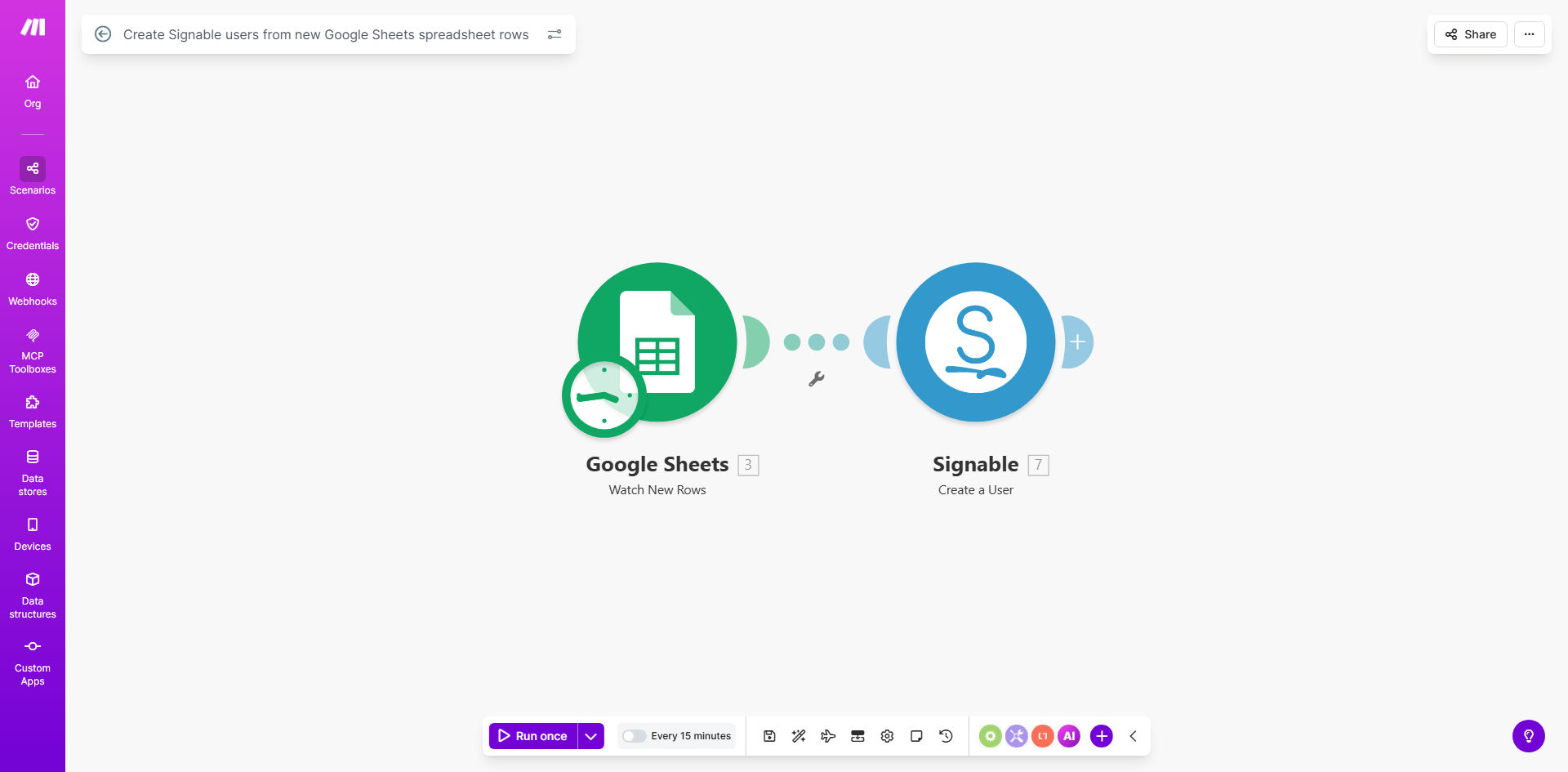
What This Workflow Does
This automation solves the tedious process of manually creating user accounts in Signable whenever you add new contacts to your Google Sheets. Businesses that regularly onboard new clients, employees, or contractors often waste hours copying data between systems, increasing the risk of errors.
The workflow monitors your specified Google Sheet for new rows, extracts the relevant user information, and automatically creates corresponding accounts in Signable. This ensures your document signing platform stays perfectly synchronized with your master contact list without any manual intervention.
How It Works
1. New Row Detection
The workflow continuously monitors your Google Sheet for new rows being added, using Make.com's instant trigger functionality. You can specify which columns contain the user data needed for Signable account creation.
2. Data Formatting
Before sending to Signable, the workflow formats the spreadsheet data to match Signable's API requirements. This includes properly structuring names, email validation, and mapping custom fields if needed.
3. User Creation
Make.com's Signable module creates the new user account with all specified details. The workflow handles authentication and API communication behind the scenes.
4. Success Confirmation
After successful creation, the workflow can optionally mark the row in Google Sheets or send a confirmation to your team via email/Slack.
Pro tip: Add a "User Type" column in your sheet to automatically assign different document templates in Signable based on the user's role (employee, client, vendor, etc.).
Who This Is For
This automation delivers the most value for:
- HR departments onboarding new employees who need to sign contracts
- Legal firms managing client agreements and consent forms
- Sales teams provisioning client accounts for document signing
- Educational institutions processing student enrollment forms
- Healthcare providers managing patient consent documentation
What You'll Need
- A Google Sheets spreadsheet with your user data
- A Signable account with admin privileges
- A Make.com account (free tier available)
- Basic understanding of Google Sheets column structure
- 5-10 minutes to configure the workflow
Quick Setup Guide
- Click "Get This Workflow" to copy the template to your Make.com account
- Connect your Google Sheets account and select the spreadsheet
- Connect your Signable account and specify user field mappings
- Test with a sample row to verify the user creation
- Activate the workflow - it will now run automatically
Key Benefits
Save 5-10 hours monthly by eliminating manual data entry between systems. What previously took minutes per user now happens in seconds automatically.
Reduce onboarding errors with perfect data transfer between systems. No more typos or missed fields during manual copying.
Improve compliance by ensuring all required users are provisioned in Signable immediately when added to your master sheet.
Scale effortlessly as your user base grows - the workflow handles 10 or 10,000 users with equal reliability.
Maintain control with the ability to review and modify spreadsheet data before it becomes live in Signable.